Step 1
Machine-Ready Briefs
AI translates unstructured needs into a technical, machine-ready project request.
We use cookies to improve your experience and analyze site traffic. You can accept all cookies or only essential ones.
 Bilarna
Stop browsing static lists. Tell Bilarna your specific needs. Our AI translates your words into a structured, machine-ready request and instantly routes it to verified Personal AI Workspace experts for accurate quotes.
AI translates unstructured needs into a technical, machine-ready project request.
Compare providers using verified AI Trust Scores & structured capability data.
Skip the cold outreach. Request quotes, book demos, and negotiate directly in chat.
Filter results by specific constraints, budget limits, and integration requirements.
Eliminate risk with our 57-point AI safety check on every provider.
Verified companies you can talk to directly
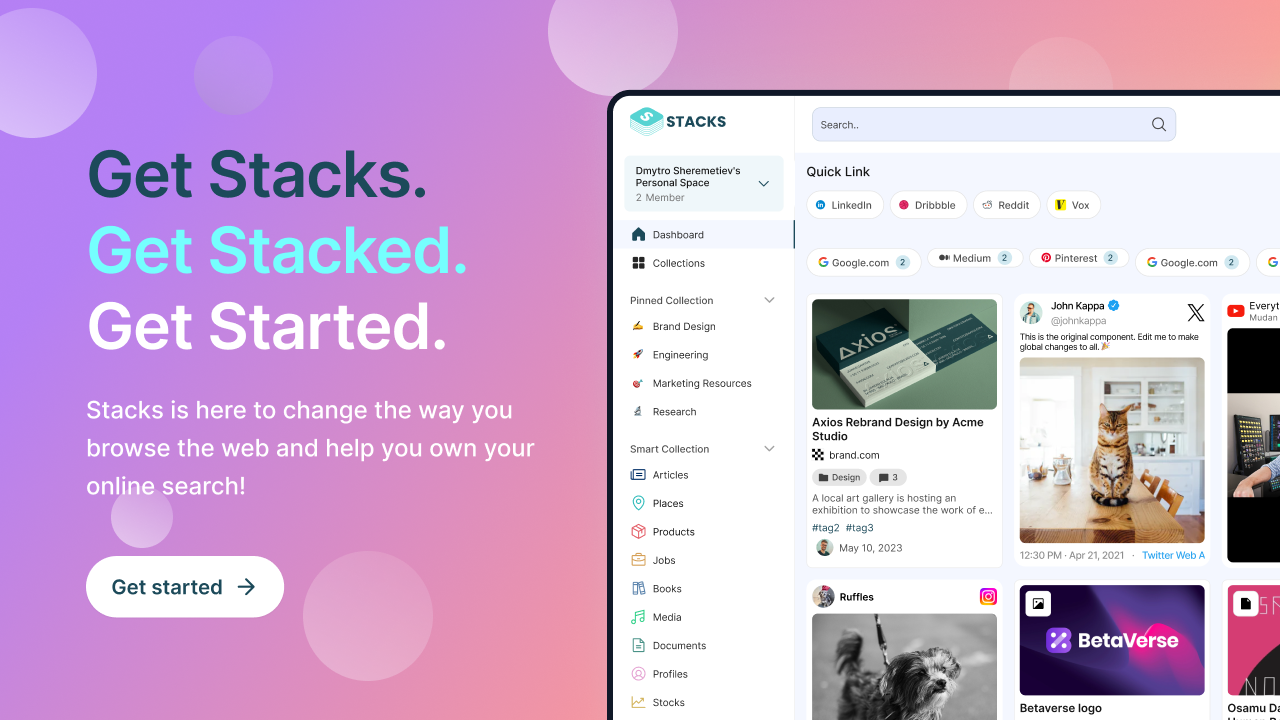
Stop juggling 7+ apps. Stacks replaces Google Drive + Bookmarks + Notion with one AI workspace. 50,000+ users saved 2hrs/day.
Run a free AEO + signal audit for your domain.
AI Answer Engine Optimization (AEO)
List once. Convert intent from live AI conversations without heavy integration.
A Personal AI Workspace is a customizable digital environment that integrates various artificial intelligence tools and agents to assist with individual tasks, data analysis, and decision-making. It typically leverages technologies like natural language processing, machine learning models, and automation to streamline information management and complex workflows. This setup enables professionals to enhance productivity, gain deeper insights from data, and automate routine processes.
First, you identify the specific tasks, data sources, and productivity goals you want your AI workspace to manage and optimize for your role.
Next, you connect and configure a suite of AI-powered applications, such as chatbots, analytics engines, and automation scripts, into a unified interface.
Finally, you train the AI agents on your data and preferences, enabling the system to provide tailored recommendations, summaries, and automated actions.
Analysts use AI workspaces to automate data aggregation, perform predictive modeling, and generate real-time investment reports from disparate sources.
Researchers consolidate medical literature and patient data into an AI-driven hub for faster hypothesis testing and clinical trial analysis.
Managers employ AI to monitor inventory, personalize customer interactions, and optimize pricing strategies across multiple sales channels.
Developers integrate AI assistants for code review, debugging, and project management to accelerate development cycles and improve code quality.
Teams leverage AI to analyze campaign performance, automate content creation, and personalize customer journeys based on behavioral data.
Bilarna evaluates every Personal AI Workspace provider through a rigorous 57-point AI Trust Score. This proprietary system audits technical expertise, data security protocols, and proven client outcomes. We continuously monitor provider performance and client feedback to ensure listed partners meet enterprise reliability standards.
Implementation costs vary widely based on scope, from monthly SaaS subscriptions for pre-built platforms to six-figure projects for fully custom enterprise solutions. Key cost drivers include the number of AI tools, required integrations, and the level of personalization and training needed for your specific data environment.
A basic, pre-configured workspace can be operational within days, while a sophisticated, custom-built environment may require several months. The timeline depends on data complexity, the number of source systems to integrate, and the depth of workflow automation desired from the AI agents.
A Personal AI Workspace is agentic and proactive, using AI to analyze, suggest, and automate tasks autonomously. In contrast, standard software is primarily a passive tool requiring manual input. The workspace learns from your behavior to personalize insights and execute workflows without constant supervision.
Common errors include over-prioritizing cost over scalability, neglecting data security and compliance certifications, and failing to verify the provider's real-world integration capabilities with your existing tech stack. A thorough evaluation of post-deployment support and model training services is also critical.
Essential security features include end-to-end encryption for data at rest and in transit, strict access controls and role-based permissions, and compliance with standards like SOC 2, ISO 27001, or GDPR. Providers should also offer clear data governance policies, including audit trails and options for private model deployment.
Online personal loans typically offer transparent pricing with clear interest rates and no hidden fees. This means you will know exactly what you owe before accepting the loan. Additionally, many lenders do not charge extra fees for early repayment, allowing you to pay off your loan without penalties if you choose to do so.
AI fitness apps can effectively replace some functions of personal trainers by providing personalized workout plans, tracking progress, and optimizing training based on user data. They offer convenience and cost savings by automating routine adjustments and providing motivation through data-driven feedback. However, while AI apps can simulate many aspects of personal training, they may lack the personalized human interaction, emotional support, and real-time corrections that a personal trainer offers. Some apps mitigate this by offering messaging support with real trainers for advice and accountability. Overall, AI fitness apps are a practical alternative for many users seeking flexible and affordable fitness guidance.
Yes, you can customize the AI-generated wedding speech to fit your personal style by following these steps: 1. Generate the initial speech draft using the AI tool. 2. Read through the speech carefully to identify areas for personalization. 3. Add your own anecdotes, jokes, or emotional touches. 4. Adjust the tone or wording to better match your speaking style. 5. Remove or modify any parts that do not feel authentic to you. 6. Practice delivering the customized speech to ensure it sounds natural and heartfelt.
Yes, you can keep your AI phone number indefinitely for personal or business use by following these steps: 1. Choose a provider that allows permanent ownership of the AI phone number. 2. Register the number under your name or business entity. 3. Maintain any required subscription or service fees to keep the number active. 4. Use the AI assistant features included with your number for calls and messages. 5. Update your preferences or AI settings anytime to suit your ongoing needs.
Use AI-generated Bible images for personal or commercial purposes by following these steps: 1. Download the desired images from the platform. 2. Ensure to credit the source by mentioning the platform name and linking back to it. 3. Use the images freely on websites, social media, or other projects without restrictions. 4. Respect the usage guidelines provided to maintain proper attribution and compliance.
Yes, there are integration tools designed to enable cross-platform messaging and file sharing among Google Workspace, Microsoft Teams, and Slack. These tools are not separate chat applications but work by integrating with your existing chat platforms. By installing the integration app on each platform, users can send messages and share files seamlessly across different services without switching apps. This approach helps organizations maintain their current chat environments while enhancing interoperability between platforms.
Yes, you can use the AI personal trainer wearable without a subscription. 1. Use the device with core live lifting metrics, custom workouts, and basic analytics without subscribing. 2. Consider subscribing to unlock full app features including detailed insights, personalized guidance, and live audio coaching. 3. The subscription typically costs around $100 per year, providing enhanced training support.
Your personal data and payment transactions are protected using strong encryption methods and strict privacy policies. Encryption ensures that your information remains confidential and inaccessible to unauthorized parties. Additionally, tokenization is applied to payments to keep transaction details private. These combined security practices guarantee that your data is handled securely and never shared without your consent.
A company can protect its online reputation and personal data during a digital crisis by implementing online reputation management and identity protection strategies. This involves using search engine optimization (SEO) techniques to influence Google search results and improve digital presence through innovative content, actively managing social media to shape public perception and counter misinformation. Additionally, legal measures such as blocking or suppressing disseminated data that harms privacy, honor, or image are crucial. Proactive steps include monitoring digital channels for potential threats, developing response protocols for data leaks, and engaging in digital cleaning to remove harmful content. Post-crisis, companies should assess impact, restore trust with stakeholders, and learn from incidents to enhance future performance. These combined actions help mitigate damage and ensure data security.
Integrating utilization intelligence into workspace management allows corporate occupiers to gain real-time insights into how office spaces are used. By syncing attendance data from badge swipes, Wi-Fi, sensors, and HRIS systems, organizations can accurately track occupancy levels and identify underutilized areas. This data-driven approach helps optimize space allocation, reduce real estate costs, and improve employee experience by ensuring that workspaces meet actual demand. Additionally, utilization intelligence supports compliance with health and safety regulations by monitoring occupancy limits and enables better planning for hybrid work models.