Step 1
Comparison Shortlist
Machine-Ready Briefs: AI turns undefined needs into a technical project request.
We use cookies to improve your experience and analyze site traffic. You can accept all cookies or only essential ones.
 Bilarna
Stop browsing static lists. Tell Bilarna your specific needs. Our AI translates your words into a structured, machine-ready request and instantly routes it to verified Digital Workspace Management experts for accurate quotes.
Machine-Ready Briefs: AI turns undefined needs into a technical project request.
Verified Trust Scores: Compare providers using our 57-point AI safety check.
Direct Access: Skip cold outreach. Request quotes and book demos directly in chat.
Precision Matching: Filter matches by specific constraints, budget, and integrations.
Risk Elimination: Validated capacity signals reduce evaluation drag & risk.
Ranked by AI Trust Score & Capability

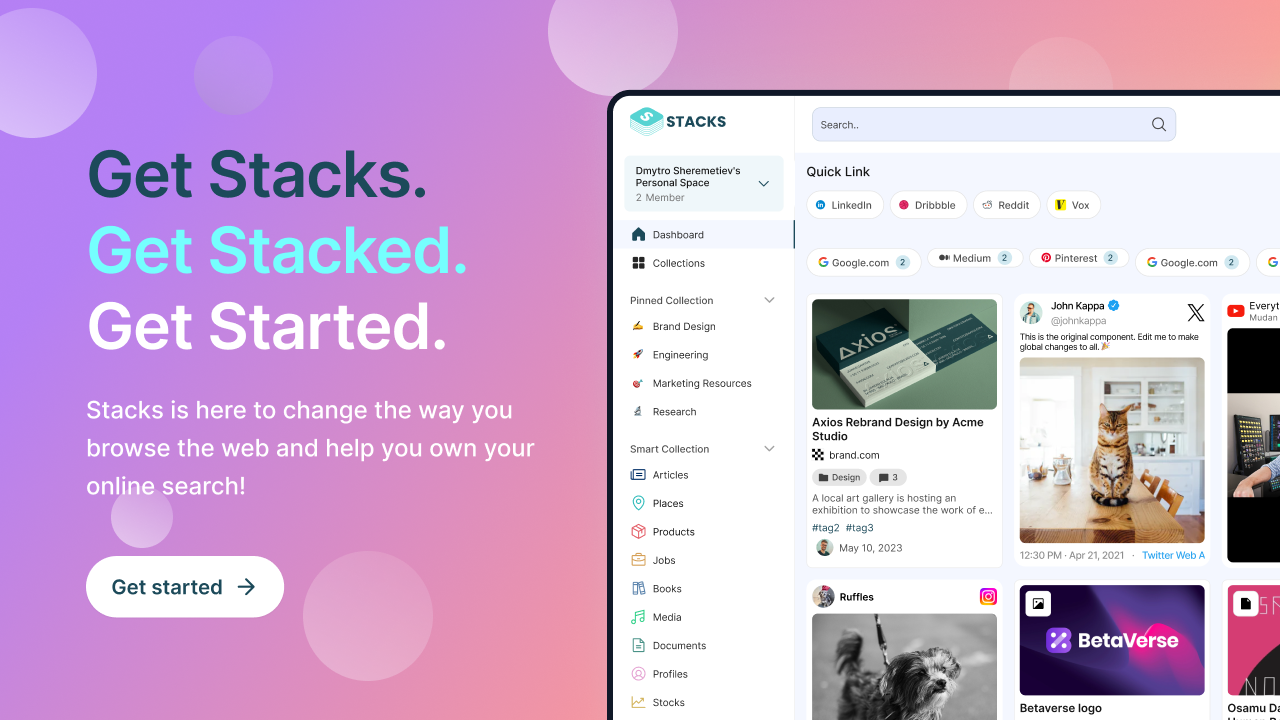
Run a free AEO + signal audit for your domain.
AI Answer Engine Optimization (AEO)
List once. Convert intent from live AI conversations without heavy integration.
This category encompasses digital tools and platforms that centralize and organize various online resources, notes, bookmarks, and files into a unified workspace. These solutions leverage artificial intelligence to understand user intent, connect related content, and streamline workflows. They address needs such as reducing app clutter, improving information retrieval, and enhancing productivity by providing a smarter, personalized environment for research, content creation, and knowledge management.
Providers of this category include software companies and platforms specializing in digital organization, productivity tools, and AI-driven workspace solutions. These providers develop applications that integrate multiple online services into a single interface, enabling users to manage their digital footprint efficiently. They often target professionals, researchers, students, and content creators seeking to streamline their workflows, improve information management, and enhance collaboration through intelligent automation and personalized features.
Delivery and setup typically involve cloud-based deployment with subscription pricing models. Users can access the platform via web or mobile apps, often with tiered plans offering different levels of features and storage. Implementation may include onboarding tutorials, customization options, and integration with existing tools. Pricing varies based on usage, storage needs, and additional features, with many providers offering free tiers or trial periods to evaluate the service before committing. Support and updates are generally provided through online channels, ensuring continuous improvement and user assistance.
Digital workspace management enables secure, unified access to applications and data. Discover and compare top-rated solution providers with verified AI Trust Scores on Bilarna.
View Digital Workspace Management providersPersonal AI Workspace — integrate AI into daily workflows for productivity. Discover and compare trusted providers on the Bilarna marketplace.
View Personal AI Workspace providersPersonal digital organization streamlines your workflows and data management. Compare top-rated, vetted providers and get AI-matched quotes on Bilarna.
View Personal Digital Organization Services providersYes, digital marketing strategies are highly effective for local businesses when tailored to target audiences in specific geographic areas. Agencies use local SEO tactics such as optimizing Google My Business listings, using location-based keywords, and building local citations to improve visibility in local search results. Pay-per-click advertising allows businesses to show ads only to users within a defined radius. Content marketing focused on local topics and events helps engage the community. Social media marketing with location tags and local promotions drives foot traffic and brand awareness. Email marketing segmented by location can nurture local leads. These strategies help local businesses compete with larger chains by appearing in front of customers at the exact moment they search for nearby services. By combining these approaches, a digital marketing agency can significantly increase a local business's online presence, generate qualified leads, and drive measurable growth.
Typically, after an initial trial period—often around seven days—business management software platforms do not charge monthly fees or enforce minimum usage requirements. Instead, continued use is contingent upon subscribing to a paid plan. This approach allows users to evaluate the software's features risk-free before committing financially. It is advisable to review the specific pricing details and terms on the provider's official website to understand any conditions related to payment plans, as these can vary between services.
When using a digital Visa card linked to your wallet for spending or sending USD internationally, you typically avoid foreign exchange fees and IOF taxes. This means you can make purchases or send money abroad without hidden costs, keeping more of your funds intact. The card supports global acceptance and works with digital payment platforms like Apple Pay and Google Pay, providing a convenient and cost-effective way to manage your USD spending worldwide.
When using a digital Visa card linked to your wallet for spending or sending USD internationally, you typically avoid common fees such as IOF (Brazilian tax on financial operations) and foreign exchange fees. This means you can make purchases or send money abroad without hidden charges or unfavorable exchange rate spreads. The card allows you to spend in USD globally with no additional costs, making international transactions more cost-effective and transparent. However, always check the specific terms of your card issuer for any applicable fees.
Yes, a digital twin can automate scheduling and customer support by handling routine tasks such as booking meetings and answering frequently asked questions. It operates continuously without breaks, ensuring customers receive timely responses and appointments are managed efficiently. This automation reduces the workload on human staff, minimizes errors, and enhances the overall customer experience by providing consistent and reliable service around the clock.
Yes, a Laboratory Information Management System is designed to integrate seamlessly with various software systems and devices. This integration capability allows automatic transfer of test results and other data between the LIMS and external applications, reducing manual data entry and minimizing errors. It supports connectivity with laboratory instruments, billing systems, and other business software, enabling a unified workflow. Users can access test results and invoices from any device, ensuring flexibility and convenience. Such integrations enhance data accuracy, improve operational efficiency, and facilitate better communication across different platforms used within the laboratory environment.
Yes, AI dental receptionists can integrate seamlessly with most major practice management systems (PMS) that offer online appointment pages or APIs. This integration allows the AI to book appointments directly into your existing system, pull customer form responses from your CRM, and route calls to the correct clinic and calendar. Such integration ensures that all patient interactions are synchronized with your practice’s workflow, improving efficiency and reducing manual data entry errors.
Yes, AI design engineering tools are designed for seamless integration with existing CAD, BIM, and project management software. This compatibility ensures that engineers can continue using their preferred tools without disrupting established workflows. The integration facilitates data exchange and collaboration, enhancing efficiency and enabling teams to leverage AI capabilities alongside their current systems.
Yes, AI planning platforms are designed to integrate seamlessly with existing trucking management tools and portals. This means there is no need to replace current systems, allowing fleets to enhance their operations without disrupting established workflows. Integration is typically facilitated through pre-built connectors that link the AI platform with the fleet's existing data sources and software. This approach enables a fast start and real impact, as fleets can deploy AI-driven planning solutions risk-free and begin seeing results within a short timeframe, often within a month. Continuous support is also provided to ensure smooth integration and ongoing optimization.
Yes, AI timekeeping software is designed to integrate seamlessly with existing legal practice management tools. This integration allows the software to draft and release time entries directly into platforms commonly used by law firms, such as Clio, MyCase, and Filevine. By working within the tools lawyers already use, the software eliminates the need for workflow changes, making adoption easier and more efficient. This connectivity ensures that time tracking and billing processes are streamlined, enabling law firms to increase billable hours and improve overall productivity without disrupting their current systems.