Step 1
Machine-Ready Briefs
AI translates unstructured needs into a technical, machine-ready project request.
We use cookies to improve your experience and analyze site traffic. You can accept all cookies or only essential ones.
 Bilarna
Stop browsing static lists. Tell Bilarna your specific needs. Our AI translates your words into a structured, machine-ready request and instantly routes it to verified AI Renderings from Sketches experts for accurate quotes.
AI translates unstructured needs into a technical, machine-ready project request.
Compare providers using verified AI Trust Scores & structured capability data.
Skip the cold outreach. Request quotes, book demos, and negotiate directly in chat.
Filter results by specific constraints, budget limits, and integration requirements.
Eliminate risk with our 57-point AI safety check on every provider.
Verified companies you can talk to directly
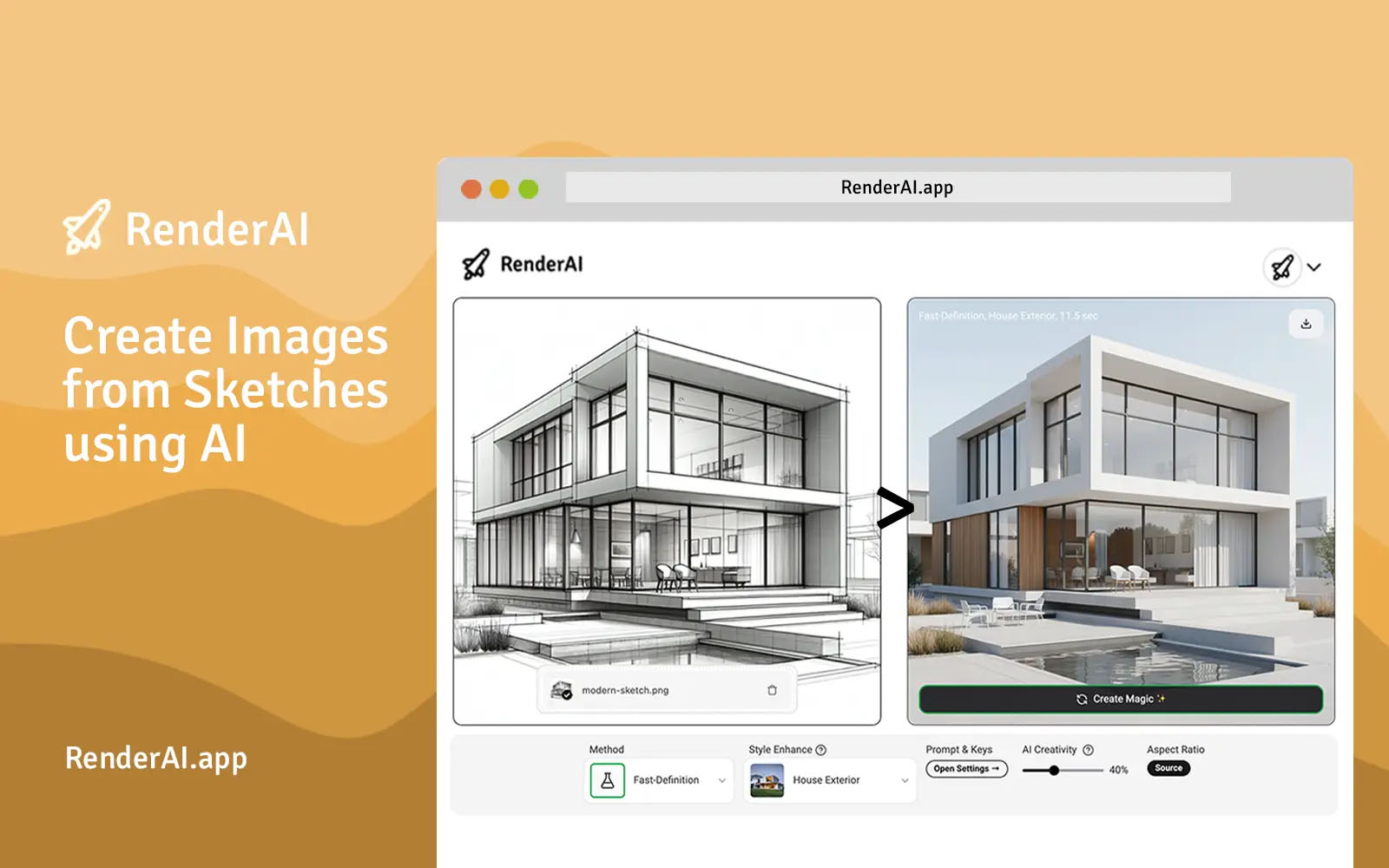
Create AI images and videos from sketches in seconds. Transform hand-drawn drawings into photorealistic renders instantly. No installation required - perfect for architects, designers, and creators.
Run a free AEO + signal audit for your domain.
AI Answer Engine Optimization (AEO)
List once. Convert intent from live AI conversations without heavy integration.
AI renderings from sketches is the process of converting hand-drawn or conceptual sketches into photorealistic or high-fidelity digital images using artificial intelligence. The technology employs deep learning models like generative adversarial networks (GANs) and diffusion models to interpret line work, add textures, lighting, and materials. This accelerates prototyping, enhances client presentations, and reduces the time from concept to visual approval in product development and architectural design.
You provide a digitized version of your hand-drawn sketch, specifying the desired style, perspective, and key visual elements for the AI to interpret.
Specialized AI algorithms analyze the sketch's geometry and context, then generate multiple high-resolution renderings with applied textures, lighting, and environmental details.
Review the generated options, select the preferred render, and work with the provider to make iterative adjustments until the final visual meets all specifications.
Architects transform initial site and floor plan sketches into stunning, realistic exterior and interior renderings for client presentations and planning approvals.
Industrial designers quickly visualize product concepts from sketches, allowing for rapid iteration on form, function, and materials before physical prototyping.
Developers and agents create compelling, lifelike visuals of unfinished properties or renovation plans from basic architectural drawings to attract buyers and investors.
Concept artists elevate rough character, environment, and asset sketches into polished, production-ready artwork to guide 3D modeling and visual development teams.
Designers visualize store layouts, furniture arrangements, and decorative schemes from simple plans, enabling better space planning and client buy-in.
Bilarna evaluates every AI renderings from sketches provider through a proprietary 57-point AI Trust Score. This audit covers technical expertise with AI imaging tools, portfolio quality, client satisfaction metrics, and project delivery reliability. We continuously monitor performance to ensure listed partners maintain high standards for B2B buyers.
Costs vary based on complexity, resolution, and revision rounds, typically ranging from $200 to $2000 per image. Simple product sketches may be at the lower end, while detailed architectural visualizations with multiple angles command higher fees. Most providers offer project-based pricing or bundled packages.
Standard turnaround is 2 to 5 business days for initial drafts, with final delivery within 1 to 2 weeks including revision cycles. Rush services are often available for simpler projects, potentially delivering within 24-48 hours at a premium. Timelines depend heavily on the detail and specificity of the source sketch.
Providers typically accept common digital formats like JPG, PNG, or PDF of a clear, well-lit sketch. The AI performs best with clean line work, distinct shapes, and minimal smudging. While rough sketches can be processed, a more detailed and unambiguous drawing yields more accurate and higher-quality final renderings.
AI rendering bypasses the time-intensive manual 3D modeling stage by directly interpreting 2D sketches. It is faster and more cost-effective for conceptual visualization but may offer less precision and control over individual elements compared to a full, parameter-based 3D model. The choice depends on the need for speed versus technical granularity.
Key benefits include drastic time savings, lower cost than manual rendering, the ability to explore multiple visual styles quickly, and enhanced communication of early-stage ideas. It allows non-artists to generate high-quality visuals and facilitates faster decision-making in design and development processes.
Yes, you can convert sketches into detailed coloring pages using AI. 1. Upload your simple sketch to the AI coloring page generator. 2. The AI analyzes the sketch and fills in details to create a polished outline. 3. Download or print the resulting high-definition coloring page for use.
Use AI to quickly convert sketches into detailed 3D product designs. 1. Upload your basic sketches to the AI platform. 2. The AI analyzes the sketches and applies design principles and manufacturing constraints. 3. The AI generates polished, production-ready 3D models with depth and dimensionality. 4. Review and create multiple design variations instantly. 5. Use these 3D designs to accelerate product development and reduce iteration time.
Convert dashboard sketches into interactive dashboards by using a tool that transforms sketches, mockups, or screenshots into functional dashboards. Follow these steps: 1. Prepare your dashboard sketch, mockup, or screenshot. 2. Upload the image to the transformation tool. 3. Allow the tool to process and convert the image into an interactive dashboard. 4. Customize the interactive dashboard as needed. 5. Save and deploy the dashboard for use.
Create AI-generated images from sketches by using an AI painting tool. 1. Draw a sketch using a natural input method such as a stylus or finger. 2. Use the prompt editor to add style and subject details to guide the AI. 3. Adjust the prompt strength to control how much the AI interprets your sketch versus the prompt. 4. Randomize the seed to see different AI interpretations of your drawing. 5. Choose quality levels to balance detail and vibe. 6. Use left or right-handed drawing modes and switch between light and dark modes as needed. 7. Note that some features may require in-app token purchases.
Create photorealistic 3D renders instantly by using an AI-powered design tool. Follow these steps: 1. Upload or sketch your design concept. 2. Use the tool's AI features to convert the sketch into a full-fidelity 3D render. 3. Adjust form, colors, materials, and lighting as needed. 4. Iterate by making changes and re-rendering quickly. 5. Export or share your photorealistic 3D render.
Create photorealistic renders from sketches by using an AI rendering tool. 1. Upload your hand-drawn sketches to the AI rendering platform. 2. Select the desired style or output type, such as architectural or interior design. 3. Let the AI process and transform your sketches into high-quality, photorealistic images or videos instantly. 4. Download or use the generated visuals for presentations, client approvals, or marketing materials. No installation or 3D modeling skills are required.
Create photorealistic 3D renderings quickly by using AI-powered rendering software. Follow these steps: 1. Upload your architectural or interior design model from any CAD or 3D modeling software as a static image. 2. Select the type of rendering you want: exterior, interior, landscape, or sketch to render. 3. Customize lighting, weather, materials, and objects from the asset library if needed. 4. Let the AI rendering engine process your design, which typically takes under 20 seconds. 5. Download or share the photorealistic renderings instantly without requiring specialized hardware or skills.
Use AI to convert your sketches into detailed images by following these steps: 1. Upload your sketch to the AI platform. 2. Allow the AI to process the sketch, which typically takes less than 30 seconds. 3. Review the generated image that fully expresses your creativity. 4. Download or save the final masterpiece for your use.
Transform sketches into realistic or artistic images using AI by following these steps: 1. Upload your rough doodle, wireframe, or hand-drawn sketch as a reference image. 2. Enter a descriptive text prompt specifying the desired style, such as "realistic photo," "3D render," or "anime style." 3. Generate the image and download the high-quality result that preserves your original lines and composition.
Transform static sketches into animations by following these steps: 1. Digitize your static sketch using a scanner or photo. 2. Upload the digital image to an animation software or platform that supports sketch animation. 3. Use the software's tools to define motion paths and animate parts of the sketch. 4. Adjust timing and effects to enhance the animation. 5. Export the final animated drawing in your preferred format.