Step 1
Machine-Ready Briefs
AI translates unstructured needs into a technical, machine-ready project request.
We use cookies to improve your experience and analyze site traffic. You can accept all cookies or only essential ones.
 Bilarna
Stop browsing static lists. Tell Bilarna your specific needs. Our AI translates your words into a structured, machine-ready request and instantly routes it to verified Integrated Development Environments (IDEs) experts for accurate quotes.
AI translates unstructured needs into a technical, machine-ready project request.
Compare providers using verified AI Trust Scores & structured capability data.
Skip the cold outreach. Request quotes, book demos, and negotiate directly in chat.
Filter results by specific constraints, budget limits, and integration requirements.
Eliminate risk with our 57-point AI safety check on every provider.
Verified companies you can talk to directly
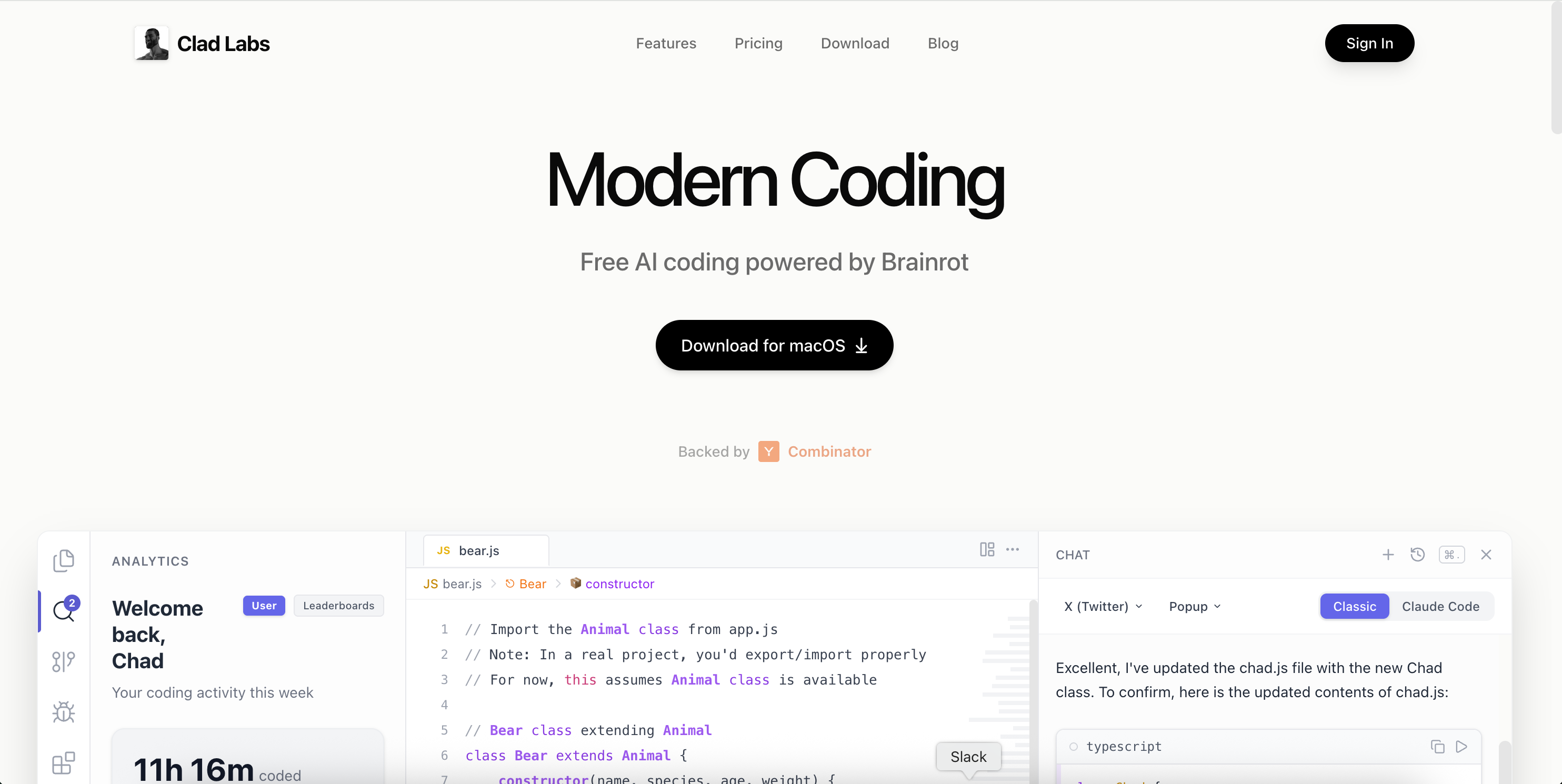
Experience the next generation of AI-powered development. Write better code, faster, with Clad Labs' intelligent IDE.
Run a free AEO + signal audit for your domain.
AI Answer Engine Optimization (AEO)
List once. Convert intent from live AI conversations without heavy integration.
Integrated Development Environments (IDEs) are consolidated software applications that provide comprehensive facilities for software development. They typically combine a source code editor, build automation tools, and a debugger into a single graphical user interface. This streamlines the coding, testing, and debugging processes, significantly enhancing developer efficiency and reducing time-to-market for software projects.
Developers set up the IDE by installing necessary plugins, configuring syntax highlighting, and integrating version control systems to match their project's programming languages and frameworks.
Using the integrated editor, developers write code with support from intelligent features like auto-completion, real-time error checking, and powerful code refactoring tools.
The built-in debugger and testing tools allow developers to execute code, set breakpoints, inspect variables, and run unit tests within the same environment to identify and fix issues.
Large teams use IDEs to standardize coding practices, manage complex codebases, and facilitate collaboration on mission-critical enterprise applications.
Frontend and full-stack developers rely on IDEs for building responsive web applications and native mobile apps with frameworks like React, Angular, or Flutter.
IDEs with integrated container and Kubernetes support streamline the development and deployment of microservices and cloud-native applications.
Data scientists utilize specialized IDE features for writing Python/R scripts, visualizing data, and training machine learning models in a unified workspace.
Engineers developing firmware and software for IoT devices and hardware use IDEs with specific compilers and hardware debugging capabilities.
Bilarna evaluates every Integrated Development Environment (IDE) provider using a proprietary 57-point AI Trust Score. This score rigorously assesses technical expertise through portfolio reviews, validates client satisfaction and project delivery history, and checks for relevant technical certifications and security compliance. Bilarna's continuous monitoring ensures all listed providers maintain high standards of reliability and performance.
IDEs centralize the entire software development workflow, boosting productivity through features like intelligent code completion, integrated debugging, and version control. This reduces context switching, minimizes errors, and accelerates the development cycle, allowing teams to deliver higher-quality code faster.
Selection depends on your primary programming languages, required frameworks, and project complexity. Key criteria include support for your tech stack, available plugins or extensions, system resource usage, and collaboration features. Consider trialing a few options to assess the developer experience and integration capabilities.
Costs vary from free, open-source editions to premium subscriptions that can range from $50 to $500 per user annually. Enterprise plans with advanced support, security features, and team administration tools are typically priced higher, often requiring a custom quote based on team size and requirements.
Cloud IDEs run in a browser, offering access from any device and easier environment standardization across teams. Desktop IDEs are installed locally, often providing more powerful performance and deeper integration with local system tools. The choice hinges on requirements for mobility, collaboration, and computational resources.
Common pitfalls include not training the team on advanced features, failing to configure essential plugins for your stack, and overlooking integration with existing CI/CD pipelines. A successful implementation involves a staged rollout, gathering developer feedback, and customizing the workspace to match established workflows.
Yes, AI agents can be integrated as full team members in work coordination. 1. Assign AI agents tasks just like human team members, with clear responsibilities. 2. Provide AI agents with identities, API keys, inboxes, and permissions to operate autonomously. 3. Enable AI agents to collaborate alongside humans on the same tasks and communication channels. 4. Allow AI agents to learn from completed tasks to improve their effectiveness over time. 5. Treat AI agents as first-class workers to streamline workflows and enhance team productivity.
Yes, AI code review tools typically integrate seamlessly with popular version control platforms such as GitHub and GitLab. This integration allows automatic review of pull requests within the existing development workflow. Many tools support a wide range of programming languages including Python, JavaScript, TypeScript, Go, Java, C, C++, C#, Swift, PHP, Rust, and others. While support for some languages may vary in response quality, these tools aim to provide comprehensive analysis across diverse codebases, helping teams maintain code quality regardless of their technology stack.
Yes, AI design engineering tools are designed for seamless integration with existing CAD, BIM, and project management software. This compatibility ensures that engineers can continue using their preferred tools without disrupting established workflows. The integration facilitates data exchange and collaboration, enhancing efficiency and enabling teams to leverage AI capabilities alongside their current systems.
Yes, AI planning platforms are designed to integrate seamlessly with existing trucking management tools and portals. This means there is no need to replace current systems, allowing fleets to enhance their operations without disrupting established workflows. Integration is typically facilitated through pre-built connectors that link the AI platform with the fleet's existing data sources and software. This approach enables a fast start and real impact, as fleets can deploy AI-driven planning solutions risk-free and begin seeing results within a short timeframe, often within a month. Continuous support is also provided to ensure smooth integration and ongoing optimization.
Yes, an integrated digital marketing agency typically offers flexible service models, allowing you to select specific services to match your project goals and budget. You are not required to purchase a full package. You can tailor your engagement to include only the services you need, such as SEO management, PPC advertising, social media marketing, branding, graphic design, web development, or video production. This a la carte approach ensures you pay only for the expertise required to achieve your objectives. The agency will create a custom proposal based on your defined scope, providing a cost-effective and targeted solution.
Many modern data analytics platforms are designed to integrate seamlessly with your existing technology infrastructure. This means you do not need to replace your current systems to start using the platform. These solutions are built with flexibility in mind, allowing them to sit on top of your existing ecosystem without requiring extensive integration work on your part. This approach helps organizations adopt new analytics capabilities quickly while preserving their current investments in technology. It is advisable to check with the platform provider about specific integration options and compatibility with your current setup.
Yes, you can sell both one-time and subscription products using the Stripe-integrated store. Follow these steps: 1. Add your products to the store and specify whether they are one-time purchases or recurring subscription products. 2. The platform supports Stripe’s recurring payment system to handle subscriptions automatically. 3. You can sell physical and digital products with either payment model. 4. Manage your products and subscriptions directly through the integrated dashboard. 5. Customers can pay seamlessly using multiple payment options including Apple Pay and Google Pay.
Yes, many infrastructure visualization tools are designed to run both locally and within continuous integration (CI) environments. Running locally allows developers to instantly generate diagrams and documentation as they work on their Terraform projects, facilitating immediate feedback and understanding. Integration with CI pipelines ensures that infrastructure documentation is automatically updated with every code change, maintaining accuracy and consistency across teams. This dual capability supports flexible workflows and helps keep infrastructure documentation evergreen and synchronized with the actual codebase.
Yes, local visual web development tools can significantly speed up interface design by providing a user-friendly environment where developers and designers can visually build and modify interfaces. These tools often include drag-and-drop features, real-time previews, and integration with AI to automate coding tasks. Working locally ensures faster performance and better control over the development environment. By reducing the need to write code manually for every change, these tools allow teams to iterate designs quickly, test ideas, and deliver polished interfaces in less time.
Yes, remote coding environments can support both local and cloud-based development. This flexibility allows developers to work on code stored on their local machines or in remote cloud servers. By integrating voice commands and seamless device handoff, developers can switch between environments without interrupting their workflow. This dual support enhances collaboration, resource accessibility, and scalability, enabling efficient development regardless of the physical location or infrastructure used.