Step 1
Machine-Ready Briefs
AI translates unstructured needs into a technical, machine-ready project request.
We use cookies to improve your experience and analyze site traffic. You can accept all cookies or only essential ones.
 Bilarna
Stop browsing static lists. Tell Bilarna your specific needs. Our AI translates your words into a structured, machine-ready request and instantly routes it to verified WordPress Development experts for accurate quotes.
AI translates unstructured needs into a technical, machine-ready project request.
Compare providers using verified AI Trust Scores & structured capability data.
Skip the cold outreach. Request quotes, book demos, and negotiate directly in chat.
Filter results by specific constraints, budget limits, and integration requirements.
Eliminate risk with our 57-point AI safety check on every provider.
Verified companies you can talk to directly


We design, develop, and manage websites that help businesses grow. From branding to e-commerce, Reaction offers custom digital solutions that drive success online.

Headway Digital is a leader in WordPress Development and Digital Marketing Services. We provide an exceptional service, intuitive and professional Digital Marketing and Social Media Management services. Contact us to learn why we are preferred and trusted by so many clients.
I'm a UX Designer, Frontend Developer, Webmaster, WordPress Expert, Private Teacher, Entrepreneur.

Wordpress development, upgrade existing sites, design online identities, & consult on social media marketing campaigns

Arjantech Solutions is a web development agency specializing in WordPress, WooCommerce, Shopify, and custom plugin development.
Agencia de Marketing Digital expertos en Sitios Web, Diseño, Redes Sociales y Posicionamiento Web

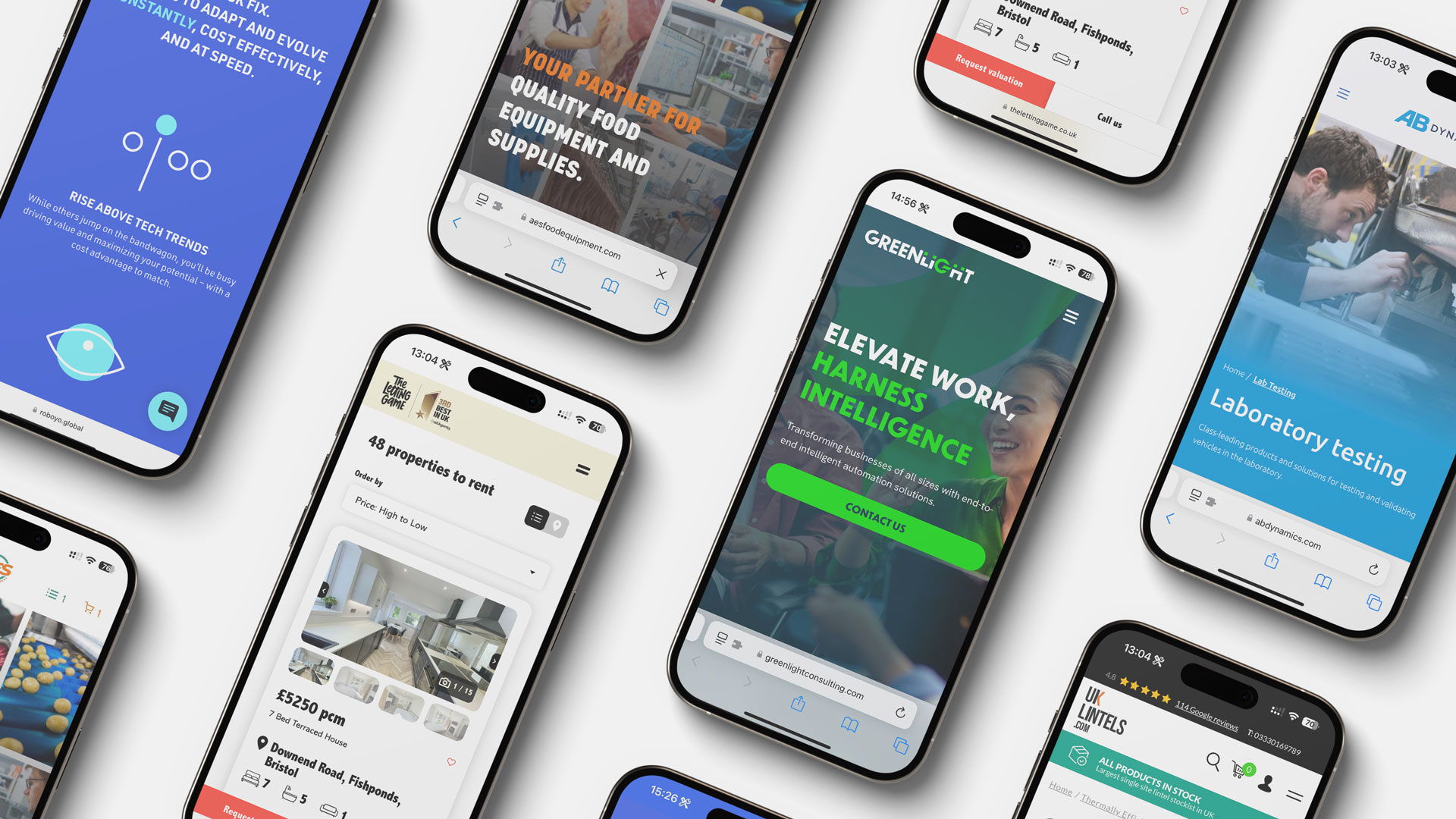
Digital agency in Bristol specialising in custom WordPress websites, custom integrations and application development for B2B businesses.
Let our expert team of website designers and developers manage your marketing initiatives so you can get back to what you do best.

Working with Startups & Agencies…WordPress, WooCommerce, Hybris, Bootstrap, Foundation, UI Kit, SASS, LESS. Bournemouth, Southampton, Hampshire, Dorset, Berkshire, Surrey, Sussex, London. (United Kingdom)

FireCask is a Manchester digital marketing agency that has expertise in online marketing and web design. Find out more about how we can help.
Razorfrog provides accessible WordPress web design and development services and ongoing support for a diverse community of San Francisco Bay Area businesses.
Run a free AEO + signal audit for your domain.
AI Answer Engine Optimization (AEO)
List once. Convert intent from live AI conversations without heavy integration.
WordPress development is the process of creating, customizing, and maintaining websites using the WordPress platform. It involves coding with PHP, JavaScript, and CSS to extend functionality and ensure performance. Businesses benefit from flexible, cost-effective solutions that enhance online presence and support growth.
Outline goals, features, and technical specifications for the website or application to guide development.
Code themes, plugins, and integrations tailored to business needs using WordPress frameworks and best practices.
Conduct quality assurance, security checks, and launch the site with ongoing maintenance and support.
Build online stores with WooCommerce integration for seamless product management, cart functionality, and secure payments.
Create brand-aligned corporate sites with custom CMS features for dynamic content updates and team collaboration.
Develop secure member areas with subscription management, exclusive content access, and community forums.
Design learning management systems with course modules, interactive quizzes, and student progress tracking.
Implement high-traffic news sites with advanced content scheduling, advertising networks, and multimedia support.
Bilarna evaluates WordPress development providers through a proprietary 57-point AI Trust Score covering technical expertise, delivery track record, and client reviews. Verification includes portfolio assessment, compliance checks, and reference validation to ensure only top-tier agencies are listed.
Costs vary based on project scope, but custom development typically ranges from $5,000 to $50,000. Factors include complexity, features, and agency expertise, with enterprise projects often exceeding this range.
WordPress development focuses on coding and functionality, such as plugins and APIs, while design involves visual aesthetics and user interface. Development ensures technical performance, whereas design enhances user experience and branding.
A basic site may take 4-6 weeks, while complex projects with custom features can require 3-6 months. Timeline depends on requirements, revisions, and integration needs with third-party systems.
Key criteria include technical proficiency in PHP and JavaScript, portfolio relevance, client testimonials, and post-launch support. Ensure they follow best practices for security, scalability, and SEO optimization.
Yes, with proper development, WordPress can scale for enterprise use through optimized code, caching strategies, and cloud hosting. It supports millions of users with custom plugins and robust architecture.
Yes, governments often offer grants and financial support programs to subsidize custom software development for businesses. These programs aim to enhance productivity and digital capabilities. Common types include productivity grants that cover a significant percentage of qualifying IT solution costs, including custom software. There are also enterprise development grants focused on upgrading overall business capabilities, where software development is an eligible activity. Furthermore, specific grants exist for startups developing innovative technologies and for projects involving collaboration with research institutions. Eligibility typically depends on company size, project scope, and the innovative potential of the software. The application process can be detailed, so consulting with a qualified grant advisor is recommended to navigate requirements and maximize funding potential.
Yes, you can customize and edit the WordPress code generated from your static website. Follow these steps: 1. Access the generated WordPress theme files after conversion. 2. Review the code, which is preserved and mostly clean and efficient. 3. Make any necessary adjustments or customizations to meet your specific requirements. 4. Request additional features or customizations by providing detailed information when submitting your project. 5. Use the code as a starting point for further development or integration with plugins, noting that some plugins may require extra customization for compatibility.
Customize the tone of AI-generated content in WordPress easily. 1. Specify your preferred tone before generating content, such as formal or conversational. 2. The AI assistant adjusts the text style accordingly. 3. Use tone adjustment features integrated into the editor toolbar for fine-tuning. 4. Review and edit the content to ensure it matches your brand voice. This flexibility helps create content that resonates with your audience.
Yes, you can keep and edit your AI-generated WordPress pages even if you stop using the plugin. Follow these steps: 1. Ensure all generated pages are created using standard Gutenberg blocks and custom CSS. 2. Keep the plugin active to continue editing and managing these pages within WordPress. 3. If you deactivate or uninstall the plugin, the pages remain yours but editing AI-specific features may no longer be available. 4. No subscription or vendor lock-in is required, so you retain full ownership and control over your content indefinitely.
Yes, you can upgrade or downgrade your WordPress maintenance plan at any time. 1. Contact your service provider to request a plan change. 2. Upgrades take effect immediately, providing you with enhanced features and support. 3. Downgrades will apply starting from the next billing cycle to ensure uninterrupted service. 4. No long-term contracts are required, allowing flexibility to adjust your plan as your business needs evolve.
Yes, local visual web development tools can significantly speed up interface design by providing a user-friendly environment where developers and designers can visually build and modify interfaces. These tools often include drag-and-drop features, real-time previews, and integration with AI to automate coding tasks. Working locally ensures faster performance and better control over the development environment. By reducing the need to write code manually for every change, these tools allow teams to iterate designs quickly, test ideas, and deliver polished interfaces in less time.
Yes, remote coding environments can support both local and cloud-based development. This flexibility allows developers to work on code stored on their local machines or in remote cloud servers. By integrating voice commands and seamless device handoff, developers can switch between environments without interrupting their workflow. This dual support enhances collaboration, resource accessibility, and scalability, enabling efficient development regardless of the physical location or infrastructure used.
Yes, sandbox testing environments can seamlessly integrate with existing development workflows and popular CI/CD platforms such as GitHub Actions, GitLab CI, and Jenkins. They provide APIs and CLI tools that enable automated testing of AI agents on every code change or pull request. This integration helps teams catch regressions early, maintain high-quality deployments, and accelerate the development lifecycle by embedding sandbox tests directly into continuous integration pipelines.
Yes, the AI internal linking tool can update multiple WordPress posts simultaneously. The process is as follows: 1. It scans your entire WordPress site to gather existing internal links and analyze content. 2. It uses AI to suggest relevant keywords across posts. 3. It identifies link opportunities in all posts by matching keywords to related articles. 4. With a single click, it automatically inserts new internal links into multiple posts, enhancing SEO and user experience efficiently.
Yes, WordPress websites are designed with a user-friendly content management system (CMS) that allows business owners to update content themselves after construction. The CMS provides an intuitive interface for editing text, images, pages, and blog posts without requiring technical coding skills. Most web design services offer training sessions or documentation to empower clients to make basic updates independently. For more complex changes or ongoing maintenance, businesses can opt for support plans where the provider handles updates on a time-sheet basis. This flexibility enables companies to keep their websites current while controlling costs, making it ideal for startups and small businesses that need to manage their online presence efficiently without constant technical assistance.