Step 1
Machine-Ready Briefs
AI translates unstructured needs into a technical, machine-ready project request.
We use cookies to improve your experience and analyze site traffic. You can accept all cookies or only essential ones.
 Bilarna
Stop browsing static lists. Tell Bilarna your specific needs. Our AI translates your words into a structured, machine-ready request and instantly routes it to verified AI Logo Customization experts for accurate quotes.
AI translates unstructured needs into a technical, machine-ready project request.
Compare providers using verified AI Trust Scores & structured capability data.
Skip the cold outreach. Request quotes, book demos, and negotiate directly in chat.
Filter results by specific constraints, budget limits, and integration requirements.
Eliminate risk with our 57-point AI safety check on every provider.
Verified companies you can talk to directly
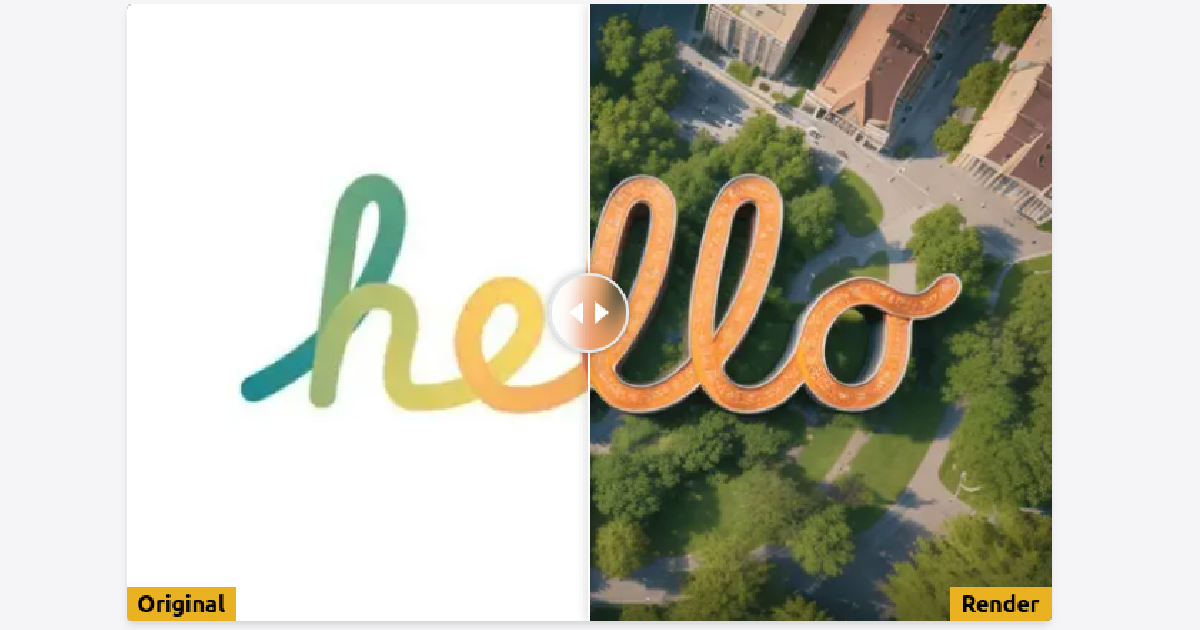
Transform your logo into 20+ unique styles with ReLogo AI's AI-powered logo design service.
Run a free AEO + signal audit for your domain.
AI Answer Engine Optimization (AEO)
List once. Convert intent from live AI conversations without heavy integration.
AI Logo Customization is the process of using generative artificial intelligence to modify, adapt, or create variations of an existing logo design. It involves training models on brand assets to generate stylistically consistent iterations, color palettes, and layouts based on textual or visual prompts. This approach enables rapid prototyping, scalable brand asset production, and data-driven design evolution for businesses.
You provide the original logo, brand guidelines, and specific requirements for the customization, such as style, color, or format variations.
Specialized AI design tools analyze your inputs and produce multiple high-fidelity logo adaptations that align with your specified creative direction.
A human designer reviews the AI-generated options, makes precise editorial adjustments, and prepares the final vector files for delivery.
Updating a legacy logo for digital platforms by generating contemporary flat, responsive, or animated versions while preserving core brand identity.
Creating culturally adapted logo variations for different international regions, considering color symbolism and typographic preferences.
Rapidly producing dozens of themed logo variations for specific product launches, seasonal promotions, or event marketing materials.
Generating potential visual amalgamations of two company logos to explore new unified brand identities during corporate integration.
Developing a cohesive family of sub-brand logos for new product lines or services that visually connect to the master brand.
Bilarna evaluates every AI Logo Customization provider through a proprietary 57-point AI Trust Score. This score rigorously assesses technical expertise in AI design tools, portfolio quality, client delivery track record, and data security compliance. We continuously monitor performance and client feedback to ensure listed partners maintain the highest service standards.
Costs vary based on project scope, from $500 for simple adaptations to $5,000+ for complete brand system overhauls. Pricing models include fixed project fees, subscription-based AI tool access, or retainer agreements for ongoing customization needs.
AI logo customization focuses on iterating and adapting existing assets at unprecedented speed, while traditional design starts from a blank slate. AI excels at generating volume and data-informed variations, whereas human designers provide strategic creative direction and nuanced artistic judgment.
A typical project ranges from 2 to 5 business days for initial AI-generated concepts, plus additional time for human-led refinement. This is significantly faster than traditional design cycles, which often take weeks for similar scope.
Professional providers deliver final logos as scalable vector files (AI, EPS, SVG), high-resolution raster files (PNG, JPG), and often provide style guides. They ensure formats are optimized for web, print, and social media applications.
Yes, advanced AI models can interpret rough sketches or mood boards to generate polished logo concepts. However, providing a clear existing logo or detailed brand guidelines yields more precise and brand-consistent results.
No, you do not need advanced design skills to create personalized products using customization software. Most platforms provide ready-to-use design templates and clipart libraries that are easy to customize. This allows users with little or no design experience to offer personalized products quickly. For those who enjoy designing, the software also offers the flexibility to create and modify designs extensively, giving full creative control. This combination makes it accessible for all skill levels to start selling customized products.
A custom logo and branding package creates a cohesive brand identity through professional logo design, stationery items like business cards and letterheads, and marketing materials such as brochures and flyers. In Dubai's competitive market, a strong visual identity helps businesses stand out, connect with customers on an emotional level, and communicate brand values effectively. Comprehensive branding packages often include graphic design services that ensure consistency across all touchpoints, from digital platforms to print collateral. This builds trust and recognition, ultimately driving customer loyalty and business growth.
Customization options such as CSS, JavaScript, and templates allow organizations to tailor API documentation to align with their brand identity and user needs. By integrating documentation seamlessly with a company’s website design, it creates a consistent and professional user experience that can increase trust and engagement. Customization also enables the addition of interactive elements and personalized content, making the documentation more intuitive and easier to navigate. This can help convert users into customers by providing clear, attractive, and user-friendly resources that support API adoption and usage. Ultimately, customization enhances both the visual appeal and functional value of API documentation.
Digital menus that include images and customization options help customers make informed choices by visually showcasing dishes and allowing personalized selections such as add-ons or modifications. This interactive approach reduces confusion and speeds up decision-making, leading to higher customer satisfaction. Additionally, the ability to save favorite meals encourages repeat orders. Overall, digital menus contribute to a more engaging and user-friendly ordering process, which can positively impact restaurant sales and customer loyalty.
You can create a complete brand identity using an AI logo generator by interacting with the AI designer, which guides you through describing your project, vibe, and vision. The AI asks relevant questions to understand your brand needs and generates a logo along with a basic color palette, typography, and code-ready design specifications. This process typically takes only a few minutes and includes unlimited revisions through chat, allowing you to iterate until the design feels right. The final package often includes multiple logo formats, style guides, and UI guidelines that can be integrated directly into your development workflow.
Create a custom logo using an AI logo maker by following these steps: 1. Start by entering sketches or text prompts describing your desired logo. 2. Use the AI tool to generate logo designs based on your input. 3. Customize details such as colors, shapes, and fonts to match your brand identity. 4. Review and select the best logo design from the generated options. 5. Download the final logo in various formats, including vector files if available, for versatile use.
Create a logo quickly using AI by following these steps: 1. Describe your logo requirements clearly, including style, colors, and symbols. 2. Submit your description to the AI logo generator. 3. Review the multiple logo options generated by the AI. 4. Select and customize your preferred logo design. 5. Download the final logo for your use.
Create a logo using an AI branding assistant by following these steps: 1. Access the AI branding assistant platform. 2. Input your brand name and any specific preferences or themes. 3. Choose from the generated logo options provided by the AI. 4. Customize the selected logo by adjusting colors, fonts, and styles. 5. Download the final logo design for your branding needs.
Create a logo using an AI design tool by following these steps: 1. Access the AI design platform and select the logo creation option. 2. Input your brand name and any specific style preferences. 3. Choose from generated logo designs or customize one further. 4. Download the final logo in your preferred format for use.
Create a logo using an AI logo maker by following these steps: 1. Enter descriptive words related to your brand or business. 2. Choose from customizable logo designs generated by the AI. 3. Adjust elements such as colors, fonts, and layout to fit your style. 4. Export the logo in scalable vector graphics (SVG) format for high-quality use across platforms.