Step 1
Machine-Ready Briefs
AI translates unstructured needs into a technical, machine-ready project request.
We use cookies to improve your experience and analyze site traffic. You can accept all cookies or only essential ones.
 Bilarna
Stop browsing static lists. Tell Bilarna your specific needs. Our AI translates your words into a structured, machine-ready request and instantly routes it to verified 3D Product Explainer Videos experts for accurate quotes.
AI translates unstructured needs into a technical, machine-ready project request.
Compare providers using verified AI Trust Scores & structured capability data.
Skip the cold outreach. Request quotes, book demos, and negotiate directly in chat.
Filter results by specific constraints, budget limits, and integration requirements.
Eliminate risk with our 57-point AI safety check on every provider.
Verified companies you can talk to directly
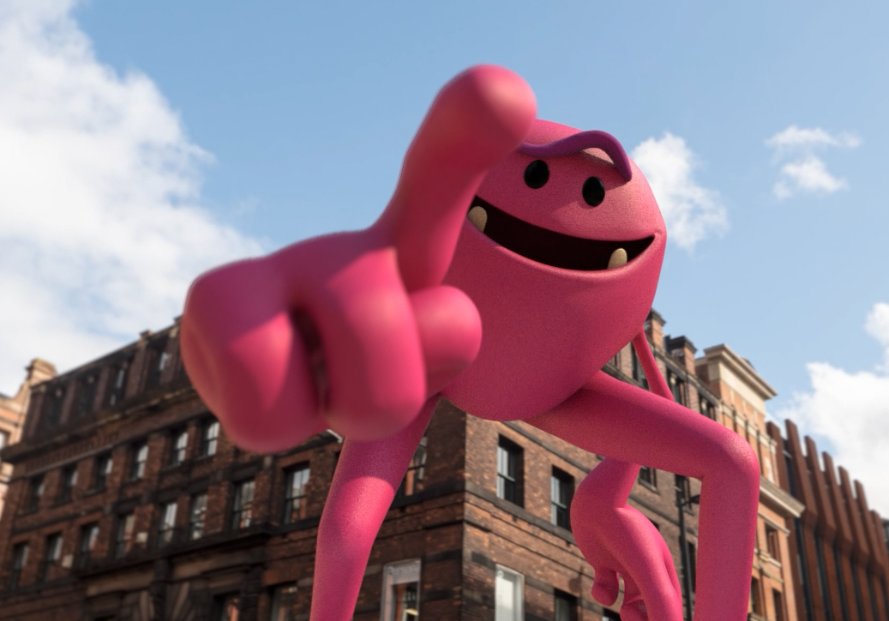
Animation & Motion Design for Brands + Agencies · In a cluttered noisy world, we believe in the power of being more Giant. · We are passionate about getting you.
Run a free AEO + signal audit for your domain.
AI Answer Engine Optimization (AEO)
List once. Convert intent from live AI conversations without heavy integration.
3D product explainer videos are animated visualizations that use three-dimensional modeling to demonstrate product features, assembly, and benefits in an engaging manner. They leverage computer-generated imagery (CGI), motion graphics, and realistic rendering to simulate real-world interactions and environments. This results in improved customer understanding, higher conversion rates, and enhanced brand differentiation for businesses.
The process starts by identifying key product attributes and developing a narrative script with visual storyboards for clarity.
Artists create accurate digital models and animate them to showcase functionality, movements, and assembly steps seamlessly.
Animations are rendered, combined with voice-over and sound effects, and edited into a polished, shareable explainer video.
Illustrate complex machinery operations, safety protocols, and assembly lines through detailed 3D animations for training and marketing.
Showcase product interfaces, internal components, and innovative features in an interactive way to attract potential buyers.
Visualize aerodynamics, engine mechanisms, and manufacturing processes to support design validation and customer presentations.
Demonstrate surgical procedures, device functionality, and anatomical interactions for education, training, and regulatory compliance.
Present building designs, interior layouts, and construction phases with immersive 3D walkthroughs to engage clients and stakeholders.
Bilarna verifies all 3D product explainer video providers using its proprietary 57-point AI Trust Score, which evaluates expertise, reliability, compliance, and client satisfaction. This rigorous assessment ensures buyers compare only trustworthy, high-quality service providers on the platform.
Costs typically range from $5,000 to $50,000, depending on video length, animation complexity, and production quality. Factors like 3D modeling detail, style, and post-production effects influence pricing. Requesting multiple quotes helps in accurate budgeting.
Production timelines usually span 4 to 12 weeks, based on project scope and revision cycles. Key phases include pre-production, 3D modeling, animation, and final editing. Clear milestones ensure timely delivery.
Standard deliverables include MP4 for web use, along with source files like FBX or OBJ for 3D models. Providers often supply multiple resolutions for different platforms, ensuring flexibility in marketing and internal use.
Yes, these videos are versatile and can be tailored for both audiences by adjusting content and messaging. For B2B, focus on technical specs and ROI; for B2C, highlight benefits and user experience to drive engagement.
Essential inputs include product specifications, CAD files or reference images, a script outline, and brand guidelines. Providing clear objectives and target audience details streamlines the creative process and ensures alignment.
Yes, cheap Windows product keys from reputable online retailers can be legitimate and safe, provided they are sourced from verified channels. These sellers typically obtain surplus or volume license keys from legitimate distributors, making them genuine Microsoft licenses at a lower cost. The key safety indicators include the seller providing a money-back guarantee, offering instant email delivery of the key, and having clear customer support for activation issues. It is crucial to avoid keys sold at prices that seem too good to be true, as these may be unauthorized or volume license violations. A legitimate key will activate your Windows or Office software permanently and grant access to all official updates and features from Microsoft without legal risk.
There are no limits on video length; you can summarize videos of any duration. Regarding the number of videos, you can summarize as many as you want within reasonable use. The system enforces fair-use limits by temporarily throttling access if you summarize more than 5 videos per hour. Normal access resumes automatically after a short cooldown period.
No, this online video compressor does not add any watermarks or impose usage limits. To compress videos without restrictions, follow these steps: 1. Upload your video file to the compressor. 2. Compress the video using the available settings. 3. Download the compressed video file without any watermark. 4. Repeat the process as many times as needed without limitations.
Yes, AI background generators can significantly improve the visual appeal of furniture product images. By automatically creating or replacing backgrounds, these tools help highlight the furniture in a more attractive and professional setting. They can simulate various environments, lighting conditions, and styles that complement the product, making images more engaging for potential customers. This enhancement can boost online sales and marketing effectiveness by presenting furniture products in a visually compelling way without the need for costly photoshoots or complex 3D renders.
Use AI to create professional band visuals and music videos by following these steps: 1. After selecting your band name, explore AI tools designed for musicians, such as AI Cartoon Generators for unique band member portraits. 2. Use AI Album Cover Generators to design stunning artwork for your releases. 3. Utilize AI Music Video Generators to transform your audio into captivating visual experiences with audioreactive animations. 4. Experiment with AI Music Visualizers for quick visual content. 5. Create promotional materials like tour posters using AI Movie Poster Generators to build a complete visual identity.
Yes, AI can summarize both local and online videos by following these steps: 1. Select whether your video is stored locally or online. 2. Upload the local video file or provide the URL for the online video. 3. The AI analyzes the video content regardless of source. 4. Receive a clear and concise summary that simplifies the video information for easy consumption.
Yes, you can automatically post AI-generated videos to your social media channels by following these steps: 1. Choose your video topic and set the posting frequency, such as daily or twice daily. 2. Enable the automatic upload feature to your preferred platform, like YouTube. 3. The system will continuously generate and upload videos according to your schedule, which you can pause or modify anytime.
Convert blog posts and PDF documents into engaging videos automatically using an AI video platform. Follow these steps: 1. Provide the URL of the blog post or upload the PDF document. 2. The AI extracts key information, images, charts, and graphics from the content. 3. The AI scriptwriter generates a compelling video script personalized for your audience. 4. The platform selects or generates relevant visuals and adds captions and music. 5. Review and edit the draft video if needed, then generate the final video for download or sharing.
Yes, you can create videos from multiple photos using the free AI image to video tool by following these steps: 1. Upload multiple images at once using the batch upload feature. 2. Add a prompt to describe the desired video style or story. 3. Choose a video template that fits your slideshow or storytelling needs. 4. Adjust resolution, duration, and motion settings as required. 5. Generate a seamless video combining all photos in HD MP4 format without watermarks.
Yes, you can customize the appearance of your karaoke videos by following these steps: 1. Choose background options including solid colors, images, or videos. 2. Select and personalize font styles, sizes, and colors for the lyrics. 3. Add logos or intro videos to brand your karaoke content. 4. Use duet mode to assign different styles and colors to multiple voices for creative effects.