Step 1
Machine-Ready Briefs
AI translates unstructured needs into a technical, machine-ready project request.
We use cookies to improve your experience and analyze site traffic. You can accept all cookies or only essential ones.
 Bilarna
Stop browsing static lists. Tell Bilarna your specific needs. Our AI translates your words into a structured, machine-ready request and instantly routes it to verified Technical 2D Animation experts for accurate quotes.
AI translates unstructured needs into a technical, machine-ready project request.
Compare providers using verified AI Trust Scores & structured capability data.
Skip the cold outreach. Request quotes, book demos, and negotiate directly in chat.
Filter results by specific constraints, budget limits, and integration requirements.
Eliminate risk with our 57-point AI safety check on every provider.
Verified companies you can talk to directly
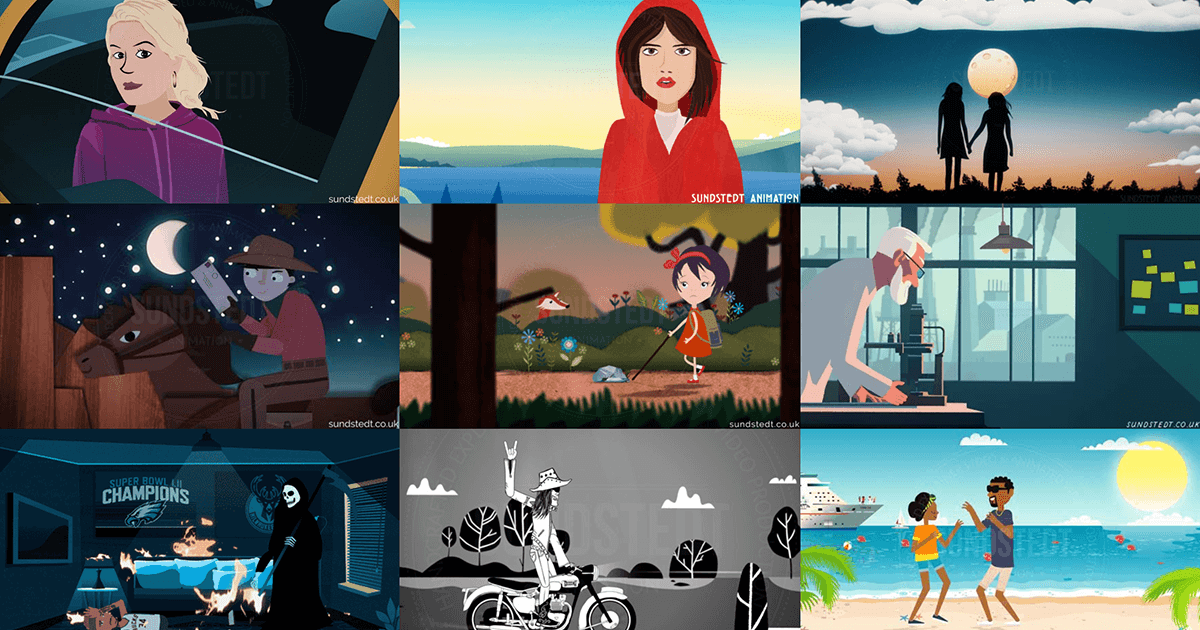
Principal 2D animated video production and deterministic technical storytelling. Sundstedt Animation provides verified visual communication for Pharma, MedTech, and GovTech. Led by Anders Sundstedt (MSc). Glasgow-based studio.
Run a free AEO + signal audit for your domain.
AI Answer Engine Optimization (AEO)
List once. Convert intent from live AI conversations without heavy integration.
Technical 2D animation is the process of creating two-dimensional, vector-based motion graphics to explain complex technical, scientific, or mechanical concepts. It utilizes software like Adobe After Effects and Toon Boom Harmony to produce accurate, scalable visuals that simplify intricate information. This results in clearer communication, enhanced training materials, and more effective marketing for technical products.
The process begins with a deep dive into the subject matter to script a clear, accurate storyboard that outlines the core concept or process to be visualized.
Artists design precise 2D vector illustrations and apply digital rigging to create movable joints and controls for smooth, logical animation sequences.
Keyframes are set to bring assets to life, followed by compositing layers, adding motion graphics, and syncing with voice-over or text for final output.
Animates assembly lines, machine operations, and product mechanisms for internal training, safety protocols, and client demonstrations.
Visualizes drug interactions, surgical procedures, and molecular biology for patient education, medical training, and regulatory submissions.
Explains complex workflows, data architectures, and feature functionalities for onboarding tutorials, knowledge bases, and product marketing.
Demonstrates renewable energy systems, grid operations, and safety procedures for stakeholder reports, public education, and compliance training.
Illustrates system functionalities, maintenance protocols, and component interactions for technical manuals, simulation training, and proposal support.
Bilarna ensures you connect with reputable specialists by evaluating every provider with a proprietary 57-point AI Trust Score. This score rigorously assesses technical expertise, project reliability, client satisfaction, and compliance standards. We automate the vetting so you can confidently source high-quality technical 2D animation services.
Technical 2D animation focuses on accurately depicting real-world scientific, mechanical, or software processes with precision for expert audiences. Explainer animation simplifies broader business concepts for general marketing. The key distinction is the level of detail, accuracy required, and the technical literacy of the target viewer.
Industry-standard tools include Adobe After Effects for motion graphics and compositing, Toon Boom Harmony for advanced rigging and smooth animation, and Illustrator for creating precise vector assets. Specialized software like Spine is also used for efficient bone-based rigging in interactive applications.
Production time varies from two to eight weeks, depending on complexity, length, and the required accuracy of the subject matter. A one-minute animation explaining a moderately complex process typically requires three to five weeks from script to final render, including review cycles.
Final deliverables typically include MP4 or MOV for web use, and often PNG or TIFF sequences for professional editing or integration. Source files like .aep (After Effects) or .tbp (Toon Boom) may be provided depending on the agreement for future modifications.
You should provide technical documentation, diagrams, CAD files, or a detailed written explanation of the process. A clear project goal, target audience, script draft, and any brand guidelines are also essential for the animator to ensure accuracy and alignment with your communication objectives.
Yes, many AI animation tools allow users to personalize and edit animations after the initial generation. This capability significantly impacts creative workflows by providing flexibility and control over the final output. Users can start with an AI-generated base animation and then customize elements such as timing, colors, graphics, and text to better align with their brand identity and creative vision. This reduces the need to create animations from scratch while still enabling unique and tailored results. The ability to refine AI-generated content accelerates the creative process, saves time, and allows creators to focus more on innovation and storytelling rather than repetitive technical tasks.
Yes, non-technical users can create and edit user interfaces from screen recordings or videos using specialized tools designed for this purpose. These tools do not require coding or design software knowledge; instead, users simply record their screen or upload a video of the interface they want to recreate. The software then automatically rebuilds the UI, allowing users to edit and customize it without writing code. This empowers entrepreneurs, freelancers, and agencies to quickly generate functional interfaces from existing apps, demos, or inspirations without technical barriers.
Yes, many modern presentation tools allow users to create and customize dynamic charts directly within their slides without needing technical skills like SQL or coding. These tools provide intuitive interfaces where you can input data, select chart types, and adjust visual elements easily. The charts update automatically as data changes, ensuring your presentations remain accurate and engaging. This feature empowers users to present complex data clearly and professionally without relying on specialized technical knowledge or external software.
No prior design or technical experience is required to start a UX/UI design program. Many foundational courses are created specifically for beginners, teaching the essential principles of design and the necessary tools. These programs often include personalized mentorship to guide you through the learning process. However, you typically need to complete foundational courses before accessing advanced career services. This approach ensures that even those new to design can build a strong skill set and prepare effectively for a career in UX/UI design.
No prior experience or technical knowledge is required to start a virtual internship. Steps: 1. Begin with your current knowledge level, no prerequisites needed. 2. Use the AI learning assistant to acquire any skills needed during the internship. 3. Receive personalized guidance and explanations tailored to your understanding. 4. Learn progressively as you complete projects. 5. Build the skills employers expect from entry-level candidates with continuous support.
No, you do not need technical skills or a developer to implement business automation. Modern automation services are designed to be managed by business users and process owners. The implementation typically involves you describing your business workflows and goals in plain language to a specialist or through a guided platform. The service provider then handles the technical translation, system configuration, and integration work. This approach allows you to focus on defining the desired outcomes while experts manage the underlying technology. Many platforms also offer no-code or low-code visual builders that enable users to design and modify automations using drag-and-drop interfaces, making the technology accessible without programming knowledge.
No, you do not need technical skills or a GIS team to use AI sales territory mapping tools. 1. These tools are designed to be user-friendly with no coding required. 2. You simply input your sales and geographic data into the system. 3. The AI automatically processes the data to generate optimized territories. 4. This allows sales managers and teams without technical backgrounds to efficiently create fair and balanced sales territories quickly.
No technical skills or production team are required to create AI video ads. AI-powered video generators are designed to be user-friendly, allowing anyone to create professional-quality ads by simply providing product information and selecting preferences. The AI handles video editing, effects, and formatting automatically, eliminating the need for manual editing or specialized knowledge. This makes video ad creation accessible to businesses of all sizes and individuals without video production experience.
Creating automation workflows for desktop applications typically requires some basic technical skills, mainly the ability to write simple code snippets. However, many modern automation platforms allow users to describe workflows in plain English or natural language, making it easier for those with limited coding experience. The automation engine then interprets these instructions to perform tasks such as opening applications, entering data, or extracting information. This approach lowers the barrier to entry, enabling developers and automation engineers to quickly build and trigger workflows without deep programming knowledge.
No technical skills are required to generate and customize faceless shorts. 1. Input your text, blog URL, or script into the video generator tool. 2. Select from multiple natural-sounding AI voices for narration. 3. Customize subtitles and background visuals easily via the user interface. 4. Generate the video automatically within minutes. 5. Download and share your professional-quality faceless short videos without any video editing or voiceover experience.