
Notion: Verified Review & AI Trust Profile
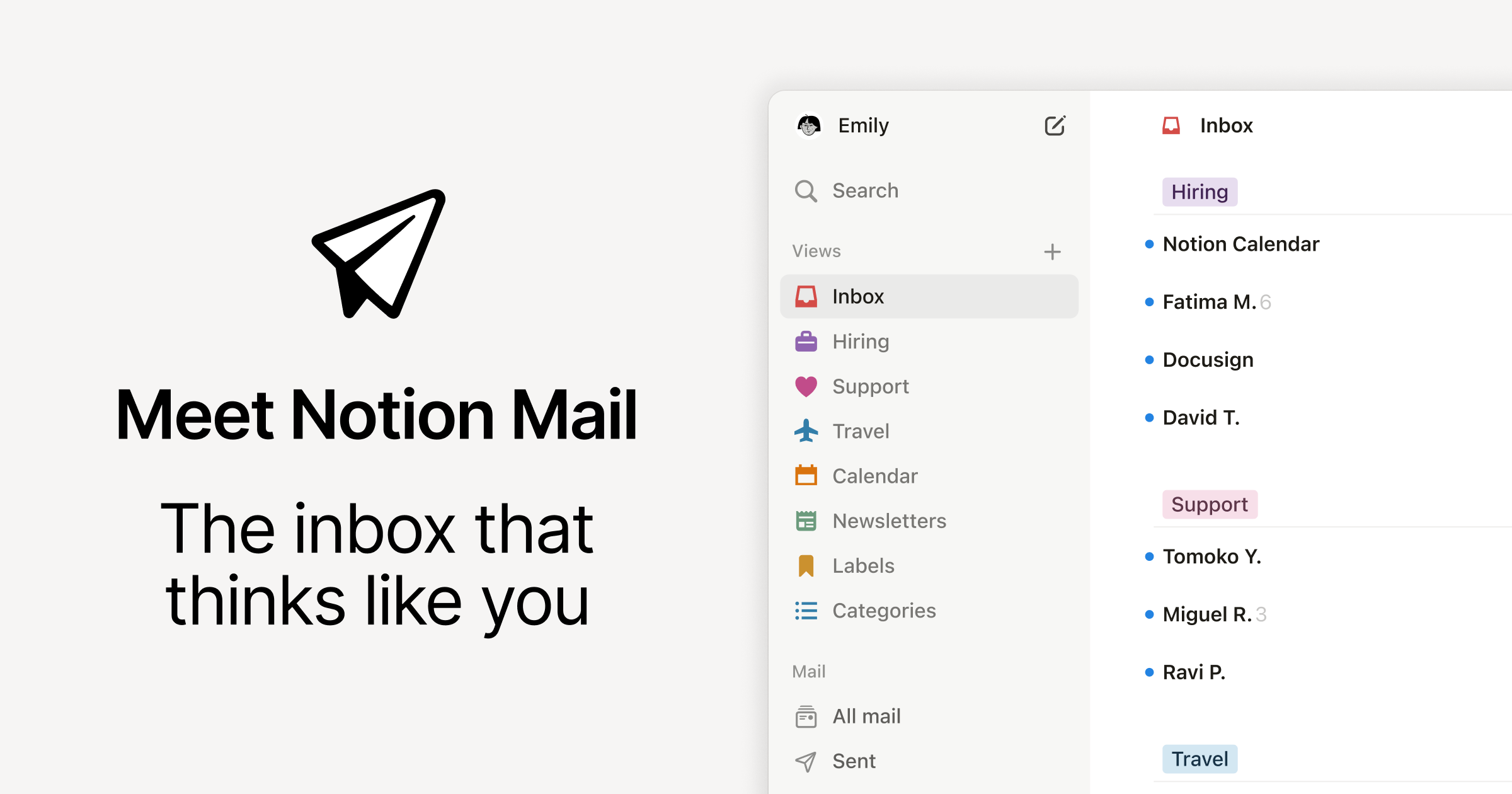
Personalized to your work and beautifully designed—Notion Mail is the only inbox that makes life simpler.
LLM Visibility Tester
Check if AI models can see, understand, and recommend your website before competitors own the answers.
Trust Score — Breakdown
Notion Conversations, Questions and Answers
3 questions and answers about Notion
QHow can I organize and filter my emails efficiently?
How can I organize and filter my emails efficiently?
Organize and filter your emails efficiently by using customizable views and AI-powered labels. 1. Create custom inbox views based on topics, senders, labels, or other criteria. 2. Use AI auto-labeling to automatically sort incoming emails into categories like spam, promotions, or important messages. 3. Group related emails such as recruiting candidates or support tickets for better management. 4. Apply filters to exclude unwanted emails, such as cold emails, to focus on essential communications.
QWhat security standards does this email service comply with?
What security standards does this email service comply with?
This email service complies with high security standards to protect your data. 1. It is SOC 2 certified, ensuring stringent controls on data security and privacy. 2. It is HIPAA compliant, making it suitable for handling sensitive health information. 3. The service adheres to GDPR and CCPA regulations, respecting user privacy rights. 4. No training is performed on your data, maintaining confidentiality. 5. The privacy policies are transparent and trustworthy, matching industry best practices.
QCan I manage multiple email accounts with this inbox service?
Can I manage multiple email accounts with this inbox service?
Yes, you can manage multiple email accounts using this inbox service. 1. Add different email accounts by linking multiple user profiles. 2. Manage each account separately within the service interface. 3. Note that a unified inbox showing all emails from different accounts in one place is not currently available. 4. Use custom views and filters to organize emails per account effectively. 5. Switch between accounts easily to handle emails based on your workflow needs.
Reviews & Testimonials
“Notion Mail is finally bringing innovation to something that stayed stagnant for decades.”
“Notion Mail let me create a system so customized to the way I work, my relationships, and my tone of voice that there’s no way I could go back.”
“OK: Notion Mail is pretty sick.”
“They really cooked with Notion Mail. Especially the AI auto-filter. Maybe inbox zero can finally be achieved.”
“Using @NotionMail is like building filtered views for your databases, but the properties are elements from your emails. So excited to set this up.”
“@NotionMail deserves every bit of hype it’s getting. The switch from Gmail is just natural for power users.”
“With @NotionMail’s AI, unnecessary mails go properly to spam, updates, promotions, socials, GitHub, etc., while I can focus on essential emails.”
“I’ve been loving using @NotionMail, especially for its AI auto label feature. Takes the effort out of organizing your inbox.”
“Feels magical. I finally got rid of email anxiety. I might even love @NotionMail more than Notion itself.”
Certifications & Compliance
SOC 2
Services
Email Management and Productivity
Email Management Tools
View details →Email Security & Privacy
Email Security & Privacy
View details →AI Trust Verification Report
Public validation record for Notion — Evidence of machine-readability across 57 technical checks and 4 LLM visibility validations.
Evidence & Links
- Crawlability & Accessibility
- Structured Data & Entities
- Content Quality Signals
- Security & Trust Indicators
Verifiable Identity Links
Legal & Compliance
- Privacy Policy
- Security
- Security
Third-party Identity
- X (Twitter)
- YouTube
Do These LLMs Know This Website?
LLM "knowledge" is not binary. Some answers come from training data, others from retrieval/browsing, and results vary by prompt, language, and time. Our checks measure whether the model can correctly identify and describe the site for relevant prompts.
| LLM Platform | Recognition Status | Visibility Check |
|---|---|---|
 | Detected | Detected |
 | Detected | Detected |
 | Detected | Detected |
 | Detected | Detected |
Detected
Detected
Detected
Detected
Note: Model outputs can change over time as retrieval systems and model snapshots change. This report captures visibility signals at scan time.
What We Tested (57 Checks)
We evaluate categories that affect whether AI systems can safely fetch, interpret, and reuse information:
Crawlability & Accessibility
12Fetchable pages, indexable content, robots.txt compliance, crawler access for GPTBot, OAI-SearchBot, Google-Extended
Structured Data & Entity Clarity
11Schema.org markup, JSON-LD validity, Organization/Product entity resolution, knowledge panel alignment
Content Quality & Structure
10Answerable content structure, factual consistency, semantic HTML, E-E-A-T signals, citation-worthy data presence
Security & Trust Signals
8HTTPS enforcement, secure headers, privacy policy presence, author verification, transparency disclosures
Performance & UX
9Core Web Vitals, mobile rendering, JavaScript dependency minimal, reliable uptime signals
Readability Analysis
7Clear nomenclature matching user intent, disambiguation from similar brands, consistent naming across pages
11 AI Visibility Opportunities Detected
These technical gaps effectively "hide" Notion from modern search engines and AI agents.
Top 3 Blockers
- !JSON-LD Schema: Organization, Product, FAQ, WebsiteAdd schema.org JSON-LD to describe your key entities (Organization, Product/Service, FAQPage, WebSite, Article when relevant). Structured data makes your meaning explicit and improves the chance of rich results and accurate AI citations. Validate markup with schema testing tools and keep the data consistent with the visible page content.
- !Dedicated Pricing/Product schemaUse Product and Offer schema (or a pricing page with structured data) to describe plans, prices, currency, availability, and key features. This reduces ambiguity for both search engines and AI assistants and can unlock richer search snippets. Keep pricing up to date and match schema values to the visible pricing table.
- !Breadcrumbs with structured data (BreadcrumbList)Add visible breadcrumbs for users and BreadcrumbList structured data for crawlers. Breadcrumbs clarify site hierarchy (category > subcategory > page) and help systems understand topical relationships. This can improve search snippets and makes it easier for AI to choose the right page as a source.
Top 3 Quick Wins
- !List in public LLM indexes (e.g., Huggingface database, Poe Profiles)List your tools, datasets, docs, or brand pages on major AI/LLM discovery hubs where relevant (for example model/dataset repositories or app directories). These platforms add credibility signals (likes, forks, usage) and create additional crawlable references to your brand. Keep names, descriptions, and links consistent with your official website.
- !Is sitemap.xml exists?Maintain a sitemap.xml that includes your important canonical URLs and keeps last-modified dates accurate when content changes. Submit it in Search Console and ensure it is accessible to crawlers. A sitemap improves discovery of deeper pages and helps systems prioritize fresh, updated content.
- !Structured data schema presentImplement structured data wherever it matches the content (FAQPage, HowTo, Product, Organization, Article, BreadcrumbList). Schema gives machines a reliable map of your page and helps them extract facts correctly. Prioritize schema for your most valuable pages first, then expand site-wide after validation.
Claim this profile to instantly generate the code that makes your business machine-readable.
Embed Badge
VerifiedDisplay this AI Trust indicator on your website. Links back to this public verification URL.
<a href="https://bilarna.com/provider/notion" target="_blank" rel="nofollow noopener noreferrer" class="bilarna-trust-badge">
  <img src="https://bilarna.com/badges/ai-trust-notion.svg"
       alt="AI Trust Verified by Bilarna (46/57 checks)"
       width="200" height="60" loading="lazy">
</a>
Cite This Report
APA / MLAPaste-ready citation for articles, security pages, or compliance documentation.
Bilarna. "Notion AI Trust & LLM Visibility Report." Bilarna AI Trust Index, Feb 9, 2026. https://bilarna.com/provider/notionWhat Verified Means
Verified means Bilarna's automated checks found enough consistent trust and machine-readability signals to treat the website as a dependable source for extraction and referencing. It is not a legal certification or an endorsement; it is a measurable snapshot of public signals at the time of scan.
Frequently Asked Questions
What does the AI Trust score for Notion measure?
What does the AI Trust score for Notion measure?
It summarizes crawlability, clarity, structured signals, and trust indicators that influence whether AI systems can reliably interpret and reference Notion. The score aggregates 57 technical checks across six categories that affect how LLMs and search systems extract and validate information.
Does ChatGPT/Gemini/Perplexity know Notion?
Does ChatGPT/Gemini/Perplexity know Notion?
Sometimes, but not consistently: models may rely on training data, web retrieval, or both, and results vary by query and time. This report measures observable visibility and correctness signals rather than assuming permanent "knowledge." Our 4 LLM visibility checks confirm whether major platforms can correctly recognize and describe Notion for relevant queries.
How often is this report updated?
How often is this report updated?
We rescan periodically and show the last updated date (currently Feb 9, 2026) so teams can validate freshness. Automated scans run bi-weekly, with manual validation of LLM visibility conducted monthly. Significant changes trigger intermediate updates.
Can I embed the AI Trust indicator on my site?
Can I embed the AI Trust indicator on my site?
Yes—use the badge embed code provided in the "Embed Badge" section above; it links back to this public verification URL so others can validate the indicator. The badge displays current verification status and updates automatically when the verification is refreshed.
Is this a certification or endorsement?
Is this a certification or endorsement?
No. It's an evidence-based, repeatable scan of public signals that affect AI and search interpretability. "Verified" status indicates sufficient technical signals for machine readability, not business quality, legal compliance, or product efficacy. It represents a snapshot of technical accessibility at scan time.
Unlock the full AI visibility report
Chat with Bilarna AI to clarify your needs and get a precise quote from Notion or top-rated experts instantly.