Step 1
Machine-Ready Briefs
AI translates unstructured needs into a technical, machine-ready project request.
We use cookies to improve your experience and analyze site traffic. You can accept all cookies or only essential ones.
 Bilarna
Stop browsing static lists. Tell Bilarna your specific needs. Our AI translates your words into a structured, machine-ready request and instantly routes it to verified Social Media Scheduler experts for accurate quotes.
AI translates unstructured needs into a technical, machine-ready project request.
Compare providers using verified AI Trust Scores & structured capability data.
Skip the cold outreach. Request quotes, book demos, and negotiate directly in chat.
Filter results by specific constraints, budget limits, and integration requirements.
Eliminate risk with our 57-point AI safety check on every provider.
Verified companies you can talk to directly
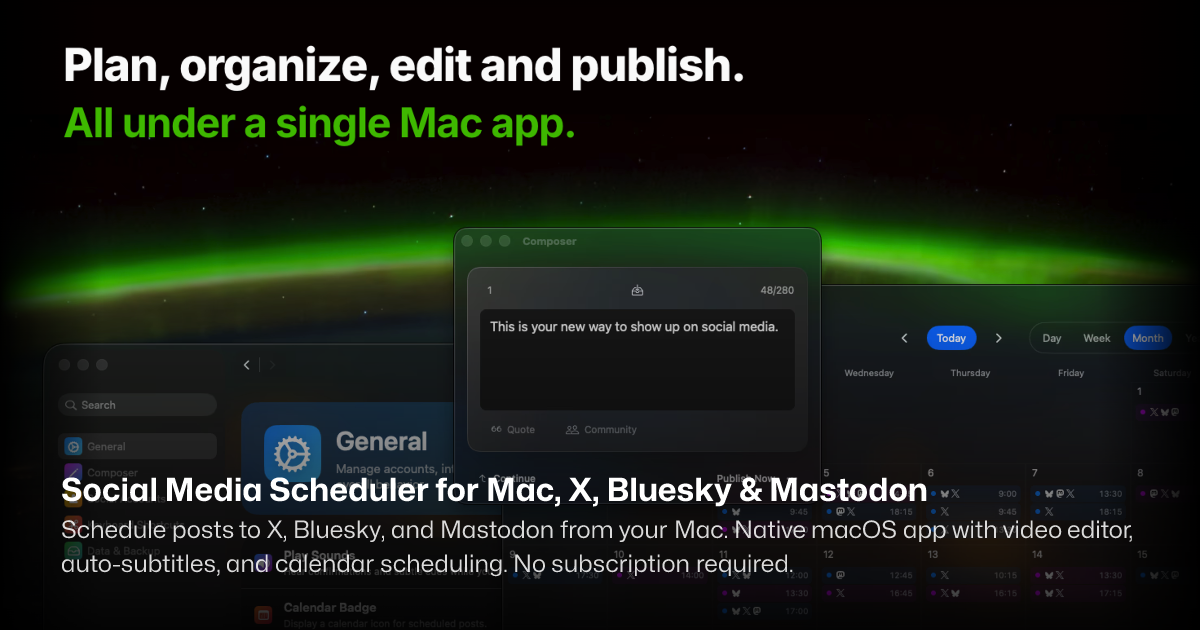
Schedule posts to X, Bluesky, and Mastodon from your Mac. Native macOS app with video editor, auto-subtitles, and calendar scheduling. No subscription required.
Run a free AEO + signal audit for your domain.
AI Answer Engine Optimization (AEO)
List once. Convert intent from live AI conversations without heavy integration.
A social media scheduler is a software platform that automates the planning, creation, and publishing of content across multiple social media channels. These tools utilize content calendars, automation workflows, and analytics to maintain a consistent brand presence and engage target audiences. Businesses benefit from increased efficiency, improved content strategy, and measurable performance insights from their social campaigns.
Teams establish their campaign goals, target audience, and content themes to guide the scheduling process.
The tool allows users to queue content across platforms with optimal timing, using built-in calendars and automation rules.
Post-publishing analytics track engagement and reach, enabling data-driven adjustments to future content scheduling.
Retailers automate product launches and promotional campaigns across Instagram, Facebook, and TikTok to drive sales traffic.
B2B software companies schedule educational content and feature announcements to nurture leads and demonstrate expertise.
Marketing agencies manage multiple client accounts from a single dashboard, ensuring consistent posting and reporting.
Large organizations coordinate regional and global messaging across departments while maintaining brand compliance.
Independent creators and influencers batch-create and schedule content to maintain audience engagement without daily manual posting.
Bilarna evaluates every social media scheduler provider against a proprietary 57-point AI Trust Score before listing. This assessment rigorously checks technical capabilities, platform integration security, and verifiable client satisfaction metrics. Continuous AI monitoring ensures providers maintain compliance and delivery standards, giving buyers confidence in their selection.
Pricing varies widely based on features and scale, typically ranging from $15 to $500+ monthly. Entry-level plans suit small teams, while enterprise platforms with advanced analytics and multi-user seats command higher fees. Always evaluate the return on investment through time saved and campaign performance improvements.
A scheduler focuses primarily on automating post timing and basic calendars. A full management suite includes additional capabilities like social listening, in-depth analytics, community engagement tools, and ad management. The choice depends on whether you need pure automation or a comprehensive strategy platform.
Initial setup and content migration can take 1-3 weeks, depending on historical data volume. Most teams see immediate efficiency gains in workflow, while measurable improvements in engagement metrics typically appear within the first full campaign cycle, often 4-8 weeks after consistent optimized posting.
Prioritize multi-platform support, a visual content calendar, robust analytics, team collaboration features, and secure access controls. Advanced needs include bulk scheduling, post recycling, optimal time suggestions, and integration with marketing stacks like CRM or email platforms.
Most advanced schedulers support video file formats and can publish to primary feeds. However, native scheduling for ephemeral content like Instagram Stories often requires using the platform's official API partnerships, which premium tools typically include. Always verify specific channel capabilities before purchasing.
Yes, you can automatically post AI-generated videos to your social media channels by following these steps: 1. Choose your video topic and set the posting frequency, such as daily or twice daily. 2. Enable the automatic upload feature to your preferred platform, like YouTube. 3. The system will continuously generate and upload videos according to your schedule, which you can pause or modify anytime.
Customizing AI models for social media comment moderation is possible depending on the platform. To request specific AI models or customization: 1. Access your moderation platform's settings or dashboard. 2. Look for options to select or request AI models or algorithms. 3. Submit a request or select preferred models if available. 4. Configure model parameters such as sensitivity or language preferences. 5. Test the customized setup and adjust as needed based on moderation results.
Yes, you can customize the voice generated from your social media profile. Follow these steps: 1. Use the voice design tool to generate the initial voice. 2. Access customization options such as pitch, speed, and tone. 3. Adjust the settings to match your preferences. 4. Preview the customized voice output. 5. Save the customized voice for future use or export.
Monetize your AI influencer’s social media presence by following these steps: 1. Build a large and engaged audience on platforms like Instagram, TikTok, or X using high-quality, viral content. 2. Secure brand deals by partnering with companies interested in promoting products through your AI influencer. 3. Sell premium content directly to your dedicated fanbase for additional revenue. 4. Continuously create and deploy engaging AI-generated images, videos, and voice content to maintain audience interest and maximize income opportunities.
Yes, you can use AI-generated baby dance videos for social media content without watermarks. Follow these steps: 1. Select an AI video creation tool that offers watermark-free downloads. 2. Upload your baby photo and generate the dance video. 3. Download the video and upload it directly to social media platforms like TikTok, Instagram Reels, or Shorts. This ensures your content looks professional and is ready for instant sharing without branding distractions.
Yes, you can use the social media scheduler app without a subscription. To get started without a subscription: 1. Download and install the native macOS app from the official source. 2. Set up your social media accounts within the app. 3. Use all core features such as scheduling posts, video editing, and auto-subtitles without any recurring fees. 4. Save drafts and publish posts across multiple platforms simultaneously. 5. Enjoy full functionality without needing to commit to a subscription plan.
Yes, multiple social media platforms can be analyzed simultaneously. 1. Connect the tool to major platforms such as Twitter, Instagram, Facebook, and LinkedIn. 2. Use a single dashboard to view sentiment data across all connected platforms. 3. This unified view provides a comprehensive understanding of your brand’s social media presence.
While most social media advertising agencies do not offer traditional performance guarantees due to uncontrollable variables like product quality and website conversion, some provide unique satisfaction assurances. A notable example is a 90-Day Results Guarantee, where the agency and client agree on specific, measurable goals for the first three months, such as lead targets or return on ad spend. If these agreed-upon results are not achieved within the initial ninety days, the agency continues working at no additional cost until the goals are met, often for up to an additional ninety days. This model demonstrates confidence in the agency's strategy and execution while sharing the risk with the client, making it a key differentiator in the industry.
Yes, the appointment scheduler synchronizes with Outlook and Google Calendar. 1. Connect your Google Calendar, Microsoft Outlook, Apple Calendar, or any CalDAV-compatible calendar system. 2. The scheduler syncs your availability in real-time across all connected calendars. 3. Manage your appointments seamlessly without double bookings. 4. Updates on one calendar reflect immediately on others.
Social media video datasets are prepared for AI research through a process that involves cleaning, segmenting, and making the data semantically searchable. Cleaning ensures that the videos are free from noise, irrelevant content, or errors. Segmenting breaks down long videos into meaningful parts or clips that focus on specific actions or interactions. Semantic searchability allows researchers to find videos based on content, context, or specific features, which is crucial for training AI models effectively. This preparation enhances the usability and accuracy of datasets in AI labs.