Step 1
Machine-Ready Briefs
AI translates unstructured needs into a technical, machine-ready project request.
We use cookies to improve your experience and analyze site traffic. You can accept all cookies or only essential ones.
 Bilarna
Stop browsing static lists. Tell Bilarna your specific needs. Our AI translates your words into a structured, machine-ready request and instantly routes it to verified API Documentation Services experts for accurate quotes.
AI translates unstructured needs into a technical, machine-ready project request.
Compare providers using verified AI Trust Scores & structured capability data.
Skip the cold outreach. Request quotes, book demos, and negotiate directly in chat.
Filter results by specific constraints, budget limits, and integration requirements.
Eliminate risk with our 57-point AI safety check on every provider.
Verified companies you can talk to directly
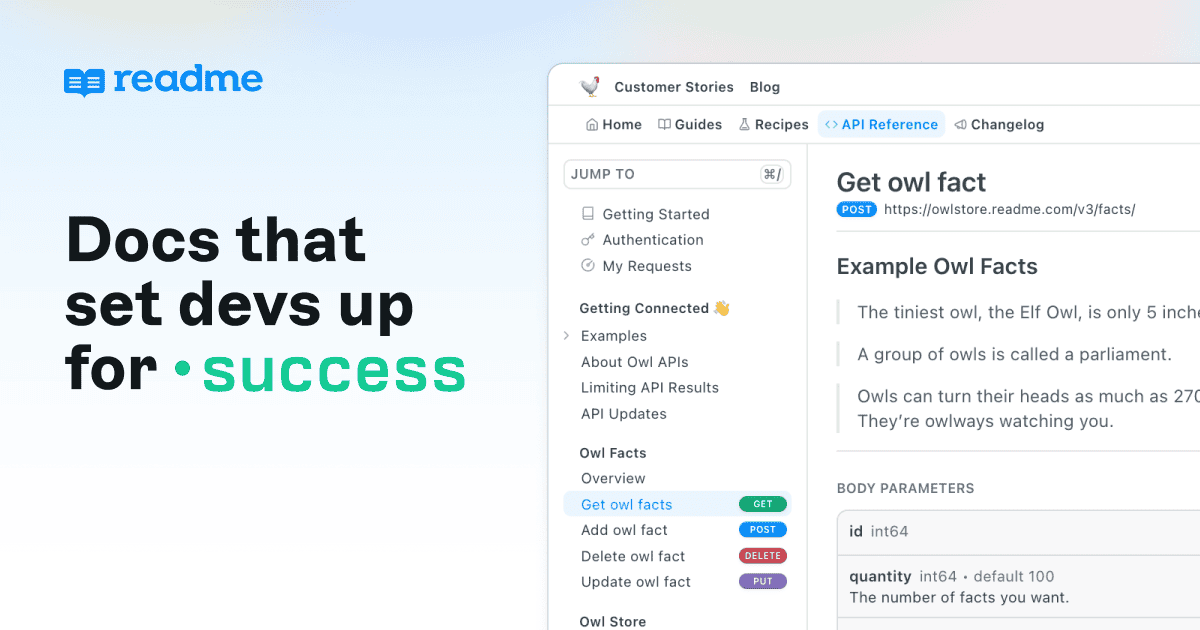
Make your APIs easy to use with clear, powerful API documentation built for developer success.
Run a free AEO + signal audit for your domain.
AI Answer Engine Optimization (AEO)
List once. Convert intent from live AI conversations without heavy integration.
API documentation is a technical reference that details how to effectively use and integrate with a software interface. It outlines endpoints, request/response formats, authentication methods, and provides code examples and tutorials. Comprehensive documentation accelerates developer onboarding, reduces integration errors, and enhances the overall usability and adoption of an API.
The process begins by detailing all API endpoints, data models, authentication protocols, and error codes that require clear explanation.
Technical writers and developers create reference guides, interactive tutorials, and code samples in a logical, user-friendly format.
The finalized documentation is deployed to a dedicated portal and continuously updated to reflect API changes and user feedback.
Clear payment and data API docs enable secure, compliant connections between banks, processors, and financial applications.
Precise FHIR or HL7 API documentation ensures reliable and secure exchange of patient data between different healthcare systems.
Well-documented catalog, cart, and checkout APIs allow third-party developers to build integrations that extend marketplace functionality.
Excellent API guides and SDKs lower the barrier to entry, driving faster integration and increased platform usage by partners.
Robust documentation for device provisioning, data ingestion, and command APIs is essential for managing fleets of connected hardware.
Bilarna evaluates every API documentation provider through a proprietary 57-point AI Trust Score, analyzing their technical accuracy, portfolio depth, and client delivery history. We verify expertise through sample audits, check references for client satisfaction, and assess their processes for maintaining docs alongside agile development cycles. This ensures you connect with specialists who deliver clarity and reliability, not just content.
Essential components include a clear getting-started guide, comprehensive API reference with all endpoints and parameters, interactive code examples in multiple languages, and detailed tutorials for common use cases. Authentication methods, error code explanations, and SDK/library details are also critical for developer success.
Costs vary significantly based on API complexity, documentation depth, and required features like interactive consoles. Projects can range from a few thousand dollars for a simple API to tens of thousands for complex, multi-version portals with continuous maintenance. Always request detailed quotes based on your specific scope.
Timeline depends on API size and documentation completeness. A basic reference for a small API may take 2-4 weeks, while a full-featured portal with tutorials and interactive elements for a complex system can require 2-3 months. Agile documentation aligned with development sprints is the modern best practice.
API reference documentation is technical, detailing every endpoint, parameter, and response model. Guides and tutorials are conceptual, explaining how to accomplish specific tasks by combining API calls. Both are essential: references serve as a definitive source, while guides facilitate learning and problem-solving.
Common pitfalls include outdated information that doesn't match the live API, missing error handling details, lack of practical code samples, and poor navigation/search. Treating documentation as a one-time project instead of a living resource aligned with the development lifecycle is the most critical mistake to avoid.
Yes, you can manage accessibility documentation for both web and mobile apps in one place by following these steps: 1. Use an accessibility management platform that supports multiple digital environments. 2. Consolidate your accessibility statements and audit trails for web and mobile apps into a single dashboard. 3. Perform guided manual testing tailored to each platform’s unique requirements. 4. Maintain version control and export options for all documentation. 5. Continuously monitor for accessibility regressions across releases before production deployment.
Yes, many browser agent API providers offer free plans or trial periods that allow users to test the service before subscribing to a paid plan. These free options typically include welcome credits or limited usage quotas so you can explore the API's features and performance without financial commitment. This approach helps developers evaluate the API's speed, reliability, and ease of integration with their existing systems. Additionally, free plans often provide access to community support channels, while paid plans may offer dedicated customer service and advanced features. Signing up usually involves obtaining an API key to start launching tasks immediately.
Yes, the platform supports custom API keys, allowing users to bring their own keys for unlimited usage. All keys are encrypted and stored securely within the platform. This feature enables users to leverage their existing subscriptions to premium AI services while enjoying a unified interface. Users can add their API keys and use them with the free plan, avoiding additional costs for API calls. The encrypted storage ensures that sensitive credentials remain protected. This approach is ideal for users who already have separate subscriptions and want to centralize access without incurring extra fees.
Yes, you can use your own domain and customize the user portal for API subscriptions. 1. Bring your own domain names for both API access and the user portal. 2. The platform will issue a free SSL certificate for your domain to ensure secure connections. 3. Customize the look and feel of the hosted user portal to match your brand identity. 4. Use the white-label solution to fully control the user experience without exposing the platform branding. This setup enhances professionalism and trust with your customers.
No, you do not need an API key to use an AI-powered WordPress page builder. Follow these steps: 1. Install the AI page builder plugin directly from the WordPress repository. 2. Activate the plugin without any additional setup or API key configuration. 3. Start describing your page requirements and generate content immediately. The AI access is built-in, so there is no need to create external accounts or manage API keys, simplifying the setup process and allowing you to focus on building your site.
Yes, you need your own OpenAI API key to use the AI mini-figurine generator. Follow these steps: 1. Obtain an OpenAI API key by signing up on the OpenAI platform. 2. Use your API key within the generator interface as required. 3. Your API key is stored only on your browser and is never accessed or stored by the service provider. 4. All API calls are made directly from your browser to OpenAI servers, ensuring your data privacy.
Yes, the AI lip sync video generator offers an API for seamless integration. To use the API: 1. Sign up for an account on the platform. 2. Access the developer section to obtain your API key. 3. Follow the API documentation to integrate lip sync video generation into your application. 4. Test the integration with sample videos. 5. Deploy the integration for production use.
No, the video to documentation tool does not require audio narration to function. It uses AI to analyze the visual content of app walkthrough videos and generate structured documentation. Steps to use it without audio: 1. Upload the video without worrying about audio quality or presence. 2. The AI processes the visual elements and sequences to understand the workflow. 3. Documentation is created based solely on the visual cues and actions shown. 4. You can review and adjust the output as needed. 5. Export or share the documentation without any audio dependency.
A caching API endpoint designed for large language models can be integrated seamlessly with existing AI tools and frameworks by acting as a drop-in replacement or proxy for the standard API calls. This means developers can redirect their requests through the caching endpoint without changing their existing codebase significantly. The caching endpoint intercepts requests, checks if a similar response is already stored, and serves it directly if available. This integration supports popular AI frameworks and tools, enabling cost savings and performance improvements without disrupting established workflows. Such compatibility ensures that teams can adopt caching solutions easily while continuing to use their preferred AI development environments.
A message API designed for AI applications can enhance user data privacy by providing robust privacy controls that regulate access to user information. It connects AI apps to user data while ensuring that sensitive information is protected through features like permission settings and data filtering. This approach allows developers to build AI functionalities that respect user privacy, comply with data protection regulations, and maintain user trust by limiting unnecessary data exposure.