Step 1
Machine-Ready Briefs
AI translates unstructured needs into a technical, machine-ready project request.
We use cookies to improve your experience and analyze site traffic. You can accept all cookies or only essential ones.
 Bilarna
Stop browsing static lists. Tell Bilarna your specific needs. Our AI translates your words into a structured, machine-ready request and instantly routes it to verified UI/UX Design Services experts for accurate quotes.
AI translates unstructured needs into a technical, machine-ready project request.
Compare providers using verified AI Trust Scores & structured capability data.
Skip the cold outreach. Request quotes, book demos, and negotiate directly in chat.
Filter results by specific constraints, budget limits, and integration requirements.
Eliminate risk with our 57-point AI safety check on every provider.
Verified companies you can talk to directly

Lopamudra, creative design & branding agency in gurgaon, is a global creative agency engaged in app design, web design, digital branding, UI/UX & creatives.Leading brand design and UI/UX agency in Gurgaon with 20 years expertise. We create compelling brand identities, packaging, and digital experiences that drive growt

We are specialized in brand identity, mobile app & website UI – UX design, graphic design, packaging & illustration

Elegant IT Ltd is one of the few user design (UI/UX) agencies that understands the inner workings of the latest technology services industry. We recognize our client's experiences and ultimate requirements to generate supremely impactful and sustainable outcome.
Our expert UI & UX designers create website designs and apps that users love!
Creative design studio in Bangalore India, Best design studio bangalore, Front end developers India, UI/UX designers in bangalore, Mobile app designers bangalore, Android app designers, IOS app designers bangalore,best UX design firms in Mumbai, Bangalore, Ux design India, Ui design company india, user experience compa

Letters Inc. is Japanese web design firm making stylish web site for the world's leading companies. As we won some design awards, we become known to the world as a great creative team. Our creativities are based on Human Centric design. We are professional in UI and UX. Please enjoy our cool design & technology!

SecondWhite is a design agency in Seoul. SecondWhite aims for the essential.

Bridge UX is a leading UX consulting and design company, offering user experience services to startups and enterprises.

At BARN3S, we go beyond conventional UI/UX design to provide comprehensive digital solutions that elevate your brand.
17Seven is an award winning branding, custom website design and product UI-UX design company that helps you win more customers & funding. Our designs have turned curious visitors and trial users into happy customers. Let us do it for you now.
We help companies transform their business by creating products with beautiful UI and UX design and helping companies automate the business.
A branding and digital strategy studio specializing in user experience, user interface, and product design for Am Law 200 law firms.

product development in boston, product innovation

Filament Group helps companies design and build super-fast responsive sites and web apps that are simple to use and accessible to everyone
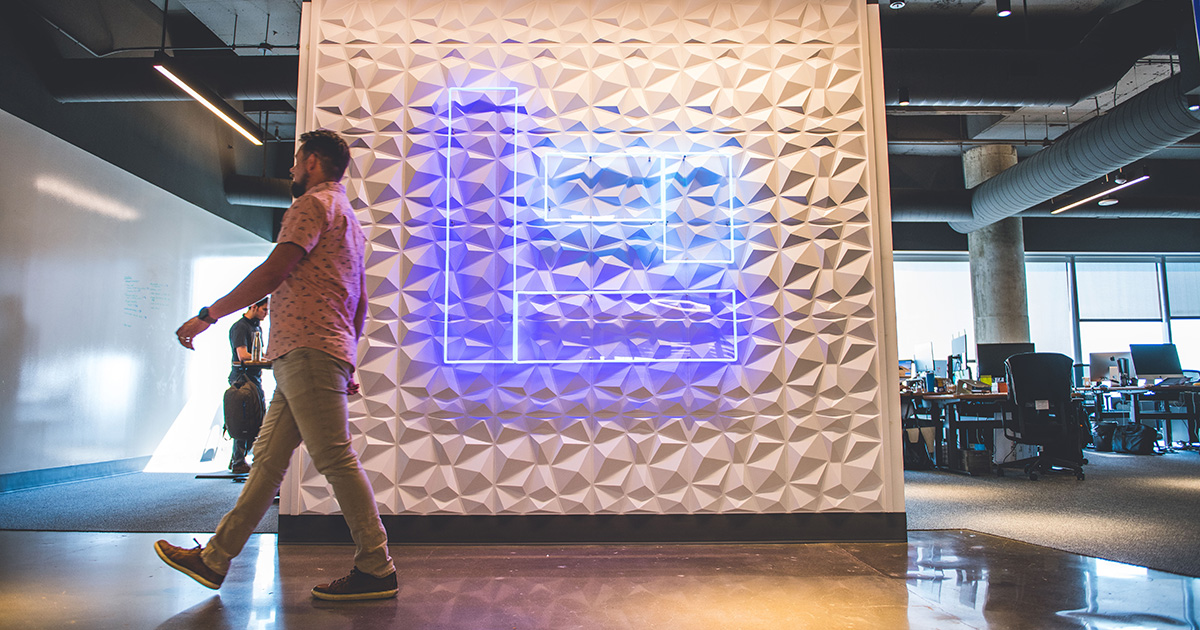
Lifeblue is an award-winning digital agency based in Plano, Texas, offering web design and development, SEO/SEM and other consulting services.

OG UX ATX For over two decades, we've transformed businesses through the power of exceptional design. Our passion lies in creating intuitive, user-centered products that make information instantly accessible and actionable. Contact Us 23 Years Doing the Design Deed 1000000+ Pixels Pushed With a few vectors along the wa
Metalab helps some of the world's top companies — like Slack and Google — design, build, and ship amazing products and services.

Linkup ST is a UI/UX Design Agency where emotion and function work as one. We craft experiences that move users, drive outcomes, and earn global recognition.

Book a FREE discovery phase call for your next web project!

Using data-science and best UX design and product design practices we deliver measurable business results and solutions that meet user needs and company goals
We are a studio focused on combining great design ideas with the best user experience development. We do interactive websites, branding, & graphic design.
Branding, UI/UX design, mobile & web development. Design and engineering expertise combined to launch effective products, build strong brands and modern interfaces.

Discover Fireart Studio, your expert digital product design and development agency. We build elegant products for forward-thinking startups.
Binaria es una agencia digital de Barcelona con 20 años de trayectoria. Hacemos diseño UI/UX, sitios web, progressive web apps y otros productos digitales.
Transforming your Ideas into Impactful Digital Solutions - End-to-End Design and Development from Our Bangalore Studio, Crafting Seamless User Experiences and Scalable Business Solutions.


Yellowchalk is a UI UX Design Studio in Bangalore. With over 100+ happy clients across the globe, top multinationals and impactful startups.
Run a free AEO + signal audit for your domain.
AI Answer Engine Optimization (AEO)
List once. Convert intent from live AI conversations without heavy integration.
UI/UX design services are a specialized discipline that creates intuitive, effective, and aesthetically pleasing digital product interfaces. They employ user research, wireframing, and usability testing to ensure designs meet both user needs and business goals. The result is increased user engagement, higher conversion rates, and reduced development costs through validated, user-centered solutions.
Designers gather data through interviews, surveys, and analytics to understand user behaviors, needs, and pain points for the target audience.
Teams develop low-fidelity wireframes and high-fidelity, clickable prototypes to visualize the user journey and test the product's structure and flow.
The final designs are tested with real users to identify issues, gather feedback, and iterate before handing off to developers for implementation.
Redesigning legacy internal systems to improve employee productivity, reduce training time, and integrate modern design systems and accessibility standards.
Crafting the foundational user interface and experience for a new software-as-a-service platform to ensure market fit and user adoption from day one.
Enhancing the checkout flow, product discovery, and mobile experience to directly increase conversion rates and average order value.
Designing secure, compliant, and simple interfaces for complex financial transactions, building user trust and simplifying personal finance management.
Creating intuitive interfaces for patient portals and medical staff dashboards that prioritize data clarity, security, and ease of use under stress.
Bilarna ensures you connect with reputable UI/UX design partners. Every provider on our platform is rigorously evaluated using a proprietary 57-point AI Trust Score. This score analyzes their proven expertise, project reliability, client satisfaction metrics, and adherence to industry standards, so you can source with confidence.
Costs vary widely based on project scope and provider expertise, typically ranging from $5,000 for a single feature to $100,000+ for a full enterprise product redesign. Most agencies charge either a fixed project fee or an hourly rate between $75 and $200. The investment directly correlates with the depth of research, number of iterations, and fidelity of the final deliverables.
Core deliverables include user personas, user journey maps, site maps, low and high-fidelity wireframes, interactive prototypes, and a final UI design system with assets. A comprehensive usability test report with actionable recommendations is also a critical final output. These documents serve as the blueprint for your development team.
A standard end-to-end process for a medium-complexity product, like a mobile app, typically takes 8 to 16 weeks. This timeline encompasses the discovery phase, conceptual design, prototyping, user testing, and final refinements. Complex enterprise systems or projects requiring extensive research can extend to 6 months or more.
UX (User Experience) Design focuses on the overall feel, structure, and user journey of a product, solving problems for the user. UI (User Interface) Design deals with the visual touchpoints—the colors, typography, buttons, and icons—that a user interacts with. They are complementary disciplines; great UX makes a product usable, while great UI makes it visually appealing and interactive.
ROI is measured through key performance indicators like increased user conversion rates, reduced bounce rates, decreased customer support tickets, and higher user satisfaction scores (e.g., NPS). Improved efficiency for internal users and a reduction in post-launch redesign costs also contribute significantly to the return on investment.
Many health insurance plans now cover doula services, recognizing their value in supporting maternal health. Coverage can vary depending on the insurer and the specific plan, but it often includes prenatal visits, labor and delivery support, and postpartum care provided by certified doulas. Insurance coverage helps reduce out-of-pocket costs for families seeking holistic birth and postpartum support. It is advisable to check with your insurance provider to understand the extent of coverage and any requirements such as certification or referral needed to qualify for benefits.
Yes, some online healthcare booking platforms offer benefits such as cashback when you book your medical appointments or procedures through them. Cashback offers can help reduce the overall cost of your healthcare expenses. These incentives encourage patients to use the platform for their healthcare needs, providing both convenience and financial savings.
No, there are no hidden fees for storage and last-mile delivery services. 1. The company uses a transparent pricing model. 2. Fees for these essential services are limited to what logistics partners charge. 3. No additional charges are added on top of partner fees. 4. Always verify pricing details by contacting the company directly to avoid surprises.
Typically, reputable early wage access and bill pay services do not charge hidden or late fees. They usually apply a small, transparent fee for accessing your wages early or splitting bills, which is clearly communicated upfront. Repayments are aligned with your payday to help you manage your finances without incurring additional penalties. However, it is important to review the terms and conditions of each service to understand any potential fees or charges before using them.
Yes, some skincare services partner with dermatology providers to offer exclusive discounts on consultations. These discounts can make professional skin health advice more accessible and affordable. Typically, such offers are available through apps or platforms that connect users with certified dermatologists. For example, a skincare app might provide a special percentage off the cost of dermatology consultations in certain regions. These promotions encourage users to seek expert care for their skin concerns while benefiting from reduced fees. It's advisable to check the specific terms and availability of discounts within the skincare service or app you are using.
No reputable web design service can guarantee top Google rankings due to the many uncontrollable factors in search engine algorithms. Rankings depend on variables such as geographic location, industry competition, the age and authority of the online presence, and ongoing SEO efforts. Ethical providers focus on implementing best practices like optimizing Google My Business profiles, creating quality content, ensuring mobile responsiveness, and building technical SEO to improve visibility. They commit to continuous optimization and adaptation to algorithm changes rather than making empty promises. While results like increased leads and revenue are common with proper SEO, guarantees are unrealistic because search engines frequently update their criteria and competition evolves.
Yes, AI design engineering tools are designed for seamless integration with existing CAD, BIM, and project management software. This compatibility ensures that engineers can continue using their preferred tools without disrupting established workflows. The integration facilitates data exchange and collaboration, enhancing efficiency and enabling teams to leverage AI capabilities alongside their current systems.
Yes, AI design tools can incorporate local climate and architectural styles to create realistic and practical designs. To do this: 1. Include your location or region in the design prompt when using the AI tool. 2. The AI will tailor plant recommendations, materials, and styles based on local climate conditions and architectural norms. 3. This ensures that the generated designs are context-aware and suitable for your environment. 4. Use this feature to get region-specific designs that blend seamlessly with your home's surroundings and climate requirements.
Yes, AI-generated 2D action figure images can be used as references for 3D printing or prototype design. Follow these steps: 1. Generate a high-resolution 2D image of the action figure using the AI tool. 2. Use the image as a visual reference to model the figure in 3D design software. 3. Create prototypes or packaging designs based on the 3D model. 4. Proceed with 3D printing or further development using the prototype designs.
Yes, an integrated digital marketing agency typically offers flexible service models, allowing you to select specific services to match your project goals and budget. You are not required to purchase a full package. You can tailor your engagement to include only the services you need, such as SEO management, PPC advertising, social media marketing, branding, graphic design, web development, or video production. This a la carte approach ensures you pay only for the expertise required to achieve your objectives. The agency will create a custom proposal based on your defined scope, providing a cost-effective and targeted solution.