Step 1
Machine-Ready Briefs
AI translates unstructured needs into a technical, machine-ready project request.
We use cookies to improve your experience and analyze site traffic. You can accept all cookies or only essential ones.
 Bilarna
Stop browsing static lists. Tell Bilarna your specific needs. Our AI translates your words into a structured, machine-ready request and instantly routes it to verified Video Chapter Generation experts for accurate quotes.
AI translates unstructured needs into a technical, machine-ready project request.
Compare providers using verified AI Trust Scores & structured capability data.
Skip the cold outreach. Request quotes, book demos, and negotiate directly in chat.
Filter results by specific constraints, budget limits, and integration requirements.
Eliminate risk with our 57-point AI safety check on every provider.
Verified companies you can talk to directly
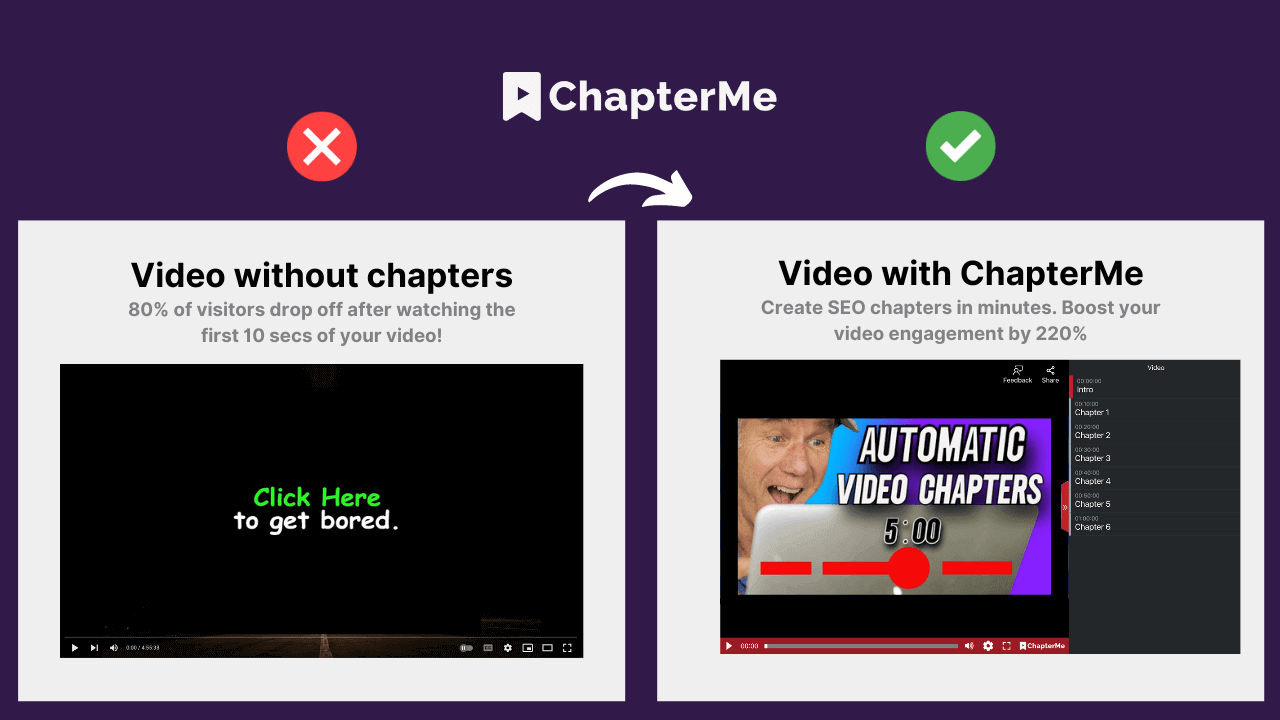
With ChapterMe ChapterGPT, AI automatically generates timestamped chapters for your videos and podcasts in minutes. Save hours of time and money while focusing on creating great content.
Run a free AEO + signal audit for your domain.
AI Answer Engine Optimization (AEO)
List once. Convert intent from live AI conversations without heavy integration.
Video Chapter Generation is the automated process of segmenting a video file into logical, labeled sections or 'chapters' for enhanced user navigation. It utilizes AI and machine learning to analyze visual, audio, and text content to identify natural transition points and assign descriptive titles. This structured approach dramatically improves viewer engagement, content accessibility, and the overall user experience of long-form videos.
The AI system processes the video's transcript, audio waveforms, and visual scenes to detect natural breaks and thematic shifts in the content.
Based on the analysis, the algorithm proposes specific timecodes and logically groups sequences into distinct, coherent chapters for the video.
Each identified chapter is automatically assigned a concise, relevant title and often keywords, creating a navigable table of contents for the media player.
Segment lengthy training modules into digestible lessons, enabling employees to easily navigate to specific topics and procedures for on-demand learning.
Break down comprehensive feature walkthroughs into chapters, allowing prospects to skip directly to the functionalities most relevant to their needs.
Structure educational courses with clear chapters, improving student comprehension and retention by providing a roadmap through complex video lectures.
Enhance recorded webinars by creating chapters for the introduction, different speakers, product deep-dives, and Q&A sessions for better lead engagement.
Organize company all-hands meetings and technical briefings into searchable segments, making institutional knowledge more accessible and reusable.
Bilarna evaluates every Video Chapter Generation provider through a rigorous 57-point AI Trust Score, ensuring they meet high standards for technical expertise and reliability. This proprietary scoring model continuously assesses provider portfolios, client satisfaction metrics, and proven delivery track records. Bilarna’s verification gives B2B buyers confidence in partnering with pre-vetted specialists for their video content automation needs.
Pricing varies based on video length, volume, required accuracy, and turnaround time. Costs can range from a per-minute fee for one-off projects to enterprise subscription models for high-volume processing. Requesting detailed quotes from multiple providers is the best way to establish an accurate budget.
Modern AI achieves high accuracy by combining speech recognition, natural language understanding, and scene detection. Accuracy often exceeds 90% for clear audio and structured content, though complex or niche topics may require minor human review for optimal results.
Automated processing for a one-hour video typically completes within 5 to 15 minutes, depending on the provider's infrastructure. The total project timeline includes upload, processing, and optional review, often resulting in delivery within an hour.
Auto-chaptering uses AI to analyze content and generate segments automatically, offering speed and scalability. Manual creation involves a human editor defining chapters, which can be more nuanced but is significantly more time-consuming and costly for large volumes.
Chapters are commonly embedded as metadata in MP4 files using standards like MP4 Chapters. Major platforms like YouTube, Vimeo, and many enterprise video players (Kaltura, Panopto) support this functionality, displaying the chapter navigation interface to viewers.
Check the pricing details before using any AI video optimization tool. Follow these steps: 1. Visit the official website or platform offering the tool. 2. Review the pricing plans and terms of service carefully. 3. Look for any mention of additional costs such as subscription fees, usage limits, or premium features. 4. Contact customer support for clarification if needed to avoid unexpected charges.
There are no limits on the number of searches you can perform once your video is processed. 1. Upload your video content, either as files or via links. 2. The AI processes the video to make it searchable. 3. After processing, you can perform unlimited searches within that video. 4. The only limitation is the total minutes of video you can upload per month based on your account plan.
No, there are no limits on the number of messages or bio generations you can create. To use this unlimited feature, follow these steps: 1. Register and log in to your account. 2. Access the message or bio generation tool within the application. 3. Generate as many messages or bios as needed without restrictions.
Yes, many AI animation tools allow users to personalize and edit animations after the initial generation. This capability significantly impacts creative workflows by providing flexibility and control over the final output. Users can start with an AI-generated base animation and then customize elements such as timing, colors, graphics, and text to better align with their brand identity and creative vision. This reduces the need to create animations from scratch while still enabling unique and tailored results. The ability to refine AI-generated content accelerates the creative process, saves time, and allows creators to focus more on innovation and storytelling rather than repetitive technical tasks.
Yes, AI video analytics solutions are designed to integrate seamlessly with existing security systems without the need for hardware modifications. This means organizations can enhance their video surveillance capabilities by adding AI-driven analytics without replacing cameras, servers, or other infrastructure components. The software typically connects to current video feeds and security platforms, allowing users to apply customized rules, attach images for improved detection, and receive detailed reports. This flexibility reduces implementation costs and downtime, enabling businesses to upgrade their security operations efficiently while maintaining their current hardware investments.
Yes, batch processing is supported. Follow these steps: 1. Select the module you need such as Video AI, Image AI, or Audio AI. 2. Import multiple video, audio, or image files into the software. 3. Choose your preferred enhancement feature or AI model for all files. 4. Click the RUN button to start processing all files simultaneously, saving time and effort.
Yes, AI video creation platforms can generate multilingual voiceovers and avatars. 1. Choose avatars from a diverse library representing various nationalities and styles. 2. Select from multiple languages and natural-sounding AI voices. 3. Customize voice tone and style to match your brand. 4. Produce videos with synchronized multilingual voiceovers and avatars. 5. Use these videos for global marketing without hiring translators or voice talents.
Yes, you can add synchronized lyrics captions to your AI-generated music video. Follow these steps: 1. Choose the option to show captions when setting up your video. 2. The platform will analyze your track and generate timed captions for the lyrics. 3. Review and edit the captions to ensure accuracy before finalizing the video. 4. The captions will appear as text overlays synchronized with the music during playback. 5. Proceed to generate and download your video with the captions included. This feature enhances viewer engagement by displaying the song's lyrics in sync with the music.
Yes, you can create videos from multiple photos using the free AI image to video tool by following these steps: 1. Upload multiple images at once using the batch upload feature. 2. Add a prompt to describe the desired video style or story. 3. Choose a video template that fits your slideshow or storytelling needs. 4. Adjust resolution, duration, and motion settings as required. 5. Generate a seamless video combining all photos in HD MP4 format without watermarks.
Yes, you can customize calls-to-action (CTAs) in interactive video widgets by following these steps: 1. Access the video widget editor where your video is hosted. 2. Select the option to add or edit CTAs within the video timeline or overlay. 3. Choose the type of CTA, such as buttons, links, or forms. 4. Customize the text, style, and destination URL of the CTA to match your campaign goals. 5. Save your changes and preview the video to ensure the CTAs appear and function as intended.