Step 1
Machine-Ready Briefs
AI translates unstructured needs into a technical, machine-ready project request.
We use cookies to improve your experience and analyze site traffic. You can accept all cookies or only essential ones.
 Bilarna
Stop browsing static lists. Tell Bilarna your specific needs. Our AI translates your words into a structured, machine-ready request and instantly routes it to verified Mascot Animation Services experts for accurate quotes.
AI translates unstructured needs into a technical, machine-ready project request.
Compare providers using verified AI Trust Scores & structured capability data.
Skip the cold outreach. Request quotes, book demos, and negotiate directly in chat.
Filter results by specific constraints, budget limits, and integration requirements.
Eliminate risk with our 57-point AI safety check on every provider.
Verified companies you can talk to directly
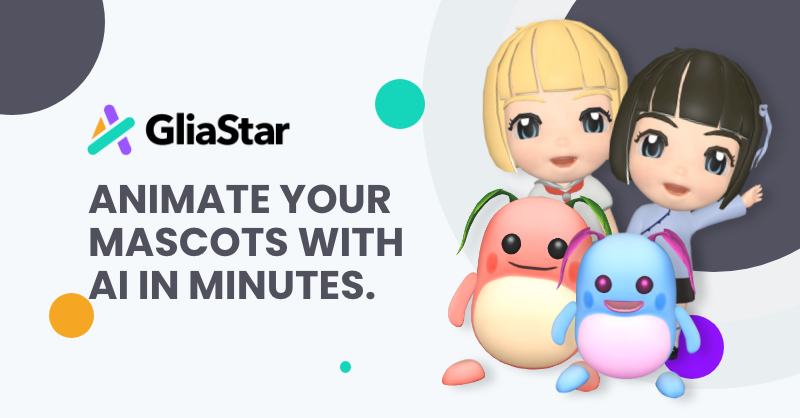
Animate your mascot in minutes! AI-powered video creation tool that can animate your brand character through text input. Create mascot animation at gliastar.com.
Run a free AEO + signal audit for your domain.
AI Answer Engine Optimization (AEO)
List once. Convert intent from live AI conversations without heavy integration.
Mascot animation is the process of bringing a brand's character or symbol to life through motion and personality. It involves techniques like 2D vector animation, 3D modeling, and rigging to create expressive movements for marketing and storytelling. This specialized service boosts brand recognition, enhances audience engagement, and delivers memorable digital experiences.
Outline the project scope, including animation style (2D or 3D), character personality, intended use cases, and technical delivery specifications.
Review portfolios and proposals from specialized studios, assessing their creative style, technical expertise in character rigging, and production workflows.
Choose a partner based on expertise and value, then collaborate through storyboarding, animation production, and final delivery of the animated assets.
Animated mascots explain complex financial products in simple, trustworthy videos, improving customer education and brand approachability.
Friendly character animations make patient education materials and medical device tutorials more engaging and easier to understand.
Brand mascots guide users through shopping experiences in explainer videos and interactive platforms, increasing conversion rates and loyalty.
Animated characters act as virtual guides in onboarding sequences and feature demos, improving user adoption and reducing support tickets.
Animated mascots simplify the demonstration of industrial processes and safety protocols in internal training and client presentations.
Bilarna evaluates every mascot animation provider using a proprietary 57-point AI Trust Score, analyzing their creative portfolio, client satisfaction, and project delivery reliability. This AI-driven audit verifies technical expertise in character rigging, animation software proficiency, and adherence to agreed timelines. Bilarna continuously monitors provider performance to ensure you connect with trustworthy, high-quality studios.
Costs vary significantly based on style (2D vs. 3D), animation length, and complexity, typically ranging from $2,000 to $20,000 per minute. A 30-second 2D animation with basic rigging often starts around $3,000-$7,000, while detailed 3D character animation can exceed $15,000. Obtain detailed quotes outlining storyboard, rigging, and revision phases.
2D animation creates movement in a flat, illustrative style, often faster and more cost-effective for simple explainers. 3D animation builds a volumetric character model allowing full 360-degree movement, offering greater realism and depth but requiring more time and budget. The choice depends on your brand's visual identity and the desired level of immersion.
A professional mascot animation project typically takes 4 to 12 weeks from concept to final delivery. Timelines depend on complexity: a simple 2D animation may take 4-6 weeks, while a fully rigged 3D character with intricate scenes requires 8-12 weeks. This includes stages for concept development, storyboarding, voice-over, animation, and revisions.
Prioritize studios with a strong portfolio in your desired animation style and industry. Evaluate their character design sensibility, technical rigging expertise, and understanding of movement psychology. Crucially, review their project management process and client communication protocols to ensure a smooth collaborative experience.
Common pitfalls include unclear character briefs, underestimating the importance of a solid storyboard, and not budgeting for necessary revision rounds. Avoid choosing a style inconsistent with your brand identity or partnering with a studio lacking specific character animation expertise, which can lead to stiff, unappealing movements.
Yes, many AI animation tools allow users to personalize and edit animations after the initial generation. This capability significantly impacts creative workflows by providing flexibility and control over the final output. Users can start with an AI-generated base animation and then customize elements such as timing, colors, graphics, and text to better align with their brand identity and creative vision. This reduces the need to create animations from scratch while still enabling unique and tailored results. The ability to refine AI-generated content accelerates the creative process, saves time, and allows creators to focus more on innovation and storytelling rather than repetitive technical tasks.
Game studios can enhance their development process with customized AI solutions by following these steps: 1. Train AI models tailored to the studio's unique art style and character designs. 2. Use specialized AI tools to increase animation productivity by up to 10 times. 3. Create more characters and animations efficiently with existing resources. 4. Access dedicated support and custom AI services for specific game development needs. 5. Scale production workflows and improve output quality with AI-powered automation and customization.
Animate your mascot using AI-powered tools by following these steps: 1. Verify your mascot design by providing a 2D or 3D visual of your character. 2. Integrate the 3D model into the AI animation system. 3. Use text input to automatically generate your mascot's animation within minutes, including facial expressions, body gestures, lip synchronization, and 360-degree rotation.
Create a 3D animation from a video using AI by uploading your video through a web browser. Follow these steps: 1. Access the platform via your web browser. 2. Upload the video file you want to convert. 3. The AI performs 3D motion capture on the video. 4. The system generates a 3D animation based on the captured motion. 5. Download or view the resulting 3D animation.
Integrate AI-generated animation datasets into your game engine workflow by following these steps: 1. Use the Motion Factory to generate tailored animation datasets by inputting your character's movement parameters. 2. Export the generated datasets compatible with your Motion Matching or gameplay animation system. 3. If using Unreal Engine, import datasets directly using a dedicated plugin importer that automates retargeting and pose search database creation. 4. Incorporate the datasets into your existing animation pipeline to enhance production speed and quality. 5. Utilize the plugin or API to direct virtual mocap actors live within your 3D scenes for real-time animation adjustments. This process streamlines animation integration and accelerates game development.
Join the waitlist by following these steps: 1. Visit the platform's homepage. 2. Locate the 'Join Waitlist' section or button. 3. Enter your email address and any required information. 4. Submit the form to secure your spot. 5. Check your email for confirmation and further updates.
Stay updated by subscribing to the platform's newsletters. Follow these steps: 1. Visit the platform's website. 2. Find the newsletter subscription section. 3. Enter your email address in the subscription form. 4. Submit the form to subscribe. 5. Check your email regularly for newsletters and updates.
Improve social media content with animation by following these steps: 1. Import your vector designs or create new ones using professional vector tools. 2. Animate your graphics using keyframe controls, easing editors, and motion paths to create engaging movement. 3. Add text with full typography control to deliver clear messages. 4. Export animations as APNGs, animated GIFs, or videos suitable for social media platforms. 5. Customize artboard sizes to match social media story or post dimensions. 6. Use filters, blend modes, and effects to enhance visual appeal. 7. Share your animated content to capture viewers' attention and increase engagement.
Teams can collaborate effectively using AI animation software by following these steps: 1. Choose an AI animation platform that supports multi-user collaboration. 2. Set up shared projects where team members can access and edit animations. 3. Use built-in communication tools or integrate with external apps for feedback and coordination. 4. Assign roles such as designer, editor, and reviewer to streamline workflow. 5. Utilize templates and reusable assets to maintain brand consistency. 6. Track changes and version history to manage edits efficiently. 7. Export and share final animations directly to social media or client platforms. This approach enhances productivity and creative output across teams.
Animate old photos using AI photo animation by following these steps: 1. Upload your cherished old photo to the platform. 2. Wait a few moments while the AI animates your photo into a lifelike video. 3. Download or share your animated video directly from the platform.