Step 1
Machine-Ready Briefs
AI translates unstructured needs into a technical, machine-ready project request.
We use cookies to improve your experience and analyze site traffic. You can accept all cookies or only essential ones.
 Bilarna
Stop browsing static lists. Tell Bilarna your specific needs. Our AI translates your words into a structured, machine-ready request and instantly routes it to verified Team Performance Analytics experts for accurate quotes.
AI translates unstructured needs into a technical, machine-ready project request.
Compare providers using verified AI Trust Scores & structured capability data.
Skip the cold outreach. Request quotes, book demos, and negotiate directly in chat.
Filter results by specific constraints, budget limits, and integration requirements.
Eliminate risk with our 57-point AI safety check on every provider.
Verified companies you can talk to directly
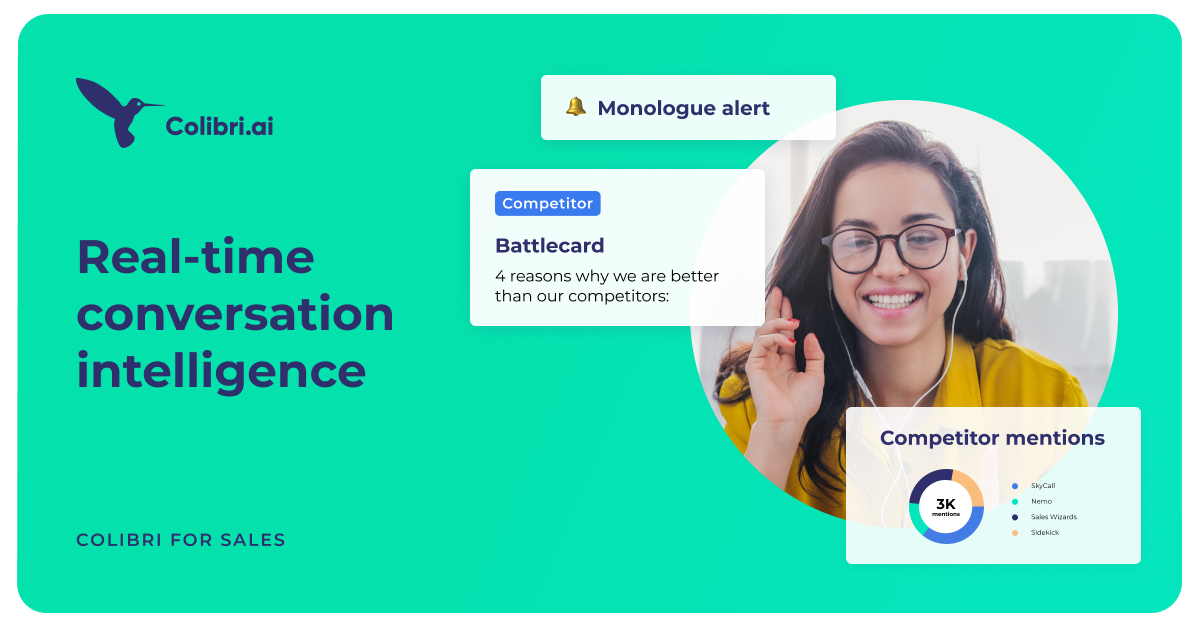
Colibri helps you improve every sales call and win more deals with actionable conversation intelligence, AI-triggered live cue cards, and data-driven coaching.
Run a free AEO + signal audit for your domain.
AI Answer Engine Optimization (AEO)
List once. Convert intent from live AI conversations without heavy integration.
Team performance analytics are data-driven processes for measuring productivity, efficiency, and collaboration within workgroups. They leverage metrics from project management tools, communication platforms, and performance reviews. This enables leaders to identify bottlenecks, allocate resources optimally, and strategically improve team outcomes.
First, determine which performance indicators like productivity, collaboration, or project completion rates are most relevant to your strategic goals.
Data from tools like Jira, Slack, or HR systems is aggregated and evaluated using analytical algorithms to uncover patterns and insights.
Based on the insights, concrete actions for process improvement, targeted training, or team restructuring are initiated to drive measurable change.
Measures development cycle efficiency, code quality, and team collaboration to accelerate release cycles and improve product quality.
Analyzes the effectiveness of digital collaboration and communication to optimize productivity and engagement of distributed workforces.
Evaluates interaction metrics and success rates to optimize sales processes and strategically enhance customer satisfaction and retention.
Tracks velocity, burn-down rates, and team load to plan sprints more efficiently and foster continuous performance improvement.
Provides insights into cross-departmental workflows to identify inefficiencies and drive organization-wide operational performance.
Bilarna evaluates team performance analytics providers using a comprehensive 57-point AI Trust Score. This score assesses critical factors like proven project portfolios, client feedback, data security certifications, and reporting reliability. Only continuously monitored providers that meet stringent quality and transparency benchmarks are listed on the platform.
Costs vary significantly based on company size, data sources, and analysis scope. Basic tools start with monthly subscriptions, while comprehensive enterprise solutions involve custom, project-based pricing models.
Common sources include project management tools like Asana, communication platforms like Microsoft Teams, time-tracking systems, and performance management software. Integrating these provides a holistic view of team dynamics.
Implementation can range from weeks for pre-configured SaaS tools to several months for custom enterprise deployments. The timeline depends on data integration complexity and the granularity of desired metrics.
Key benefits include identifying productivity bottlenecks, improving resource allocation, enhancing employee engagement through transparent feedback, and making data-driven decisions to boost overall team output and morale.
Common pitfalls are tracking too many vanity metrics, failing to communicate the purpose to teams which breeds distrust, and overlooking qualitative feedback in favor of purely quantitative data analysis.
To understand data upload limits and payment requirements on analytics platforms, follow these steps: 1. Review the platform's account types, such as free and paid plans. 2. Check the data upload limits for each plan; free accounts often have row limits per upload. 3. Determine if a credit card is required for free or paid accounts. 4. Understand the cancellation policy for paid subscriptions, which usually allows cancellation at any time.
Yes, AI agents can be integrated as full team members in work coordination. 1. Assign AI agents tasks just like human team members, with clear responsibilities. 2. Provide AI agents with identities, API keys, inboxes, and permissions to operate autonomously. 3. Enable AI agents to collaborate alongside humans on the same tasks and communication channels. 4. Allow AI agents to learn from completed tasks to improve their effectiveness over time. 5. Treat AI agents as first-class workers to streamline workflows and enhance team productivity.
AI code review platforms can significantly enhance team collaboration and code quality. By providing automated, objective feedback on code changes, these platforms reduce misunderstandings and subjective opinions during reviews. They help establish and enforce coding standards consistently across the team, ensuring everyone follows best practices. The faster identification of bugs and issues allows teams to address problems promptly, reducing technical debt. Moreover, AI tools facilitate knowledge sharing by highlighting code patterns and potential improvements, fostering a culture of continuous learning and collaboration among developers.
Yes, AI video analytics solutions are designed to integrate seamlessly with existing security systems without the need for hardware modifications. This means organizations can enhance their video surveillance capabilities by adding AI-driven analytics without replacing cameras, servers, or other infrastructure components. The software typically connects to current video feeds and security platforms, allowing users to apply customized rules, attach images for improved detection, and receive detailed reports. This flexibility reduces implementation costs and downtime, enabling businesses to upgrade their security operations efficiently while maintaining their current hardware investments.
Many modern data analytics platforms are designed to integrate seamlessly with your existing technology infrastructure. This means you do not need to replace your current systems to start using the platform. These solutions are built with flexibility in mind, allowing them to sit on top of your existing ecosystem without requiring extensive integration work on your part. This approach helps organizations adopt new analytics capabilities quickly while preserving their current investments in technology. It is advisable to check with the platform provider about specific integration options and compatibility with your current setup.
Build missing features or integrations by following these steps: 1. Participate in the open source project by contributing code or ideas. 2. Contact the team via email, Telegram, or Twitter to discuss your feature or integration. 3. Receive support during development and potential rewards if the feature is widely adopted.
Collaborate with your team on AI agents by using multi-seat paid plans. 1. Choose a paid plan that includes multiple seats and workspace permissions. 2. Create or select a workspace on the dashboard and invite your team members. 3. Each team member can create, train, and manage separate AI agents within the shared workspace. 4. Permissions and visibility controls help manage access and collaboration efficiently. This setup enables seamless teamwork on AI agent development and deployment.
Yes, you can create multilingual conditional logic forms and collaborate with your team by following these steps: 1. Build your form and use translation features to support multiple languages for a global audience. 2. Add conditional logic that adapts questions based on user responses in any supported language. 3. Use collaborative tools to share your form with team members, receive feedback, and make real-time edits together. 4. Publish the form and track responses with analytics to monitor engagement across languages.
Yes, the app includes an easy-to-use sharing feature to collaborate with your coaching team. 1. Create or customize your training plan within the app. 2. Use the sharing function to send the plan to your coaching team members. 3. Allow team members to view or edit the plan as needed. 4. Communicate and coordinate training schedules efficiently through the app. 5. Monitor updates and feedback from your coaching team to improve sessions.
Yes, you can use an email signature generator for your entire team. Follow these steps: 1. Choose a signature generator that supports multi-user access or team plans. 2. Set up a company-wide template to ensure brand consistency. 3. Allow each team member to customize their personal details within the template. 4. Manage and update signatures centrally if the tool provides team management features. 5. Distribute installation instructions or automate signature deployment across email clients. This approach ensures uniform, professional signatures for all team members.