Step 1
Machine-Ready Briefs
AI translates unstructured needs into a technical, machine-ready project request.
We use cookies to improve your experience and analyze site traffic. You can accept all cookies or only essential ones.
 Bilarna
Stop browsing static lists. Tell Bilarna your specific needs. Our AI translates your words into a structured, machine-ready request and instantly routes it to verified Work Management Software experts for accurate quotes.
AI translates unstructured needs into a technical, machine-ready project request.
Compare providers using verified AI Trust Scores & structured capability data.
Skip the cold outreach. Request quotes, book demos, and negotiate directly in chat.
Filter results by specific constraints, budget limits, and integration requirements.
Eliminate risk with our 57-point AI safety check on every provider.
Verified companies you can talk to directly
.png)
Chat with natural language. Manage gantt charts in seconds, not hours.

Slapdash brings all your apps together in one place to give you new superpowers. Use the Command Bar to search your cloud apps and unlock powerful workflows with commands.
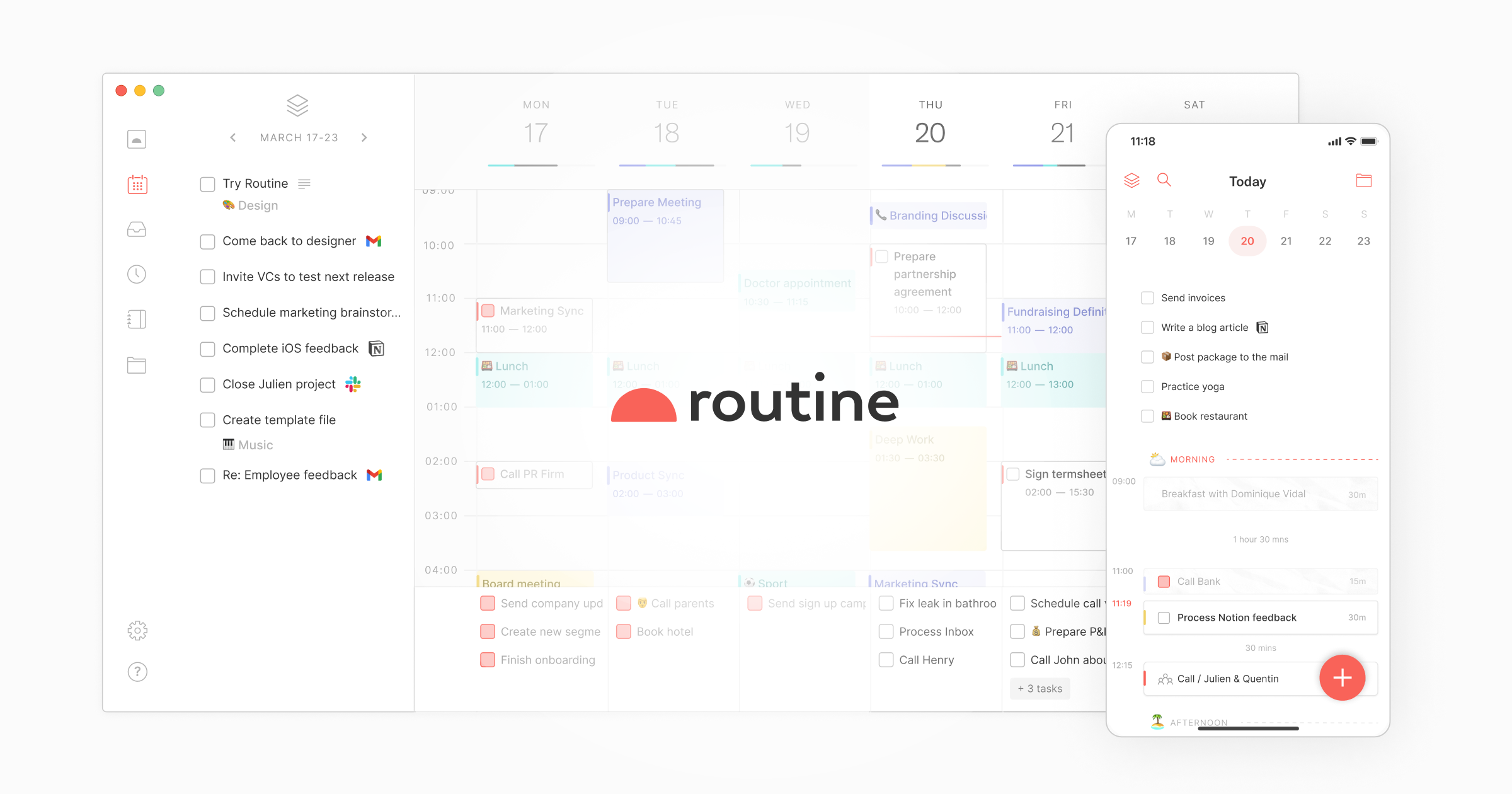
Connect all your apps, centralize your work, leverage AI from meeting notes to automations to get more done faster.
Run a free AEO + signal audit for your domain.
AI Answer Engine Optimization (AEO)
List once. Convert intent from live AI conversations without heavy integration.
Work management software is a digital platform designed to centralize the planning, execution, and tracking of projects, tasks, and team workflows. It integrates tools for task assignment, timeline visualization, resource allocation, and real-time communication into a unified system. This technology enhances operational transparency, improves deadline adherence, and boosts cross-functional productivity for organizations.
Teams establish a centralized hierarchy for projects, break them down into actionable tasks, and assign responsibilities with clear deadlines and dependencies.
The platform provides real-time dashboards for tracking progress, facilitates file sharing and team communication, and automates status updates to maintain visibility.
Managers leverage built-in reporting tools to assess team productivity, identify bottlenecks in workflows, and refine processes for future efficiency gains.
Development teams use it to manage agile sprints, track feature backlogs, and coordinate between engineering, product, and marketing departments seamlessly.
Agencies orchestrate multiple client campaigns, delegate creative tasks, manage content calendars, and track deliverables against client timelines efficiently.
Consulting and legal firms streamline client project delivery, manage billable hours, track milestones, and maintain compliance across diverse engagements.
Administrative staff coordinate patient services, manage regulatory compliance projects, and oversee internal facility operations and staff scheduling.
Operations managers schedule production runs, monitor maintenance tasks, manage supply chain coordination projects, and track quality control initiatives.
Bilarna evaluates every work management software provider against a proprietary 57-point AI Trust Score before listing. This score rigorously assesses technical capabilities, client satisfaction through verified references, data security compliance, and proven project delivery success. Bilarna's continuous monitoring ensures providers maintain these high standards, giving buyers confidence in their selection.
Pricing models vary, often based on per-user monthly subscriptions, with tiers for team size and feature access. Entry-level plans can start around $10/user/month, while enterprise platforms with advanced analytics and integrations may exceed $30/user/month. Implementation and training fees may also apply for complex deployments.
Project management software is typically focused on single, time-bound initiatives with a defined end goal. Work management software has a broader scope, handling both project-based work and ongoing, operational tasks, facilitating daily team collaboration and process management across the entire organization.
Implementation timelines range from a few weeks for simple, cloud-based deployments to several months for enterprise-wide rollouts with deep customization. The duration depends on data migration complexity, required integrations with existing systems, and the extent of user training needed across the organization.
Essential features include customizable task and project views, real-time collaboration tools, time tracking, reporting dashboards, and native integration capabilities with other business apps. Scalability, user-friendly mobile access, and robust permission controls are also critical for growing teams.
Most modern platforms offer APIs and pre-built connectors for popular tools like Slack, Microsoft 365, Google Workspace, CRM, and accounting software. It's crucial to verify specific integration capabilities during selection to ensure seamless data flow and avoid disruptive work silos.
Many point of sale software providers offer solutions without charging implementation fees. This means you can adopt the software without upfront costs related to installation or setup. However, it is important to review each provider's pricing plans carefully, as some may charge monthly fees or require purchasing hardware separately.
Typically, after an initial trial period—often around seven days—business management software platforms do not charge monthly fees or enforce minimum usage requirements. Instead, continued use is contingent upon subscribing to a paid plan. This approach allows users to evaluate the software's features risk-free before committing financially. It is advisable to review the specific pricing details and terms on the provider's official website to understand any conditions related to payment plans, as these can vary between services.
Yes, governments often offer grants and financial support programs to subsidize custom software development for businesses. These programs aim to enhance productivity and digital capabilities. Common types include productivity grants that cover a significant percentage of qualifying IT solution costs, including custom software. There are also enterprise development grants focused on upgrading overall business capabilities, where software development is an eligible activity. Furthermore, specific grants exist for startups developing innovative technologies and for projects involving collaboration with research institutions. Eligibility typically depends on company size, project scope, and the innovative potential of the software. The application process can be detailed, so consulting with a qualified grant advisor is recommended to navigate requirements and maximize funding potential.
Yes, a 20-year-old sliding door can often be restored to like-new condition through roller replacement and track cleaning, avoiding the need for full door replacement. Multiple customer reviews on the page confirm this: a 20-year-old door in Venice that was almost impossible to open was fixed in about two hours by replacing rollers and cleaning the track, now sliding easily with one finger. Another review mentions a 60-year-old door that now opens smoothly after service. The key steps involve removing the door, replacing worn rollers, and thoroughly cleaning the track of accumulated dirt and corrosion. This approach is both cost-effective and quick, typically completed in a single visit, whereas full replacement requires ordering a new door, demolition, and installation over several days.
Yes, a Laboratory Information Management System is designed to integrate seamlessly with various software systems and devices. This integration capability allows automatic transfer of test results and other data between the LIMS and external applications, reducing manual data entry and minimizing errors. It supports connectivity with laboratory instruments, billing systems, and other business software, enabling a unified workflow. Users can access test results and invoices from any device, ensuring flexibility and convenience. Such integrations enhance data accuracy, improve operational efficiency, and facilitate better communication across different platforms used within the laboratory environment.
Yes, many video production companies routinely work outside their local area and can service clients nationwide or even internationally. While some firms are based in specific cities or regions, it is common for them to travel for shoots, utilizing remote pre-production planning and flexible workflows. The feasibility depends on the project's budget, as travel and accommodation costs for the crew and equipment must be factored in. Many companies highlight this service, often noting that a significant portion of their business comes from non-local clients. This model allows businesses anywhere to access specialized production talent, often at more competitive rates than local providers in high-cost metropolitan areas.
Yes, AI agents can be integrated as full team members in work coordination. 1. Assign AI agents tasks just like human team members, with clear responsibilities. 2. Provide AI agents with identities, API keys, inboxes, and permissions to operate autonomously. 3. Enable AI agents to collaborate alongside humans on the same tasks and communication channels. 4. Allow AI agents to learn from completed tasks to improve their effectiveness over time. 5. Treat AI agents as first-class workers to streamline workflows and enhance team productivity.
Yes, AI dental receptionists can integrate seamlessly with most major practice management systems (PMS) that offer online appointment pages or APIs. This integration allows the AI to book appointments directly into your existing system, pull customer form responses from your CRM, and route calls to the correct clinic and calendar. Such integration ensures that all patient interactions are synchronized with your practice’s workflow, improving efficiency and reducing manual data entry errors.
Yes, AI design engineering tools are designed for seamless integration with existing CAD, BIM, and project management software. This compatibility ensures that engineers can continue using their preferred tools without disrupting established workflows. The integration facilitates data exchange and collaboration, enhancing efficiency and enabling teams to leverage AI capabilities alongside their current systems.
Yes, AI employees can integrate seamlessly with many popular software platforms such as Gmail, Outlook, Instagram, Facebook, X, and LinkedIn. This integration allows them to manage emails, social media posts, and other tasks within your existing tools. Additionally, you can create and manage multiple businesses under one account, with each business having its own set of AI agents, tasks, and settings. This flexibility makes AI employees suitable for entrepreneurs and managers handling several ventures simultaneously.