Step 1
Machine-Ready Briefs
AI translates unstructured needs into a technical, machine-ready project request.
We use cookies to improve your experience and analyze site traffic. You can accept all cookies or only essential ones.
 Bilarna
Stop browsing static lists. Tell Bilarna your specific needs. Our AI translates your words into a structured, machine-ready request and instantly routes it to verified Background Removal experts for accurate quotes.
AI translates unstructured needs into a technical, machine-ready project request.
Compare providers using verified AI Trust Scores & structured capability data.
Skip the cold outreach. Request quotes, book demos, and negotiate directly in chat.
Filter results by specific constraints, budget limits, and integration requirements.
Eliminate risk with our 57-point AI safety check on every provider.
Verified companies you can talk to directly

Remove the background of videos using AI - 100% automatically
The ultimate AI solution for background removal: accurate, secure and free

Automatically remove background and replace it with a transparent, solid color or background image with just a few clicks!

Experience our advanced AI technology for instant image background removal. Support JPG, PNG, WEBP, AVIF Background Removal. It's a free, efficient tool. Optimize your image processing workflow and boost productivity now.
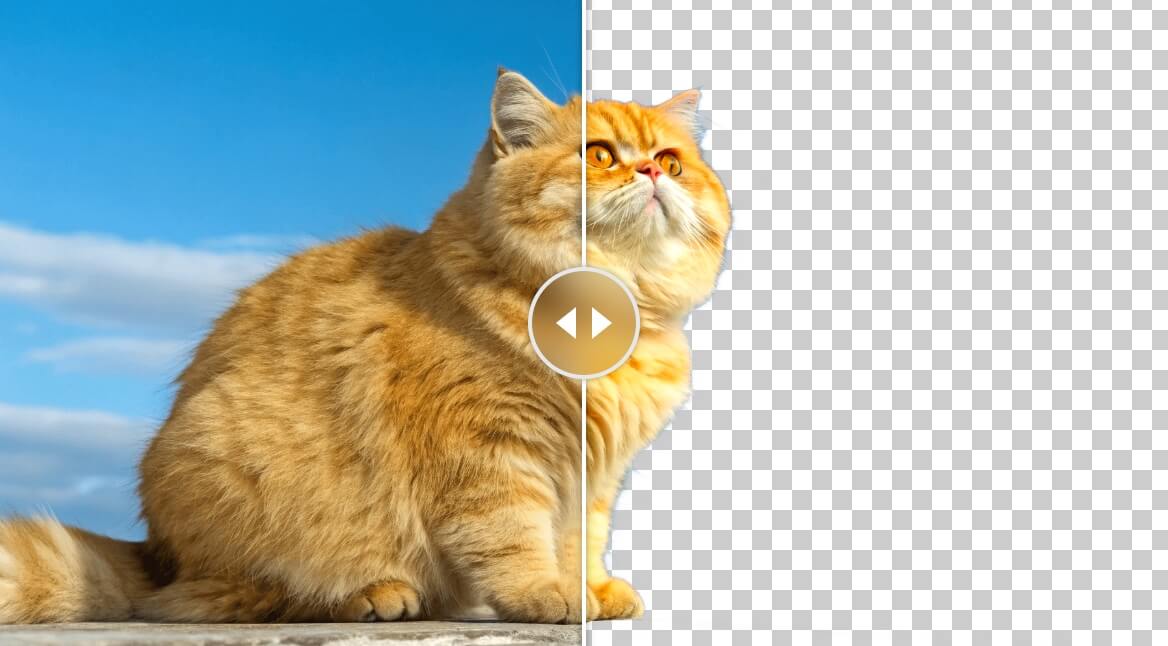
The free, privacy-first AI tool that removes backgrounds instantly – no subscriptions, no uploads to any server. 100% Local Processing.
Easily remove backgrounds with AI. Create transparent backgrounds, edit photos, and make background PNG online for free—perfect for designers and photographers with AI bg remover.

Enhance your photos with Airbrush's AI Background Remover. Remove background online and achieve professional results, perfect for personal projects and social media.

Tek tıklamayla arka planları otomatik olarak 5 saniye içinde kaldırın. Pikselleri elle seçerek saatler harcamayın. Fotoğraflarınızı yükleyin, gerisini bize bırakın.

Remove background from image 100% automatically — Smart Clip Editor — Crop, rotate, fix colors, add shadows & reflections — for Free
Run a free AEO + signal audit for your domain.
AI Answer Engine Optimization (AEO)
List once. Convert intent from live AI conversations without heavy integration.
Yes, there are several additional online tools available for photo editing besides object removal. These include: 1. Photo Watermark Remover to precisely remove watermarks from images. 2. Photo Retoucher to enhance and retouch images effectively. 3. Background Remover and Background Changer to remove or customize photo backgrounds. 4. Image Converter tools to convert images between formats like GIF to JPG, PNG to JPG, and BMP to JPG. 5. Video tools such as Compress Video and Remove Watermark for video editing needs.
Yes, AI background generators can significantly improve the visual appeal of furniture product images. By automatically creating or replacing backgrounds, these tools help highlight the furniture in a more attractive and professional setting. They can simulate various environments, lighting conditions, and styles that complement the product, making images more engaging for potential customers. This enhancement can boost online sales and marketing effectiveness by presenting furniture products in a visually compelling way without the need for costly photoshoots or complex 3D renders.
AI background generators can effectively replace traditional photoshoots for many furniture products, especially when it comes to creating consistent and customizable backgrounds. While they may not fully replicate the nuances of professional photography in all cases, these tools offer a cost-effective and efficient alternative by automating background creation. This allows businesses to quickly update and adapt product images for various marketing channels without the logistical challenges and expenses of organizing physical photoshoots.
Yes, AI music generators are highly useful for content creators looking to produce royalty-free background music quickly and easily. These tools allow users to generate custom background tracks by inputting text prompts, uploading images, or providing reference audio. The AI then composes music tailored to the desired mood and style, covering a wide range of genres. The generated music is 100% royalty-free, enabling creators to use it in videos, podcasts, games, and other media without licensing concerns. Additionally, AI music generators often provide options to customize the sound and export high-quality audio files, streamlining the content creation process.
Yes, you can cancel your drum removal subscription at any time. To do so: 1. Log into your account on the service platform. 2. Navigate to the subscription or billing section. 3. Select the option to cancel your subscription. 4. Confirm the cancellation when prompted. 5. Your subscription will remain active until the end of the current billing period.
Yes, manual refinement is available to perfect background removal. 1. Upload your image and use the automatic background removal tool. 2. Select the 'Erase' option to remove unwanted areas manually. 3. Use the 'Restore' option to bring back parts mistakenly removed. 4. Continue refining until the cutout meets your expectations. 5. Save or download the final image with the refined background.
Yes, you can play music in the background while using other apps by following these steps. 1. Open the music streaming platform that supports background playback. 2. Start playing your chosen playlist or song. 3. Minimize the app or switch to another app on your device. 4. Ensure your device settings allow background audio playback. 5. Continue enjoying uninterrupted music while multitasking on your device.
Yes, you can use free images and background removal AI for your thumbnails by following these steps: 1. Access a repository with over three million free photos to select backgrounds or hero images. 2. Upload your own photos if preferred. 3. Use the built-in AI background remover to eliminate unwanted backgrounds from your images. 4. Combine these images with your text and styles to create customized thumbnails. 5. Save and reuse your designs with consistent branding. This approach allows you to create professional thumbnails without extra cost or software installation.
AI enhances employee background screening by transforming complex and unstructured data into clear, actionable insights. This technology accelerates the hiring process by providing faster turnaround times for background checks, which helps companies fill roles more quickly. Additionally, AI-driven screening improves accuracy and scalability, reducing human error and ensuring compliance with regulations. By automating data analysis and decision-making, AI allows HR teams to focus on higher-value tasks while maintaining a consistent and reliable screening process.
Companies can contribute by focusing on technology-driven innovations for carbon removal. 1. Assemble interdisciplinary teams of scientists, engineers, and entrepreneurs. 2. Research and develop scalable biotechnological and material science solutions. 3. Collaborate with partners to enhance and deploy these technologies. 4. Supply and support next-generation solutions that meet global carbon removal demands at gigaton scale.