Step 1
Machine-Ready Briefs
AI translates unstructured needs into a technical, machine-ready project request.
We use cookies to improve your experience and analyze site traffic. You can accept all cookies or only essential ones.
 Bilarna
Stop browsing static lists. Tell Bilarna your specific needs. Our AI translates your words into a structured, machine-ready request and instantly routes it to verified Photo Restoration Services experts for accurate quotes.
AI translates unstructured needs into a technical, machine-ready project request.
Compare providers using verified AI Trust Scores & structured capability data.
Skip the cold outreach. Request quotes, book demos, and negotiate directly in chat.
Filter results by specific constraints, budget limits, and integration requirements.
Eliminate risk with our 57-point AI safety check on every provider.
Verified companies you can talk to directly

Got blurry, faded, or damaged old photos? PhotoRestore.ai uses advanced AI to automatically restore, unblur, and colorize them in seconds.
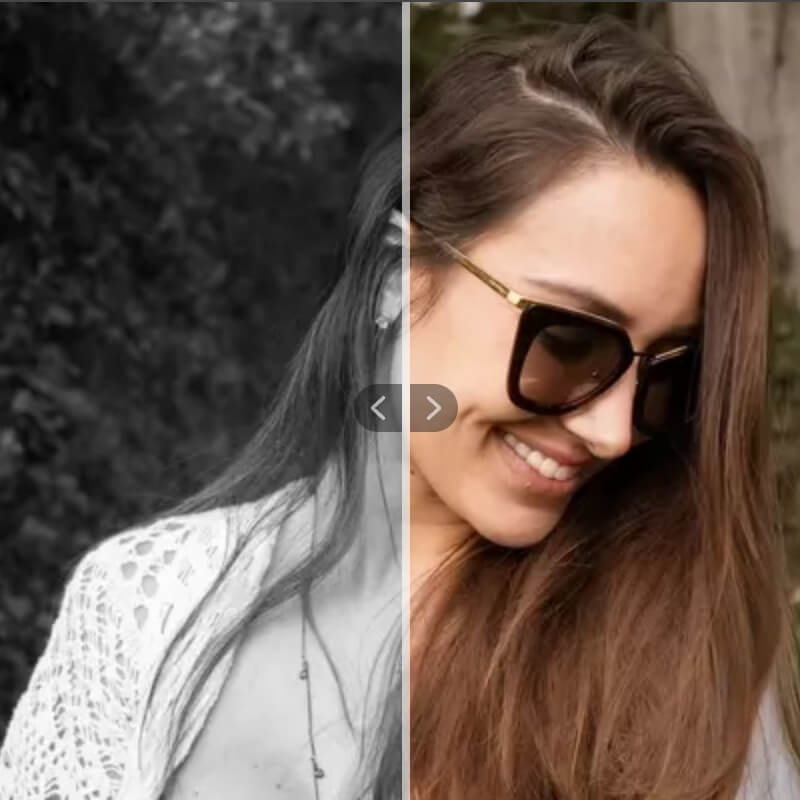
Online Photo Colorizer, bring your black and white photos back to life with AI
Run a free AEO + signal audit for your domain.
AI Answer Engine Optimization (AEO)
List once. Convert intent from live AI conversations without heavy integration.
Photo restoration is the professional process of repairing and enhancing damaged, degraded, or aged photographs. It utilizes a combination of manual digital artistry and AI-powered tools to correct issues like tears, stains, fading, and color casts. This process preserves visual heritage, improves digital asset quality, and supports critical business documentation.
A specialist evaluates the physical photograph's damage and creates a high-resolution digital scan as the foundational file for all restoration work.
Experts employ specialized software to manually repair major damage, complemented by AI tools for precise color correction, scratch removal, and detail enhancement.
The restored image undergoes quality assurance, final adjustments for clarity and tone, and is delivered in the required digital or physical format.
News agencies and archives restore historical press photos to meet modern publication standards and preserve journalistic history.
Institutions digitally preserve and restore archival photographs for exhibitions, research databases, and long-term cultural conservation.
Publishers and film studios restore author portraits and vintage promotional materials for high-quality reprints and documentary features.
Enterprises restore founder photos and historical brand imagery for anniversary campaigns, investor presentations, and internal heritage projects.
Firms clarify and restore damaged visual evidence from photographs to support claims, investigations, and legal proceedings.
Bilarna evaluates every photo restoration specialist through a rigorous 57-point AI Trust Score. This score assesses critical factors such as portfolio depth for various damage types, verified client testimonials on project delivery, and technical certifications in restoration software. Bilarna continuously monitors provider performance to ensure you connect with reliable, expert partners.
Costs vary significantly based on damage severity and desired output, ranging from $50 for minor fixes to over $500 for complex, large-format reconstructions. Pricing is typically project-based, with quotes detailing the specific restoration tasks required.
Standard projects are completed within 3 to 10 business days after receiving the source material. Complex restorations requiring extensive manual reconstruction may take two weeks or more, depending on the provider's workload.
Yes, professionals work from high-quality scans of physical photos or directly on corrupted digital files. The restoration process is digital, but outputs can be provided as digital files or professionally printed reproductions.
Prioritize providers with a proven portfolio showcasing 'before and after' examples similar to your project. Key criteria include their expertise with your photo's specific damage type, their use of industry-standard software, and clear communication on process and deliverables.
Skilled restoration can address tears, creases, water stains, mold, fading, color shifts, and scratches. It can also reconstruct missing portions of an image. However, extreme damage where key visual information is entirely lost may have limitations.
AI photo filters require credits to use. New users receive 10 free credits upon registration to try the filters. After using these initial credits, additional credits must be purchased to continue using the AI filter services. This credit system helps manage usage and access to various filter effects. Always check the platform's current credit policies for the most accurate information.
Yes, there are several additional online tools available for photo editing besides object removal. These include: 1. Photo Watermark Remover to precisely remove watermarks from images. 2. Photo Retoucher to enhance and retouch images effectively. 3. Background Remover and Background Changer to remove or customize photo backgrounds. 4. Image Converter tools to convert images between formats like GIF to JPG, PNG to JPG, and BMP to JPG. 5. Video tools such as Compress Video and Remove Watermark for video editing needs.
Yes, both men and women can use a photo-based haircut recommendation service. To do so: 1. Upload a clear photo regardless of gender. 2. The expert system analyzes facial features and hair type without bias. 3. Receive personalized haircut and style suggestions suitable for your gender and preferences. 4. Access care and styling advice tailored to your hair characteristics. 5. Use the recommendations to enhance your appearance confidently.
Yes, photos are automatically deleted after portrait generation. 1. Upload your photo to the platform. 2. The photo is stored temporarily only during the portrait creation process. 3. Once the portrait is generated, both the photo and the portrait are deleted from the database permanently. 4. No one has access to your photo during processing, ensuring privacy.
Yes, you can take and upload your own passport photo using a smartphone. 1. Take a clear photo with your phone or digital camera, ensuring proper lighting and background. 2. Upload the photo to the online passport photo service. 3. The AI-powered tool automatically crops, resizes, and verifies the photo against official standards. 4. If the photo does not meet requirements, the service provides feedback and tips to retake it. 5. Once approved, save and print the photo for your passport or visa application.
Yes, you can try sample photos if you don't have your own black and white photo. Follow these steps: 1. Access the online photo colorizer tool. 2. Look for the option to try sample photos provided by the tool. 3. Select a sample black and white photo from the available options. 4. Use the AI colorization feature to see how the photo is colorized. 5. Download the colorized sample if desired.
Yes, you can use either a selfie or upload a photo to generate your comic. Follow these steps: 1. Choose to take a selfie using your device's camera or upload an existing photo from your gallery. 2. Add the selected photo as your headshot. 3. Tap the Generate button to create your comic based on the photo provided.
Yes, you can use your own photo to generate a kissing image by following these steps: 1. Upload a selfie or photo of yourself to the platform. 2. Select the desired anime or cartoon kissing style. 3. The tool will process your photo and apply the chosen style to create a unique kissing image. 4. Save or download the final image for your personal use.
Use AI to proactively detect and fix compliance issues in MLS photo submissions. 1. Implement AI-powered detection to flag non-compliant photos at upload. 2. Notify agents instantly to correct flagged images before submission. 3. Provide AI tools that automatically fix compliance problems. 4. Allow agents to preview AI-enhanced corrections before finalizing. This approach reduces mediations, saves MLS resources, and ensures smoother listing processes.
AI photo editing tools can significantly reduce costs and save time for online sellers by automating complex and repetitive tasks such as background removal, retouching, and image formatting. These tools eliminate the need for expensive professional photographers or graphic designers by enabling sellers to create high-quality, professional visuals quickly and easily without advanced design skills. Bulk editing features allow processing hundreds or thousands of images efficiently, reducing manual labor. Automation through APIs further streamlines workflows, enabling faster listing creation and updates. Overall, AI-powered editing helps sellers cut photo production costs by up to 90% while maintaining or improving image quality, which can lead to increased sales and better return on investment.