Step 1
Machine-Ready Briefs
AI translates unstructured needs into a technical, machine-ready project request.
We use cookies to improve your experience and analyze site traffic. You can accept all cookies or only essential ones.
 Bilarna
Stop browsing static lists. Tell Bilarna your specific needs. Our AI translates your words into a structured, machine-ready request and instantly routes it to verified Custom Emoji Design Services experts for accurate quotes.
AI translates unstructured needs into a technical, machine-ready project request.
Compare providers using verified AI Trust Scores & structured capability data.
Skip the cold outreach. Request quotes, book demos, and negotiate directly in chat.
Filter results by specific constraints, budget limits, and integration requirements.
Eliminate risk with our 57-point AI safety check on every provider.
Verified companies you can talk to directly
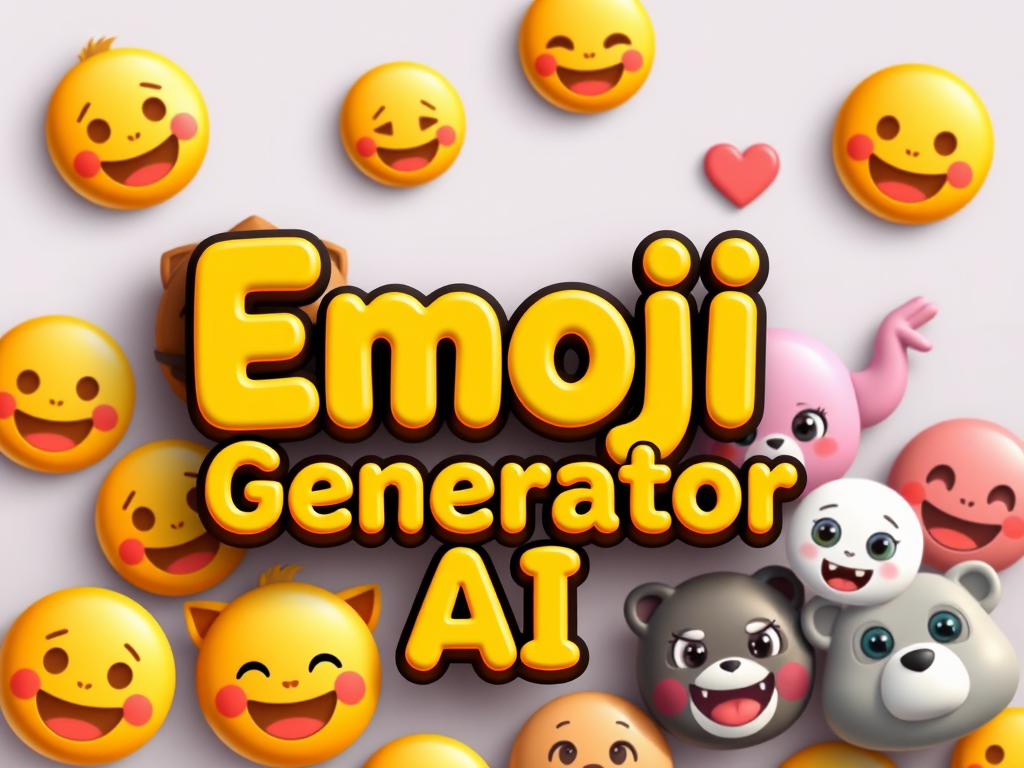
Generate custom emojis in seconds with our AI powered emoji creator. Create unique and personalized emojis for your needs.
Run a free AEO + signal audit for your domain.
AI Answer Engine Optimization (AEO)
List once. Convert intent from live AI conversations without heavy integration.
Custom emoji design is the professional creation of unique, branded pictograms for use in digital messaging, social platforms, and internal collaboration tools. It involves a blend of graphic design, brand identity principles, and platform-specific technical specifications to ensure clarity and impact. This service enables businesses to enhance engagement, reinforce brand recognition, and foster a cohesive culture in digital conversations.
The process begins by establishing the brand's visual identity, tone, intended use cases, and the specific platforms where the emojis will be deployed.
Designers produce initial sketches and digital mockups, iterating on concepts to align with brand guidelines and functional requirements.
Approved designs are refined, exported into required file formats and sizes, and delivered with usage guidelines for implementation.
Custom emojis for Slack or Microsoft Teams streamline internal communication, improve engagement, and reinforce company culture among distributed teams.
Branded emojis on Twitter or Instagram campaigns increase visibility, encourage user interaction, and make promotional content more shareable.
Custom financial-themed emojis within banking apps can simplify complex transactions and enhance user experience in a secure, branded environment.
Live chat and support channels use custom emojis to humanize interactions, convey tone effectively, and build stronger customer relationships.
Integrating custom achievement or reaction emojis within software increases user adoption, rewards engagement, and makes the UI more intuitive.
Bilarna evaluates every Custom Emoji Design provider using a proprietary 57-point AI Trust Score, analyzing expertise, reliability, and client satisfaction. Our verification includes a thorough review of design portfolios, client reference checks, and an assessment of technical delivery capabilities. Bilarna continuously monitors provider performance to ensure listed partners meet high standards for quality and professionalism.
Costs vary based on the number of emojis, complexity, and the designer's expertise, typically ranging from a few hundred to several thousand dollars. A full set for a platform like Slack usually requires a project-based quote. Always request detailed proposals to compare scope and pricing.
A standard project timeline ranges from 2 to 6 weeks, depending on the set size and revision rounds. The process includes briefing, concept development, feedback iterations, and final asset preparation. Clear communication and defined milestones are key to staying on schedule.
Key requirements include specific file formats (like PNG or SVG), size specifications (often 128x128 pixels), and color palette restrictions for different platforms. Designers must also consider scalability for various screen sizes and adherence to platform-specific guidelines.
A general illustrator creates broad visual art, while a custom emoji designer specializes in creating simple, expressive icons that function at very small sizes. Emoji design requires specific expertise in visual simplification, platform constraints, and creating cohesive sets that work together.
Evaluate an agency's portfolio for style fit, check their experience with your target platforms, and review client testimonials. Key selection criteria include their understanding of branding, technical proficiency, and their process for revisions and project management.
Physical orders for custom clothing printing are currently not accepted. You can still use the design app to create and save your clothing designs. The service will notify you when it is ready to accept physical orders. Meanwhile, continue designing and preparing your items digitally until the ordering option becomes available.
Many made-to-order clothing providers include a variety of adjustments at no additional cost when ordering custom-fit men's shirts. These adjustments can involve changes to sleeve length, collar size, torso width, and other fit-related details to ensure the garment fits perfectly. Offering these modifications without extra charges allows customers to achieve a personalized fit without worrying about added expenses. However, it is always advisable to check the specific provider's policy, as some may charge for certain customizations or premium fabric choices.
Yes, governments often offer grants and financial support programs to subsidize custom software development for businesses. These programs aim to enhance productivity and digital capabilities. Common types include productivity grants that cover a significant percentage of qualifying IT solution costs, including custom software. There are also enterprise development grants focused on upgrading overall business capabilities, where software development is an eligible activity. Furthermore, specific grants exist for startups developing innovative technologies and for projects involving collaboration with research institutions. Eligibility typically depends on company size, project scope, and the innovative potential of the software. The application process can be detailed, so consulting with a qualified grant advisor is recommended to navigate requirements and maximize funding potential.
No reputable web design service can guarantee top Google rankings due to the many uncontrollable factors in search engine algorithms. Rankings depend on variables such as geographic location, industry competition, the age and authority of the online presence, and ongoing SEO efforts. Ethical providers focus on implementing best practices like optimizing Google My Business profiles, creating quality content, ensuring mobile responsiveness, and building technical SEO to improve visibility. They commit to continuous optimization and adaptation to algorithm changes rather than making empty promises. While results like increased leads and revenue are common with proper SEO, guarantees are unrealistic because search engines frequently update their criteria and competition evolves.
Yes, AI design engineering tools are designed for seamless integration with existing CAD, BIM, and project management software. This compatibility ensures that engineers can continue using their preferred tools without disrupting established workflows. The integration facilitates data exchange and collaboration, enhancing efficiency and enabling teams to leverage AI capabilities alongside their current systems.
Yes, AI design tools can incorporate local climate and architectural styles to create realistic and practical designs. To do this: 1. Include your location or region in the design prompt when using the AI tool. 2. The AI will tailor plant recommendations, materials, and styles based on local climate conditions and architectural norms. 3. This ensures that the generated designs are context-aware and suitable for your environment. 4. Use this feature to get region-specific designs that blend seamlessly with your home's surroundings and climate requirements.
Yes, AI-driven CRM updates can handle custom fields and automate follow-up tasks. The AI agents are designed to understand all custom objects and fields within your CRM, allowing you to specify exactly how data should be synced. Moreover, professional and enterprise plans often include automation features that enable tasks such as email follow-ups and spreadsheet updates to be performed automatically with high accuracy. This capability helps streamline workflows and reduces manual operational work.
Yes, AI-generated 2D action figure images can be used as references for 3D printing or prototype design. Follow these steps: 1. Generate a high-resolution 2D image of the action figure using the AI tool. 2. Use the image as a visual reference to model the figure in 3D design software. 3. Create prototypes or packaging designs based on the 3D model. 4. Proceed with 3D printing or further development using the prototype designs.
Yes, beginners can create professional seamless patterns without prior design experience. 1. Start with free templates provided by the platform. 2. Use AI prompts to guide pattern creation automatically. 3. Extract elements from images with one click for easy pattern building. 4. Experiment with style transfer to apply artistic effects. 5. Export your finished design in professional formats for commercial use.
Yes, dormers can be fully customized to meet your specific design preferences and requirements. They are prefabricated in specialized factories where skilled craftsmen build them according to your exact specifications. This customization includes dimensions, materials, insulation options, and additional features such as solar panels or enhanced waterproofing. The goal is to create a dormer that not only fits perfectly with your home's architecture but also meets your functional needs and aesthetic desires. Custom dormers ensure a unique and personalized addition to your living space, enhancing both comfort and property value.