Step 1
Machine-Ready Briefs
AI translates unstructured needs into a technical, machine-ready project request.
We use cookies to improve your experience and analyze site traffic. You can accept all cookies or only essential ones.
 Bilarna
Stop browsing static lists. Tell Bilarna your specific needs. Our AI translates your words into a structured, machine-ready request and instantly routes it to verified Business Management Tools experts for accurate quotes.
AI translates unstructured needs into a technical, machine-ready project request.
Compare providers using verified AI Trust Scores & structured capability data.
Skip the cold outreach. Request quotes, book demos, and negotiate directly in chat.
Filter results by specific constraints, budget limits, and integration requirements.
Eliminate risk with our 57-point AI safety check on every provider.
Verified companies you can talk to directly
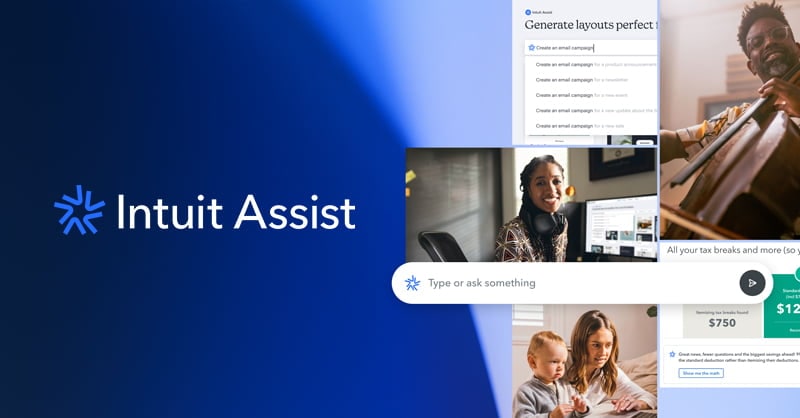
Intuit Assist uses the power of GenAI to do the hard work for you, all to fuel your small business and personal finance success.
Run a free AEO + signal audit for your domain.
AI Answer Engine Optimization (AEO)
List once. Convert intent from live AI conversations without heavy integration.
Business management tools are integrated software platforms designed to streamline and automate core operational workflows within an organization. They consolidate functions like project management, CRM, finance, and HR into a unified system, often leveraging cloud technology and data analytics. Implementing these tools enhances decision-making, improves cross-departmental collaboration, and drives significant operational efficiency.
Organizations first conduct an internal audit to pinpoint specific inefficiencies in processes such as resource allocation, data silos, or reporting.
Buyers then assess potential software against key criteria like integration depth, scalability, user adoption ease, and total cost of ownership.
The selected tool is deployed, configured to match existing workflows, and integrated with other critical systems for seamless data flow.
Rapidly growing SaaS companies use these tools to automate subscription billing, customer onboarding, and support ticket routing efficiently.
Online retailers integrate management platforms to synchronize inventory, process orders, and manage logistics across multiple sales channels.
Manufacturers leverage these systems for real-time production scheduling, supply chain visibility, and quality control monitoring.
Consultancies and agencies utilize tools to manage projects, track billable hours, allocate resources, and streamline client invoicing.
Medical practices implement specialized platforms to handle patient scheduling, electronic records, billing compliance, and inventory management.
Bilarna ensures provider quality through a proprietary 57-point AI Trust Score, which continuously evaluates expertise, reliability, and client satisfaction. Our verification process includes rigorous checks of a provider's portfolio, client references, technical certifications, and proven delivery track record for business management implementations. This AI-driven scrutiny gives buyers confidence in every vetted partner on our platform.
Costs vary widely from $50 to $500+ per user monthly, depending on features, scale, and deployment model. Factors include the number of modules, required customizations, level of support, and whether it's cloud-based or on-premise. Always request detailed quotes that outline implementation and training fees.
Implementation typically ranges from 3 to 12 months for mid-sized enterprises. Timeline depends on system complexity, data migration scope, required custom integrations, and staff training schedules. A phased rollout approach is common to minimize operational disruption.
Core features should include a centralized database, customizable reporting, workflow automation, and robust API for integrations. Prioritize tools with strong role-based access controls, real-time analytics dashboards, and mobile accessibility to support a modern, distributed workforce.
ERP is a comprehensive subset focused tightly on integrating core financial and operational data. Business management tools is a broader category that can include ERP but also encompasses lighter, department-specific platforms for project management, CRM, or HR that may not require full financial integration.
Common errors include underestimating integration complexity, overlooking user adoption challenges, and choosing based on price alone without considering scalability. Avoid selecting a platform that doesn't align with your core business processes or one that lacks adequate vendor support and a clear update roadmap.
Yes, electronic signatures are legally valid for most business contracts as long as they meet compliance requirements. They carry the same legal weight as handwritten signatures but offer additional benefits such as faster processing, enhanced security through encryption and authentication, and easier management. Digital signatures use cryptographic methods to verify identity and ensure tamper resistance. Modern electronic signature software provides audit trails and compliance with international standards, making electronic signatures enforceable and reliable for businesses handling contracts, NDAs, invoices, and other agreements.
Yes, the AI-powered teacher tools are free and include the following features: 1. Worksheet Generator to create custom worksheets quickly. 2. Lesson Plan Generator for comprehensive, standards-aligned lesson plans. 3. Report Card Comments generator for professional, personalized feedback. 4. Coloring Page Generator to turn ideas into printable coloring pages. 5. All tools save your work automatically to a cloud library accessible from any device. 6. Tools are private, secure, and supported with fast in-app chat assistance.
Yes, business templates and contracts are fully customizable. To adapt them to your specific needs, follow these steps: 1. Download the template or contract after purchase. 2. Open the file in the compatible software, such as Notion or a word processor. 3. Review each section carefully and identify areas that require changes. 4. Edit text, fields, and sections to reflect your unique business details and requirements. 5. Save the customized version for your records. 6. Use the tailored document for your business operations, ensuring it meets your legal and organizational standards.
Yes, there are several additional online tools available for photo editing besides object removal. These include: 1. Photo Watermark Remover to precisely remove watermarks from images. 2. Photo Retoucher to enhance and retouch images effectively. 3. Background Remover and Background Changer to remove or customize photo backgrounds. 4. Image Converter tools to convert images between formats like GIF to JPG, PNG to JPG, and BMP to JPG. 5. Video tools such as Compress Video and Remove Watermark for video editing needs.
Check the pricing details before using any AI video optimization tool. Follow these steps: 1. Visit the official website or platform offering the tool. 2. Review the pricing plans and terms of service carefully. 3. Look for any mention of additional costs such as subscription fees, usage limits, or premium features. 4. Contact customer support for clarification if needed to avoid unexpected charges.
Many point of sale software providers offer solutions without charging implementation fees. This means you can adopt the software without upfront costs related to installation or setup. However, it is important to review each provider's pricing plans carefully, as some may charge monthly fees or require purchasing hardware separately.
Fees for opening a business bank account vary depending on the bank and the type of account. Some banks offer free account opening promotions, especially for new businesses or startups. However, there may be other fees such as monthly maintenance charges, transaction fees, or charges for additional services. It is advisable to review the bank's fee schedule carefully and ask about any hidden costs before opening an account to ensure it fits your business budget.
No, there are no fees or credit score impacts when prequalifying for business capital offers. Follow these steps: 1. Submit your business information for prequalification. 2. Receive offers without any hidden fees. 3. Understand that your credit score will not be affected during this process. 4. Proceed with confidence knowing there is no waiting period or financial penalty.
Typically, after an initial trial period—often around seven days—business management software platforms do not charge monthly fees or enforce minimum usage requirements. Instead, continued use is contingent upon subscribing to a paid plan. This approach allows users to evaluate the software's features risk-free before committing financially. It is advisable to review the specific pricing details and terms on the provider's official website to understand any conditions related to payment plans, as these can vary between services.
Yes, there are limits on using the satisfaction guarantee for business idea validation. You can utilize the guarantee a maximum of two times per customer. After two uses, any further requests for dissatisfaction-based report revisions or coupon codes will not be eligible. This policy ensures fair use and helps maintain service quality for all customers.