Step 1
Machine-Ready Briefs
AI translates unstructured needs into a technical, machine-ready project request.
We use cookies to improve your experience and analyze site traffic. You can accept all cookies or only essential ones.
 Bilarna
Stop browsing static lists. Tell Bilarna your specific needs. Our AI translates your words into a structured, machine-ready request and instantly routes it to verified AI Workspace Solutions experts for accurate quotes.
AI translates unstructured needs into a technical, machine-ready project request.
Compare providers using verified AI Trust Scores & structured capability data.
Skip the cold outreach. Request quotes, book demos, and negotiate directly in chat.
Filter results by specific constraints, budget limits, and integration requirements.
Eliminate risk with our 57-point AI safety check on every provider.
Verified companies you can talk to directly
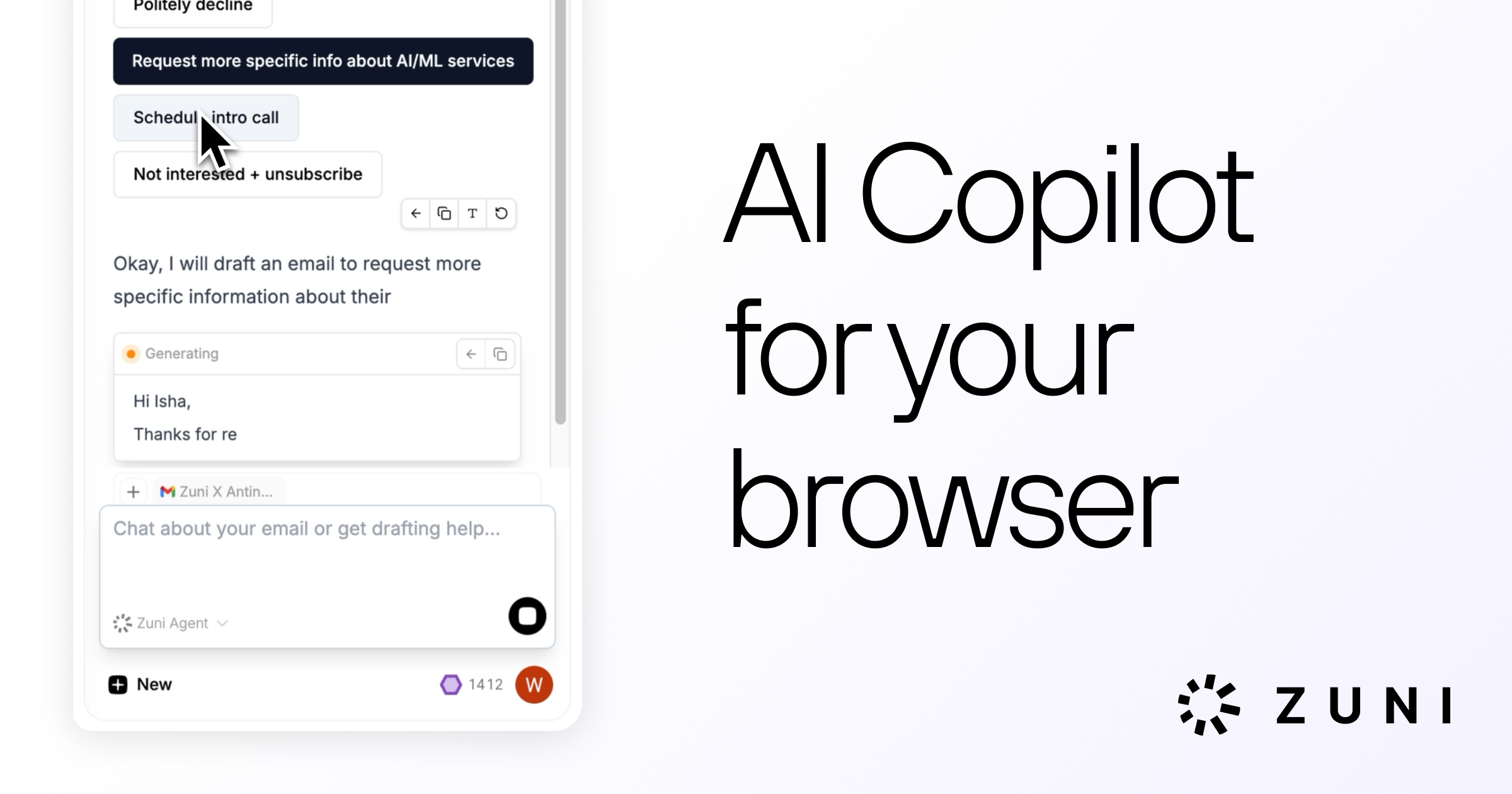
Chat with any tab or email + Gmail drafting support
Run a free AEO + signal audit for your domain.
AI Answer Engine Optimization (AEO)
List once. Convert intent from live AI conversations without heavy integration.
An AI workspace is a centralized, intelligent platform that integrates multiple artificial intelligence tools and data sources to automate and enhance business workflows. It typically combines machine learning models, natural language processing, data analytics, and collaborative interfaces within a unified environment. These solutions empower organizations to accelerate decision-making, reduce manual tasks, and derive actionable insights from complex data at scale.
Business leaders identify key processes, data sources, and collaborative outcomes they aim to automate or enhance using integrated AI tools.
Teams deploy and configure a suite of complementary AI applications for analytics, automation, and communication within a central platform.
Automated intelligence workflows are launched, continuously learning from data and user interactions to optimize business outcomes.
Financial institutions use AI workspaces to automate market forecasting, risk assessment, and real-time fraud detection, significantly improving compliance and agility.
Medical research teams leverage integrated AI environments to process imaging data, assist with diagnostic predictions, and manage patient trial information securely.
Retail platforms deploy AI workspaces to unify customer data, run predictive analytics for inventory, and power real-time, personalized shopping experiences.
Manufacturers implement these platforms for predictive maintenance, supply chain optimization, and quality control through computer vision and IoT data fusion.
SaaS companies utilize AI development environments to streamline code generation, automate testing, and analyze user feedback for rapid product iteration.
Bilarna evaluates every AI workspace provider through a proprietary 57-point AI Trust Score, which rigorously assesses technical expertise, implementation history, and data security protocols. Our analysis includes verifying client case studies, checking for relevant industry certifications, and auditing compliance with regulations like GDPR. Bilarna continuously monitors provider performance and client satisfaction to ensure our marketplace lists only credible and high-performing partners.
Costs vary widely from $25,000 to $500,000+ annually, depending on platform scale, user count, and customization depth. Key factors include licensing fees for core AI models, integration complexity with existing systems, and ongoing data infrastructure and support costs.
A standard deployment typically takes 3 to 9 months. The timeline hinges on data migration complexity, the need for custom model training, and integration with legacy enterprise software. A well-defined pilot phase is crucial for aligning the platform with specific business processes.
Essential features include robust data unification capabilities, a low-code/no-code automation builder, strong model governance tools, and seamless collaboration features like shared dashboards. Prioritize platforms with transparent AI explainability and comprehensive API support for future scalability.
While traditional BI focuses on historical data visualization, an AI workspace actively automates tasks, predicts outcomes using machine learning, and facilitates real-time collaborative decision-making. It integrates disparate tools into a proactive, intelligent hub rather than a passive reporting suite.
Common pitfalls include underestimating data preparation needs, choosing a platform that lacks necessary compliance certifications, and failing to secure internal change management resources. Success requires clear strategic alignment beyond just the technology features.
Yes, there are integration tools designed to enable cross-platform messaging and file sharing among Google Workspace, Microsoft Teams, and Slack. These tools are not separate chat applications but work by integrating with your existing chat platforms. By installing the integration app on each platform, users can send messages and share files seamlessly across different services without switching apps. This approach helps organizations maintain their current chat environments while enhancing interoperability between platforms.
Integrating utilization intelligence into workspace management allows corporate occupiers to gain real-time insights into how office spaces are used. By syncing attendance data from badge swipes, Wi-Fi, sensors, and HRIS systems, organizations can accurately track occupancy levels and identify underutilized areas. This data-driven approach helps optimize space allocation, reduce real estate costs, and improve employee experience by ensuring that workspaces meet actual demand. Additionally, utilization intelligence supports compliance with health and safety regulations by monitoring occupancy limits and enables better planning for hybrid work models.
A private workspace designed for founders allows them to send targeted asks and updates to their advisors and investors, track contributions, and streamline communication. By centralizing these interactions, founders can engage their supporters more efficiently, receive valuable introductions, social boosts, and candidate referrals. Integration with CRM systems further enhances this process by syncing contacts and enabling investors to leverage their networks. Additionally, automated workflows reduce the back-and-forth communication, making it easier to activate supporters and maintain momentum in the advisor program.
AI agents enhance productivity in a digital workspace by acting as intelligent assistants that understand your work context, learn from your interactions, and proactively support task completion. They can automate routine tasks, provide insights by analyzing data, and help manage projects by remembering key details. By integrating with other tools and automations, AI agents reduce manual effort and enable users to focus on higher-value activities, improving overall efficiency and collaboration within the workspace.
An AI-native workspace enhances document management in biopharma drug development by automating the synchronization of protocols, reports, regulatory modules, and quality documents with the latest scientific data. This integration reduces manual rework and errors, ensuring that all documentation remains consistent and up to date throughout the drug development process. By connecting research requirements, drafting sections, and managing revisions seamlessly, teams can streamline their workflows from initial questions to final regulatory submissions, ultimately improving the quality and efficiency of their filings.
Enhance collaboration by integrating immersive 3D workspaces with Google Workspace. Follow these steps: 1. Use a platform that transforms Google Workspace tools like Meet, Docs, Drive, and Calendar into 3D environments. 2. Access these spaces via browser without downloads for seamless participation. 3. Utilize AI-powered assistance for translation and support within meetings. 4. Create custom 3D meeting spaces easily with no-code tools. 5. Ensure enterprise-grade security to protect data and privacy. This approach increases team engagement, accelerates decision-making, and reduces office costs by replacing traditional meetings with immersive experiences.
Founders can reward their supporters by offering equity stakes within a collaborative workspace that tracks contributions and interactions. This approach enables transparent management of equity distribution, ensuring that advisors, investors, and other contributors receive fair recognition for their support. By centralizing introductions, contribution tracking, and communication, founders can easily allocate equity as a form of reward or incentive. This method not only strengthens relationships but also aligns the interests of supporters with the company's success, fostering long-term commitment and collaboration.
Access multiple AI providers in one workspace by following these steps: 1. Sign up for a unified AI platform that integrates various providers. 2. Log in to the platform to access AI models from providers like OpenAI, Anthropic, Google, xAI, Mistral, and Perplexity. 3. Use the smart routing feature to automatically select the best AI model for each task. 4. Switch between AI models mid-conversation without losing context or data. 5. Manage all your AI interactions in one place without juggling multiple subscriptions or platforms.
Automate user onboarding and offboarding in Google Workspace by using a management platform that handles all administrator and user tasks. Steps: 1. Choose a platform that integrates with Google Workspace and supports automation. 2. Configure provisioning and de-provisioning rules for users. 3. Set automatic access to essential files, folders, calendars, and groups. 4. Integrate with IDaaS providers like OneLogin or Okta for seamless identity management. 5. Monitor and adjust policies to ensure security and efficiency throughout the user lifecycle.
Benefit from using a GPT-5 reasoning agent in Google Workspace by enhancing productivity and creativity. Follow these steps: 1. Automate complex data analysis and formula generation in Sheets. 2. Improve document quality and speed up writing in Docs. 3. Generate engaging and well-structured presentations in Slides. 4. Draft and manage emails efficiently in Gmail. 5. Organize and search files smarter in Drive. This integration streamlines workflows and reduces manual effort.