Step 1
Machine-Ready Briefs
AI translates unstructured needs into a technical, machine-ready project request.
We use cookies to improve your experience and analyze site traffic. You can accept all cookies or only essential ones.
 Bilarna
Stop browsing static lists. Tell Bilarna your specific needs. Our AI translates your words into a structured, machine-ready request and instantly routes it to verified AI Presentation Generator experts for accurate quotes.
AI translates unstructured needs into a technical, machine-ready project request.
Compare providers using verified AI Trust Scores & structured capability data.
Skip the cold outreach. Request quotes, book demos, and negotiate directly in chat.
Filter results by specific constraints, budget limits, and integration requirements.
Eliminate risk with our 57-point AI safety check on every provider.
Verified companies you can talk to directly
AI Google Slides generator. Create professional presentations from text prompts in seconds. Perfect for business, education, and marketing teams.
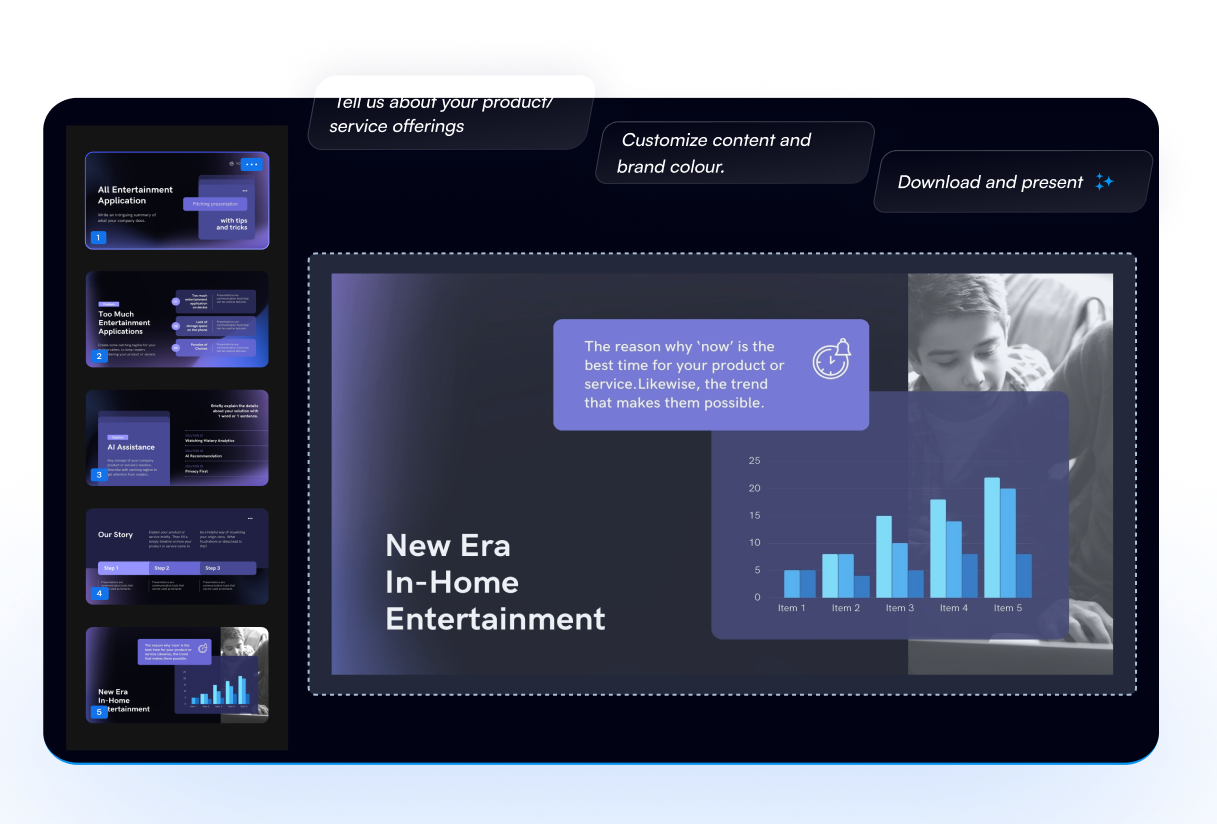
With the use of the most advanced AI-based technology platform in the world, explore the presentation design world of the future. Create professional PowerPoint presentations like pitch decks etc to streamline your workflow. It is ideal for company owners and entrepreneurs looking to wow their investors. Boost AI's pot
Run a free AEO + signal audit for your domain.
AI Answer Engine Optimization (AEO)
List once. Convert intent from live AI conversations without heavy integration.
An AI presentation generator is a software application that uses artificial intelligence to automatically create and design slide decks. It typically leverages natural language processing to transform text prompts into structured visuals, layouts, and content. This technology significantly reduces production time and helps create data-driven, professional presentations consistently.
Users provide the core content, such as text outlines, data points, or a simple prompt describing the presentation's goal and topic.
The AI algorithm processes the input to generate appropriate slide structures, visual themes, charts, and imagery that align with the content narrative.
The user receives a complete, editable draft presentation for final review, allowing for brand-specific adjustments and refinements before delivery.
Quickly produce polished pitch decks and client proposals that maintain brand consistency and effectively communicate value propositions.
Generate standardized training modules and onboarding materials at scale, ensuring uniform instructional quality across the organization.
Create complex quarterly reports and investor updates with automated data visualization for clear, compliant financial storytelling.
Rapidly draft client-facing strategy decks and findings reports, allowing consultants to focus on high-level analysis and insights.
Automate the creation of product demo slides, release notes, and technical documentation for internal and external stakeholder communication.
Bilarna evaluates every AI presentation generator provider using a proprietary 57-point AI Trust Score. This multi-dimensional assessment rigorously checks technical capabilities, portfolio quality, client satisfaction metrics, and data security compliance. Bilarna continuously monitors provider performance to ensure listed vendors meet enterprise-grade reliability and delivery standards.
Pricing varies by provider capability, ranging from subscription-based SaaS models for self-service tools to custom enterprise licensing for advanced features. Costs are influenced by user seats, AI model sophistication, and the level of customization and integration required.
Essential features include intuitive natural language input, robust data visualization tools, brand kit application, multi-format export options, and real-time collaboration. Advanced providers offer template intelligence, content sourcing from databases, and integration with popular workplace software.
Leading tools allow administrators to upload and lock corporate brand assets like logos, color palettes, and fonts. The AI then applies these guidelines automatically across all generated slides, ensuring every presentation aligns with visual identity standards without manual oversight.
For a cloud-based SaaS solution, deployment can take a few days to configure user access and brand settings. More complex implementations involving API integration, custom template development, or on-premise deployment may require several weeks of planning and technical execution.
Yes, sophisticated platforms feature smart chart engines that interpret spreadsheet data or live database connections. They automatically suggest the most effective chart type—like bar graphs or trend lines—and generate accurate, annotated visuals that integrate seamlessly into the narrative flow.
Yes, commercial rights are included with all images generated by the bulk image generator. 1. Use the generated images freely for commercial projects, client work, and advertising. 2. There are no additional licensing fees or restrictions on usage. 3. Download the images via the one-click bulk export and integrate them into your marketing or branding materials. 4. This ensures you have full ownership and legal clearance to use the images in any commercial context.
Yes, AI presentation tools customize slides based on audience and industry. 1. They analyze the target audience’s preferences and expectations. 2. They incorporate industry-specific language, standards, and branding. 3. They tailor messaging and visuals to resonate with the audience. 4. This ensures presentations are relevant, engaging, and aligned with business goals.
Yes, an AI business plan generator can be used for any industry. To tailor your plan: 1. Provide specific information about your business and industry when answering the initial questions. 2. The AI uses this data to generate industry-specific advice and structure your plan accordingly. 3. Review the plan to ensure it fits your unique business needs before finalizing.
Anyone can use a free AI story generator, not just writers. Follow these steps to get started: 1. Access the AI story generator platform. 2. Choose to create a new world or fanfiction or upload an image to inspire a story. 3. Use the AI tools to generate ideas and develop narratives regardless of your background. 4. Share or save your creations as desired. This tool supports students, hobbyists, and anyone interested in storytelling.
Yes, you can add external data sources to enhance your AI presentation by following these steps: 1. Start by entering your presentation topic into the AI generator. 2. Add a data source such as a website URL, YouTube link, or PDF document to provide additional context. 3. The AI will analyze the data source to create richer and more accurate content. 4. Review and export your enhanced presentation in your desired format.
Yes, you can create your own characters using the AI generator by following these steps: 1. Open the AI generator tool on the platform. 2. Upload a base image or start from scratch if the option is available. 3. Customize features or select styles such as Disney Pixar or Ghibli. 4. Generate the character and save or download the final creation for personal use.
Yes, you can customize memes after generation. Follow these steps: 1. Generate memes by entering your text and letting the AI create options. 2. Select a meme you want to personalize. 3. Edit text elements including font style, size, and color. 4. Upload your own images if desired to enhance the meme. 5. Download the customized meme in high quality and share it on your preferred platforms.
Yes, you can customize the style and branding of your real estate presentation decks. The system allows you to maintain consistency with your existing brand by matching fonts, colors, layout, tone, and style preferences. To achieve this, you can provide a previous deck as a reference, enabling the AI to learn and replicate your unique style. This ensures that every deck you create looks professional and aligned with your brand identity, avoiding generic or templated appearances.
Yes, you can customize voice and language settings in an AI voice generator by following these steps: 1. Access the AI voice generator interface. 2. Locate the voice selection menu and choose from available voice options. 3. Select the preferred language for the speech output. 4. Adjust additional settings such as speech speed, pitch, and tone if available. 5. Preview the voice to ensure it meets your requirements before generating the final audio.
Yes, you can specify cultural or linguistic preferences in the baby name generator to get meaningful and appropriate name suggestions. Follow these steps: 1. Enter your desired cultural origin or language in the attributes section of the form. 2. Include other criteria such as starting letter, name length, or meaning if desired. 3. Click generate to receive names that reflect your cultural or linguistic preferences. 4. Adjust the criteria as needed to refine the suggestions further.