Step 1
Machine-Ready Briefs
AI translates unstructured needs into a technical, machine-ready project request.
We use cookies to improve your experience and analyze site traffic. You can accept all cookies or only essential ones.
 Bilarna
Stop browsing static lists. Tell Bilarna your specific needs. Our AI translates your words into a structured, machine-ready request and instantly routes it to verified AI Chatbot Integration experts for accurate quotes.
AI translates unstructured needs into a technical, machine-ready project request.
Compare providers using verified AI Trust Scores & structured capability data.
Skip the cold outreach. Request quotes, book demos, and negotiate directly in chat.
Filter results by specific constraints, budget limits, and integration requirements.
Eliminate risk with our 57-point AI safety check on every provider.
Verified companies you can talk to directly
Chatwit is a GPT-based chatbot that you can integrate into your website to enhance user interactions. Chatwit offers customizable, cost-effective, and secure options.
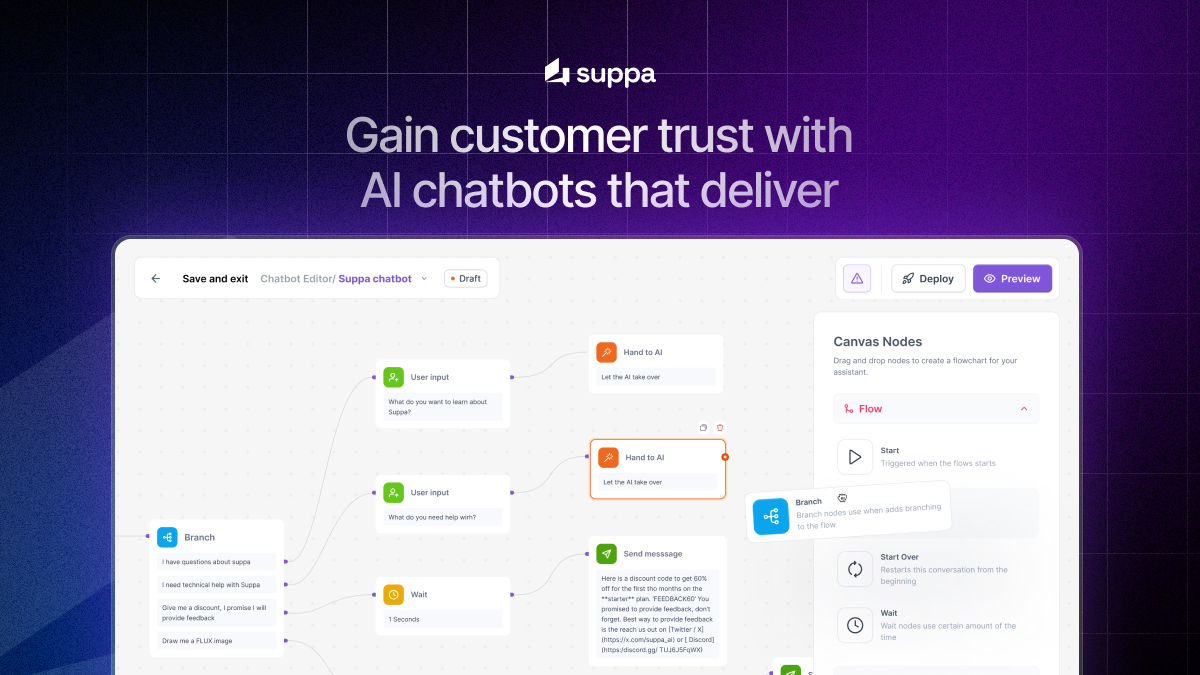
Create smart chatbots that answer questions and act on your systems. Build and deploy across web and mobile with minimal technical skills required.
Run a free AEO + signal audit for your domain.
AI Answer Engine Optimization (AEO)
List once. Convert intent from live AI conversations without heavy integration.
AI Chatbot Integration is the technical process of connecting an intelligent conversational agent to your existing business systems and data sources. It involves embedding the chatbot into platforms like websites, CRMs, and ERPs to enable automated, context-aware user interactions. This enables businesses to automate customer support, streamline internal workflows, and provide 24/7 service, thereby improving efficiency and user satisfaction.
You identify the core systems, data flows, and user interaction goals your AI chatbot needs to connect with and support.
A suitable chatbot platform and integration architecture, often using APIs and middleware, is chosen and deployed to link systems.
The integrated solution undergoes rigorous testing for security, data flow, and user experience before being launched for end-users.
AI chatbots handle order tracking, returns, and product FAQs directly within the shop interface, reducing ticket volume and cart abandonment.
Bots guide users through KYC processes, answer compliance questions, and integrate with core banking systems to streamline account setup.
Integrated chatbots on hospital websites collect patient symptoms, schedule appointments, and provide pre-consultation information while adhering to HIPAA/GDPR.
Chatbots embedded within software applications provide contextual help, troubleshoot common issues, and escalate complex tickets to human agents.
Bots integrated with IoT and ERP systems allow floor managers to query production data, report issues, and check inventory via natural language.
Bilarna ensures platform quality by vetting all AI Chatbot Integration providers through a proprietary 57-point AI Trust Score. This score continuously evaluates each vendor's technical expertise, proven project delivery, client satisfaction, and adherence to security and data compliance standards. Bilarna's AI-driven monitoring provides buyers with transparent, data-backed validation for confident procurement decisions.
Costs vary significantly based on complexity, ranging from $10,000 for basic website integration to $100,000+ for enterprise systems with custom APIs. Key cost drivers include the number of connected platforms, level of AI customization, and required security protocols. Always request detailed quotes outlining implementation, licensing, and maintenance fees.
A standard implementation timeline ranges from 4 to 12 weeks. Simple website integrations can be completed in a month, while complex deployments connecting to multiple legacy systems may require several months of development, testing, and iteration before full launch.
A simple chatbot operates in isolation with predefined scripts, while an integrated AI chatbot connects live to internal databases and business software. This allows it to execute real actions, like checking an order status in the CRM or updating a ticket in a helpdesk, providing dynamic and valuable user assistance.
Common pitfalls include neglecting data security and API governance, underestimating the need for ongoing training and maintenance, and failing to define clear success metrics and fallback protocols to human agents. A robust project plan addresses these from the outset.
Successful integration typically reduces customer service costs by 30%, improves response times by 90%, and increases lead qualification rates. Tangible outcomes include higher customer satisfaction scores, increased operational efficiency, and valuable data insights from user interactions.
Yes, an AI chatbot can support multiple languages and handle language detection automatically by following these steps: 1. The chatbot is programmed to recognize over 45 languages. 2. It detects the customer's language at the start of the interaction. 3. The chatbot continues the conversation in the detected language without manual switching. 4. This enables businesses to serve a global audience seamlessly. 5. Language support improves customer experience by providing responses in the customer's preferred language.
Yes, many infrastructure visualization tools are designed to run both locally and within continuous integration (CI) environments. Running locally allows developers to instantly generate diagrams and documentation as they work on their Terraform projects, facilitating immediate feedback and understanding. Integration with CI pipelines ensures that infrastructure documentation is automatically updated with every code change, maintaining accuracy and consistency across teams. This dual capability supports flexible workflows and helps keep infrastructure documentation evergreen and synchronized with the actual codebase.
Yes, the AI chatbot integration supports multiple messaging platforms simultaneously. To configure this, follow these steps: 1. Access the chatbot's admin portal. 2. Navigate to the integration settings. 3. Add and connect each messaging platform you want to use. 4. Configure preferences for each platform to ensure seamless communication. 5. Save the settings and test the chatbot on all connected platforms to verify functionality. This allows your organization to communicate efficiently across various channels without switching tools.
AI workflow automation in healthcare does not require traditional integration with existing electronic medical record (EMR) systems. Instead of relying on APIs or custom development, AI interacts with EMR software by mimicking human actions such as clicking, typing, and navigating interfaces. This approach allows the AI to work seamlessly with any EMR system or portal, including popular platforms like Epic, Cerner, and athenahealth. As a result, clinics can deploy automation solutions quickly without lengthy IT projects or vendor approvals.
Yes, the AI chatbot supports multiple languages. To utilize this feature: 1. Configure the chatbot settings to enable multilingual support. 2. Select the languages relevant to your international clientele; the chatbot supports up to 80 languages. 3. Customize the chatbot's tone and style for each language if needed. 4. Deploy the chatbot on your website to interact with visitors in their preferred language. This ensures effective communication and boosts conversion rates across diverse audiences.
Yes, the AI lip sync video generator offers an API for seamless integration. To use the API: 1. Sign up for an account on the platform. 2. Access the developer section to obtain your API key. 3. Follow the API documentation to integrate lip sync video generation into your application. 4. Test the integration with sample videos. 5. Deploy the integration for production use.
Integration tools that enable communication across multiple chat platforms generally do not permanently store user messages or files. While they may retain metadata about messages to help synchronize conversations across platforms, the actual content of messages and files is not persistently saved. This approach helps protect user privacy and data security by minimizing data retention. Users can communicate knowing that their messages and files are not stored indefinitely by the integration service itself.
No, integration tools that enable cross-platform communication typically do not migrate or transfer your previous chat history or messages. They facilitate real-time messaging and file sharing between different chat platforms but do not have the capability to move historical conversations. If you are planning to switch chat platforms, it is recommended to use the integration tool during the migration period to maintain communication continuity. However, any messages sent before the integration was installed will not be transferred or accessible through the new setup.
A business can overcome data visibility and integration gaps by implementing centralized data management systems and smart software solutions. The core issue is often that departments like Finance, Sales, and Operations work from disparate data sources, leading to conflicting reports and wasted hours on data reconciliation. The solution involves deploying integrated platforms that automatically consolidate data from various systems into a single source of truth. This eliminates the manual 'cleaning' of exported data and provides real-time, accurate insights into profitability and performance. Effective data management services streamline IT infrastructure, automate data processes, and ensure all stakeholders access the same, reliable information. This not only closes the visibility gap but also frees up talented personnel from administrative drudgery, allowing them to focus on strategic analysis and high-value expertise.
A ChatGPT-style AI chatbot benefits a business by providing intelligent, conversational, and scalable customer interaction and process automation. Specifically, it delivers 24/7 instant customer support, handling common inquiries and freeing human agents for complex issues. It can qualify leads by engaging visitors in natural dialogue, collecting information, and scheduling appointments directly within the chat interface. For internal operations, it acts as a knowledge assistant, allowing employees to query company documents, policies, or data through simple conversation, dramatically speeding up information retrieval. These chatbots learn from interactions to improve responses over time and can be integrated across communication channels like websites, WhatsApp, and internal platforms for a unified omnichannel experience. This leads to increased customer satisfaction, higher operational efficiency, and valuable data insights from conversational analytics.