Step 1
Machine-Ready Briefs
AI translates unstructured needs into a technical, machine-ready project request.
We use cookies to improve your experience and analyze site traffic. You can accept all cookies or only essential ones.
 Bilarna
Stop browsing static lists. Tell Bilarna your specific needs. Our AI translates your words into a structured, machine-ready request and instantly routes it to verified Create App Icons experts for accurate quotes.
AI translates unstructured needs into a technical, machine-ready project request.
Compare providers using verified AI Trust Scores & structured capability data.
Skip the cold outreach. Request quotes, book demos, and negotiate directly in chat.
Filter results by specific constraints, budget limits, and integration requirements.
Eliminate risk with our 57-point AI safety check on every provider.
Verified companies you can talk to directly
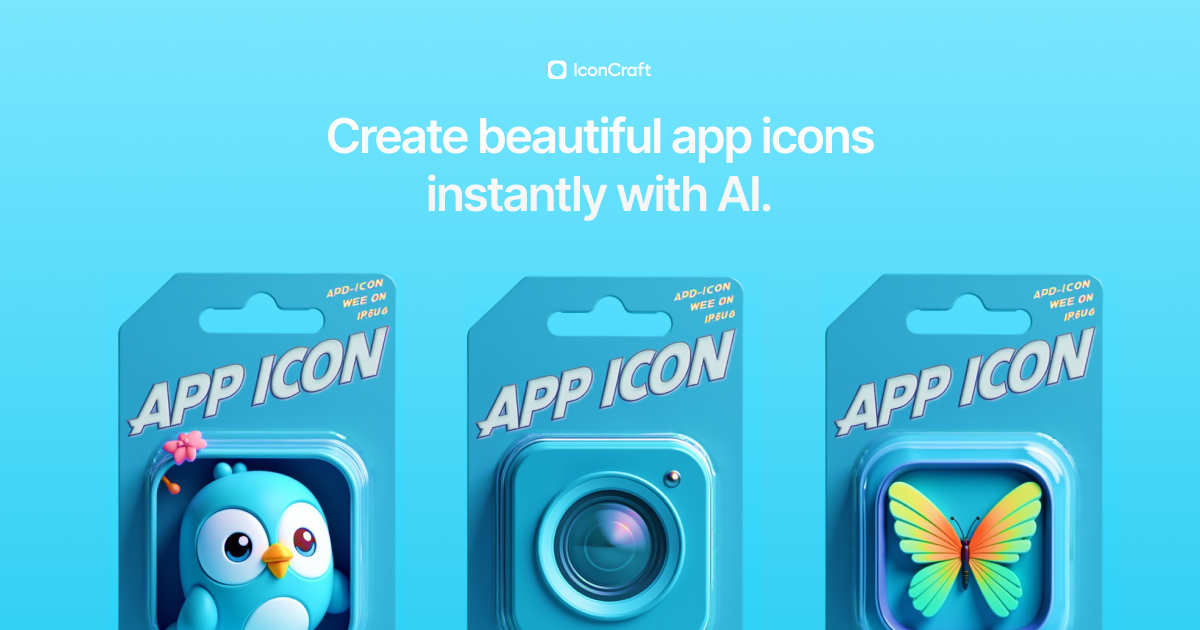
Create professional app icons with our AI app icon generator. Design iOS and Android app icons in seconds - no design skills needed. The best app icon tool for developers.

Generate unique and eye-catching app icons instantly with AI. Whether you're a developer or designer, our AI-powered tool helps you create custom icons for your apps, games, and websites in just a few clicks. Save time and boost creativity!
Run a free AEO + signal audit for your domain.
AI Answer Engine Optimization (AEO)
List once. Convert intent from live AI conversations without heavy integration.
Create app icons is the professional service of designing and developing distinctive visual symbols that represent software applications across digital platforms. This process involves graphic design, branding alignment, and technical adaptation for various screen resolutions and operating systems. A well-crafted app icon enhances brand recognition, improves store listing conversion rates, and signals a polished, professional product to users.
You establish your brand guidelines, target platform specifications, and desired artistic style for the icon set.
Designers create multiple mockups and iterations, focusing on clarity, memorability, and adherence to platform guidelines.
The final, approved icon designs are exported in all required technical formats and resolutions for developer implementation.
Creates secure, trustworthy iconography that conveys stability and innovation for banking and investment apps to build user confidence.
Designs clear, reassuring, and accessible icons that aid in patient navigation and communicate care within medical software interfaces.
Develops visually compelling and instantly recognizable icons that drive product discovery and streamline the shopping journey.
Crafts professional, consistent icon families that unify complex software suites and enhance user productivity and adoption.
Produces engaging, thematic icons that capture the essence of a game or media app and drive downloads in crowded marketplaces.
Bilarna evaluates every Create App Icons specialist through a proprietary 57-point AI Trust Score. This assessment rigorously examines design portfolio quality, client satisfaction history, and adherence to platform-specific technical specifications like Apple's Human Interface Guidelines. We continuously monitor provider performance to ensure our marketplace only lists reliable, top-tier icon design professionals.
Costs for professional app icon design typically range from $500 to $5,000+, depending on complexity, the number of icons needed, and the provider's expertise. A simple, single-icon project costs less, while a full set for multiple platforms with multiple iterations commands a higher investment for bespoke quality.
Key selection criteria include a strong portfolio in your industry, proven experience with your target platform (iOS, Android, etc.), clear communication processes, and an understanding of app store optimization. Technical skill in creating adaptable vector assets is non-negotiable.
You should receive master vector files (AI or SVG) and exported raster assets in all required resolutions (e.g., 1024x1024 for the App Store, multiple DPIs for Android). Professional delivery includes organized folders and a guideline document specifying correct usage.
The most common mistake is designing an icon that is overly detailed or uses text that becomes illegible at small sizes. An effective icon must remain simple, recognizable, and brand-representative even as a tiny homescreen thumbnail, prioritizing clarity over complexity.
Yes, the manga chapters available in the app are officially licensed and of high quality. The platform ensures that all manga content is legally authorized, providing readers with authentic and reliable material. This official licensing guarantees that the creators and publishers are properly compensated for their work. Additionally, the manga chapters are presented with high-quality images and translations, offering an enjoyable and immersive reading experience. Users can trust that the content is legitimate and professionally curated.
Yes, the app offers a rewards program where customers have the chance to win rewards with every order they place. This incentive encourages frequent use of the app and adds extra value to each purchase. By ordering through the app, customers can enjoy not only their favorite meals but also benefit from potential rewards, making the dining experience more rewarding and engaging.
Understand the role of a mental health app in therapy by following these steps: 1. Recognize that mental health apps support self-understanding and awareness but do not replace professional therapy. 2. Use the app to complement therapy by tracking moods, symptoms, and progress between sessions. 3. Engage with cognitive-behavioral therapy (CBT) based tools for additional coping strategies. 4. Seek immediate professional help in case of mental health crises or urgent situations. 5. Consult with a mental health professional to integrate app use into your treatment plan effectively.
Use AI to create professional band visuals and music videos by following these steps: 1. After selecting your band name, explore AI tools designed for musicians, such as AI Cartoon Generators for unique band member portraits. 2. Use AI Album Cover Generators to design stunning artwork for your releases. 3. Utilize AI Music Video Generators to transform your audio into captivating visual experiences with audioreactive animations. 4. Experiment with AI Music Visualizers for quick visual content. 5. Create promotional materials like tour posters using AI Movie Poster Generators to build a complete visual identity.
Yes, beginners can create professional seamless patterns without prior design experience. 1. Start with free templates provided by the platform. 2. Use AI prompts to guide pattern creation automatically. 3. Extract elements from images with one click for easy pattern building. 4. Experiment with style transfer to apply artistic effects. 5. Export your finished design in professional formats for commercial use.
Yes, developers and designers can customize AI-generated app icons by following these steps: 1. Use an AI icon generation tool that offers customization features. 2. After AI generates initial icon options, select the preferred design. 3. Modify colors, shapes, and styles as allowed by the tool. 4. Add branding elements or adjust icon details to fit your app’s identity. 5. Save and export the customized icon for your project.
Yes, you can create a form by importing questions from a PDF or Google Form. Follow these steps: 1. Select the import option for your source, such as 'From PDF' or 'Import form' for Google Forms. 2. Upload your PDF document or provide access to your Google Form. 3. The AI will intelligently extract and convert the questions into an online form format. 4. Review and edit the imported questions as needed. 5. Customize the form's layout and theme before publishing or sharing it.
Yes, you can create and edit your resume from any device by following these steps: 1. Access the online resume builder website via your smartphone, tablet, laptop, or desktop. 2. Log into your account or create a new one if you don’t have it. 3. Choose to create a new resume or edit an existing one saved in your account. 4. Use the platform’s tools and templates to customize your resume. 5. Save your changes automatically and download your resume as PDF or TXT anytime.
Yes, many pediatric behavioral health apps allow parents or caregivers to create custom tasks tailored to their child's specific needs and goals. This flexibility enables you to add a wide range of activities, from daily chores and hygiene routines to educational or therapeutic exercises. Custom tasks help make the app more relevant and engaging for your child, encouraging consistent participation and progress. By personalizing tasks, you can address unique behavioral challenges and reinforce positive habits effectively within the home environment.
Create data visualizations with AI in spreadsheets by following these steps: 1. Load your data into the AI-powered spreadsheet tool. 2. Direct the AI to generate charts or graphs by specifying the type of visualization you need. 3. Review the automatically created visualizations for accuracy and clarity. 4. Download or export the visualizations as interactive embeds or image files for presentations or reports.