Step 1
Machine-Ready Briefs
AI translates unstructured needs into a technical, machine-ready project request.
We use cookies to improve your experience and analyze site traffic. You can accept all cookies or only essential ones.
 Bilarna
Stop browsing static lists. Tell Bilarna your specific needs. Our AI translates your words into a structured, machine-ready request and instantly routes it to verified AI Content Creation Tools experts for accurate quotes.
AI translates unstructured needs into a technical, machine-ready project request.
Compare providers using verified AI Trust Scores & structured capability data.
Skip the cold outreach. Request quotes, book demos, and negotiate directly in chat.
Filter results by specific constraints, budget limits, and integration requirements.
Eliminate risk with our 57-point AI safety check on every provider.
Verified companies you can talk to directly
Recraft is a top-ranked text-to-image model and design platform for photorealism, vector generation, custom styles, mockups, and more
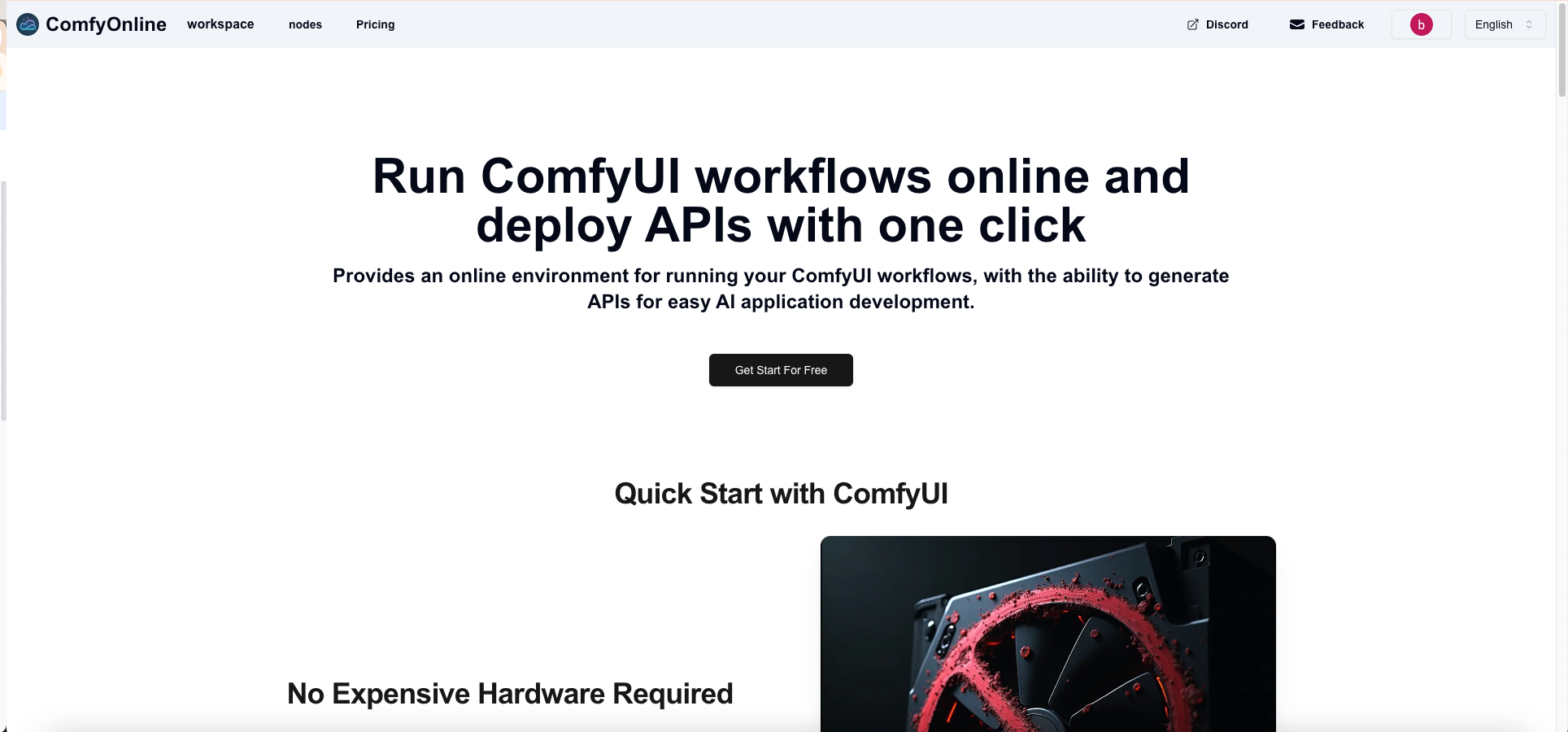
Provides an online environment for running your ComfyUI workflows, with the ability to generate APIs for easy AI application development.

A chrome extension that creates engaging comments on social media, powered by ChatGPT.

Ücretsiz çevrimiçi AI Sunum Oluşturucu ile profesyonel slaytlar hızla oluşturabilirsiniz. Metinleri sunumlara dönüştürmek için AI Sunum Oluşturucu'yu kullanın. Bu AI PPT oluşturucu, iş, eğitim ve yaratıcı projeler için idealdir ve yüksek kaliteli, verimli sunumlar sağlar.

Our AI Summarizer is a free summary generator that can instantly summarize any text, articles and essays with the best key points.

Kardn is your AI-powered playground for imagination. Generate stunning images and videos, bring your ideas to life, and share your creations with friends. Kardn helps you explore the best of AI for creativity, expression, and fun.
AI Assistant for Notion

VoooAI - Free unlimited AI image and video generator. Create stunning AI art, photos, and videos instantly. Supports Nano Banana Pro, Z-Image, FLUX2, Sora2, Veo3.1, Seedance. Easy-to-use, no registration required.
Bard vs ChatGPT Tool with side by side response review, token and response timing information, API parameters for non developers and developers alike.
Generate your LinkedIn posts 10x faster, 10x better. No more hours spent on average content. With MagicPost, you will enjoy exceptional results thanks to our advanced LinkedIn AI models.

Generate professional AI images and videos with Masonry. Access Nano Banana, FLUX, GPT Image, Google Imagen, Kling, Ideogram, and 50+ more AI models in one powerful platform. Start creating for free.
Create stunning AI images with our GPT image technology powered by OpenAI's GPT-4o. Superior text rendering, photorealistic quality, and conversational editing.
NoteAI - Your All-in-One Knowledge Assistant for deep learning. Summarize, translate, and chat with YouTube, PDFs & PPTs. Instantly extract data, generate Mind Maps, Knowledge Cards, and analyze Excel sheets.

AI-powered BLACKBOX AI Agent template supporting BLACKBOX CLI, Claude Code, OpenAI Codex CLI
Improve your writing, fix your tone, and say exactly what you mean — without leaving Microsoft Word.
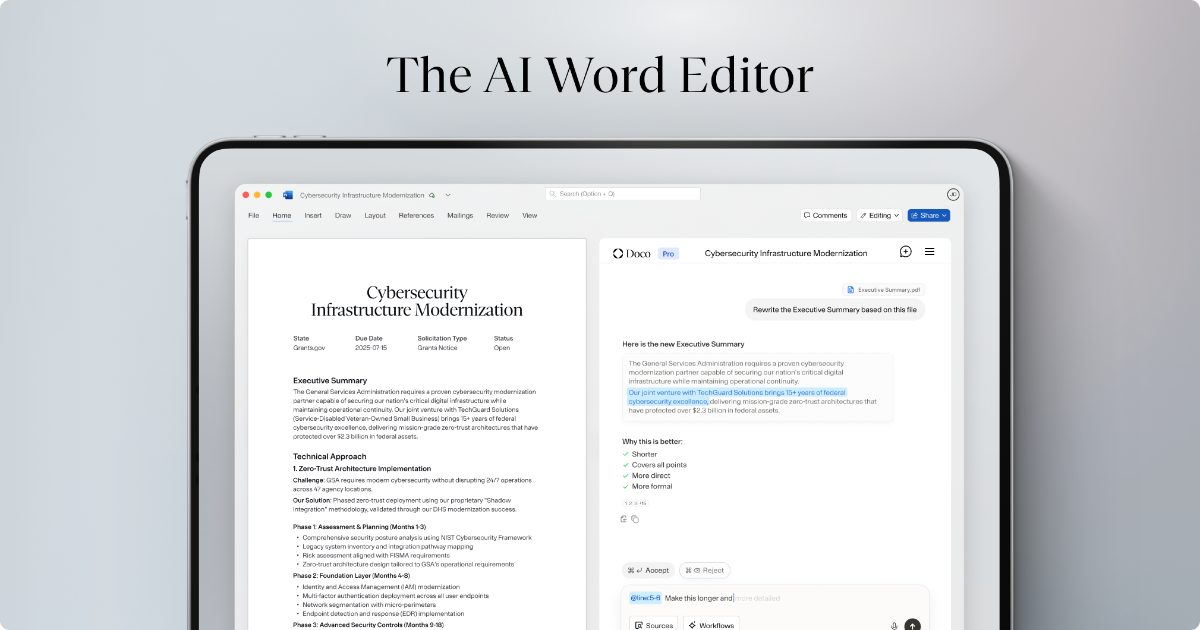
Built right into Microsoft Word, Doco is the best way to write, edit, and format beautiful documents.
Ferramentas de IA para sua equipe. Crie, colabore e transforme sua ideia em realidade com IA.
Chat with GPT-5.2, Gemini 3.0 Pro, Claude Opus 4.5, and Grok 4 simultaneously. Compare responses, get consensus insights, and make better decisions. Incognito mode with no chat history.
Generate 4K AI images, HD videos, 3D models, AI audio, and train custom LoRA models. Professional AI creative tools with pay-as-you-go pricing. No subscriptions required.

Boost your site's credibility with Aithenticate, the tool that brings transparency to AI content. Show your authenticity and earn your audience's trust.
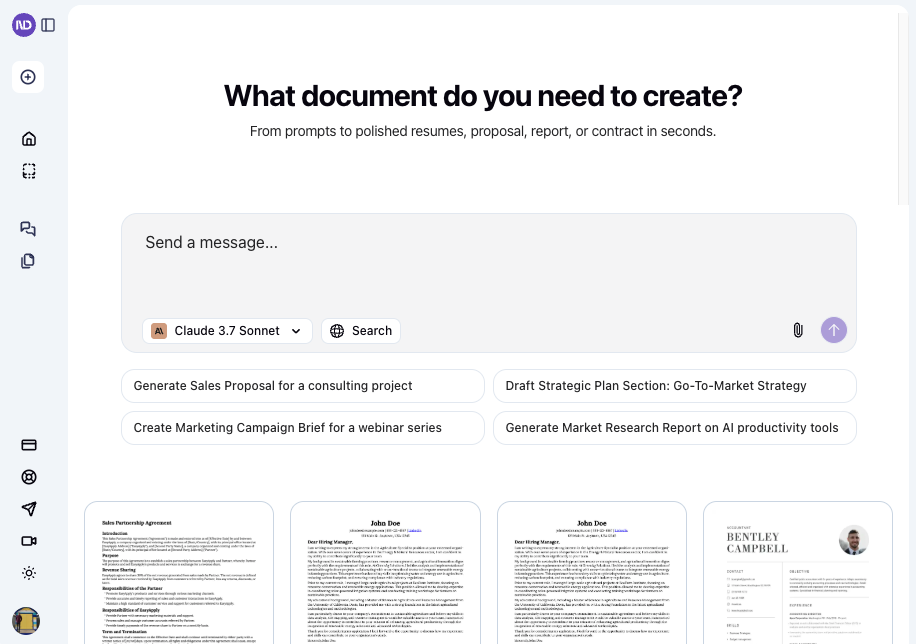
Turn ideas into stunning documents and slides instantly. AI handles structure, formatting, design, and branding — you don’t have to.

Balan.ai provides a curated AI tools list and AI applications directory to help you find the right AI solutions for your needs.
StudyLock helps you stay on track by blocking distracting apps — and only unlocking them once you’ve studied and passed a quiz.
Create AI videos and images in seconds - choose a tool, adjust settings, and download. Try Magic Hour for creators and marketers. Works in your browser.
Build accurate AI assistants on your technical docs in days. Trusted by 200+ companies like OpenAI, Docker & Mapbox. 5M+ questions answered. SOC II Type II certified. Book demo.
Run a free AEO + signal audit for your domain.
AI Answer Engine Optimization (AEO)
List once. Convert intent from live AI conversations without heavy integration.
AI content creation tools are software platforms that leverage generative AI and natural language processing to produce text-based, visual, or audiovisual content. They analyze input data and target parameters to generate original, contextually relevant materials like blog posts, product descriptions, or social media assets. This significantly accelerates content production, reduces costs, and supports consistent brand messaging.
Users specify the content type, target tone, audience, and specific keywords or topic guidelines for the AI to follow.
The tool processes the inputs and produces multiple content-rich drafts based on the set parameters and training data.
The generated drafts are reviewed, edited, and optimized for final publication by human editors to ensure quality and alignment.
Automating the creation of thousands of unique product descriptions and meta tags for SKU-rich online stores to enhance SEO and conversion.
Scaling content output for multiple client campaigns, including ad copy, blog posts, email sequences, and social media content calendars.
Generating clear, compliant explanatory text, FAQ sections, and educational materials for complex financial products and services.
Creating technical documentation, knowledge base articles, and supportive marketing content to explain software functionalities and updates.
Aiding in ideation, producing article drafts, and repurposing content across different publication channels and formats efficiently.
Bilarna evaluates every AI content creation tool provider using a proprietary 57-point AI Trust Score. This assessment covers technical capability audits, portfolio reviews, client reference checks, compliance certifications, and ongoing monitoring of delivery reliability. Only vetted providers with high trust scores are recommended to businesses on the platform.
Costs vary widely based on features, volume, and integration depth, ranging from monthly SaaS subscriptions for standard tools (starting ~$50) to custom enterprise solutions with five-figure annual budgets. Pricing models often include usage-based fees, per-seat licenses, or bundled project packages.
Modern AI content creation tools can generate diverse formats including blog articles, social media posts, whitepapers, product descriptions, email campaigns, video scripts, basic graphics, and even code snippets. Output quality and originality depend on the underlying AI model strength and input prompts.
Evaluate your specific needs for content type, volume, integration with existing MarTech stacks (like CMS or CRM), and required language support. Key selection criteria include output quality, customization options, data security certifications, and availability of human review and editing features.
Google prioritizes high-quality, user-centric content regardless of its creation process. However, pure, unedited AI mass-production can be flagged as low-value. Successful strategies combine AI generation with human expertise for fact-checking, tone refinement, and adding unique insights.
Implementation time ranges from a few days for cloud-based SaaS tools with simple sign-up to several weeks for comprehensive enterprise integrations requiring training, workflow adaptation, and API connections to other systems. A proof-of-concept can quickly validate suitability.
Yes, AI masks are legally safe and users retain ownership by following these steps: 1. Verify your real identity as required by the platform to comply with legal regulations. 2. Use AI masks ethically and avoid violating terms of service. 3. Understand that AI masks are generated and do not steal anyone's identity. 4. Create and publish content with AI masks knowing you have full commercial license and ownership over your masked videos and photos. 5. Avoid using AI masks for unethical purposes to maintain compliance and safety.
Yes, the AI-powered teacher tools are free and include the following features: 1. Worksheet Generator to create custom worksheets quickly. 2. Lesson Plan Generator for comprehensive, standards-aligned lesson plans. 3. Report Card Comments generator for professional, personalized feedback. 4. Coloring Page Generator to turn ideas into printable coloring pages. 5. All tools save your work automatically to a cloud library accessible from any device. 6. Tools are private, secure, and supported with fast in-app chat assistance.
Yes, there are several additional online tools available for photo editing besides object removal. These include: 1. Photo Watermark Remover to precisely remove watermarks from images. 2. Photo Retoucher to enhance and retouch images effectively. 3. Background Remover and Background Changer to remove or customize photo backgrounds. 4. Image Converter tools to convert images between formats like GIF to JPG, PNG to JPG, and BMP to JPG. 5. Video tools such as Compress Video and Remove Watermark for video editing needs.
Check the pricing details before using any AI video optimization tool. Follow these steps: 1. Visit the official website or platform offering the tool. 2. Review the pricing plans and terms of service carefully. 3. Look for any mention of additional costs such as subscription fees, usage limits, or premium features. 4. Contact customer support for clarification if needed to avoid unexpected charges.
Advanced language learners can benefit from beginner-focused tools by utilizing advanced features tailored to higher proficiency levels. Steps to maximize benefits include: 1. Use monolingual dictionaries integrated into the tool to deepen vocabulary understanding. 2. Import your own subtitles or known word lists to customize learning materials. 3. Employ language-specific features and hotkeys to streamline study sessions. 4. Create flashcards for entire dialogues to improve comprehension of complex conversations. 5. Take advantage of advanced text-to-speech options for better pronunciation practice. 6. Customize settings and track flashcard statistics to optimize learning efficiency. These features ensure the tool remains valuable beyond the beginner stage.
Yes, AI agents can seamlessly integrate with your existing business tools and knowledge bases. This integration allows the agents to access relevant data and workflows, enhancing their ability to automate tasks effectively. By connecting with familiar platforms, AI agents fit naturally into your current operations without disrupting established processes, enabling smoother automation and better results.
Yes, many AI animation tools allow users to personalize and edit animations after the initial generation. This capability significantly impacts creative workflows by providing flexibility and control over the final output. Users can start with an AI-generated base animation and then customize elements such as timing, colors, graphics, and text to better align with their brand identity and creative vision. This reduces the need to create animations from scratch while still enabling unique and tailored results. The ability to refine AI-generated content accelerates the creative process, saves time, and allows creators to focus more on innovation and storytelling rather than repetitive technical tasks.
Yes, AI code review tools typically integrate seamlessly with popular version control platforms such as GitHub and GitLab. This integration allows automatic review of pull requests within the existing development workflow. Many tools support a wide range of programming languages including Python, JavaScript, TypeScript, Go, Java, C, C++, C#, Swift, PHP, Rust, and others. While support for some languages may vary in response quality, these tools aim to provide comprehensive analysis across diverse codebases, helping teams maintain code quality regardless of their technology stack.
Yes, AI design engineering tools are designed for seamless integration with existing CAD, BIM, and project management software. This compatibility ensures that engineers can continue using their preferred tools without disrupting established workflows. The integration facilitates data exchange and collaboration, enhancing efficiency and enabling teams to leverage AI capabilities alongside their current systems.
Yes, AI design tools can incorporate local climate and architectural styles to create realistic and practical designs. To do this: 1. Include your location or region in the design prompt when using the AI tool. 2. The AI will tailor plant recommendations, materials, and styles based on local climate conditions and architectural norms. 3. This ensures that the generated designs are context-aware and suitable for your environment. 4. Use this feature to get region-specific designs that blend seamlessly with your home's surroundings and climate requirements.