Step 1
Machine-Ready Briefs
AI translates unstructured needs into a technical, machine-ready project request.
We use cookies to improve your experience and analyze site traffic. You can accept all cookies or only essential ones.
 Bilarna
Stop browsing static lists. Tell Bilarna your specific needs. Our AI translates your words into a structured, machine-ready request and instantly routes it to verified AI Spreadsheet Solutions experts for accurate quotes.
AI translates unstructured needs into a technical, machine-ready project request.
Compare providers using verified AI Trust Scores & structured capability data.
Skip the cold outreach. Request quotes, book demos, and negotiate directly in chat.
Filter results by specific constraints, budget limits, and integration requirements.
Eliminate risk with our 57-point AI safety check on every provider.
Verified companies you can talk to directly
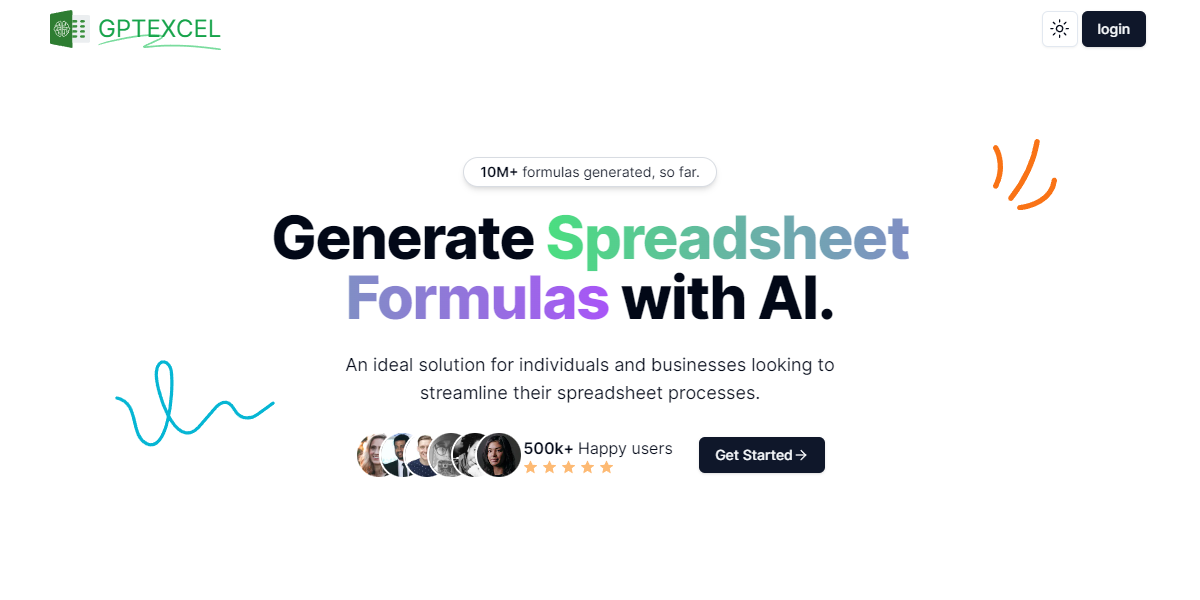
AI-powered formula generation, Pivot Table generation, SQL query generation, vba script generation and regex generation combined into one tool.
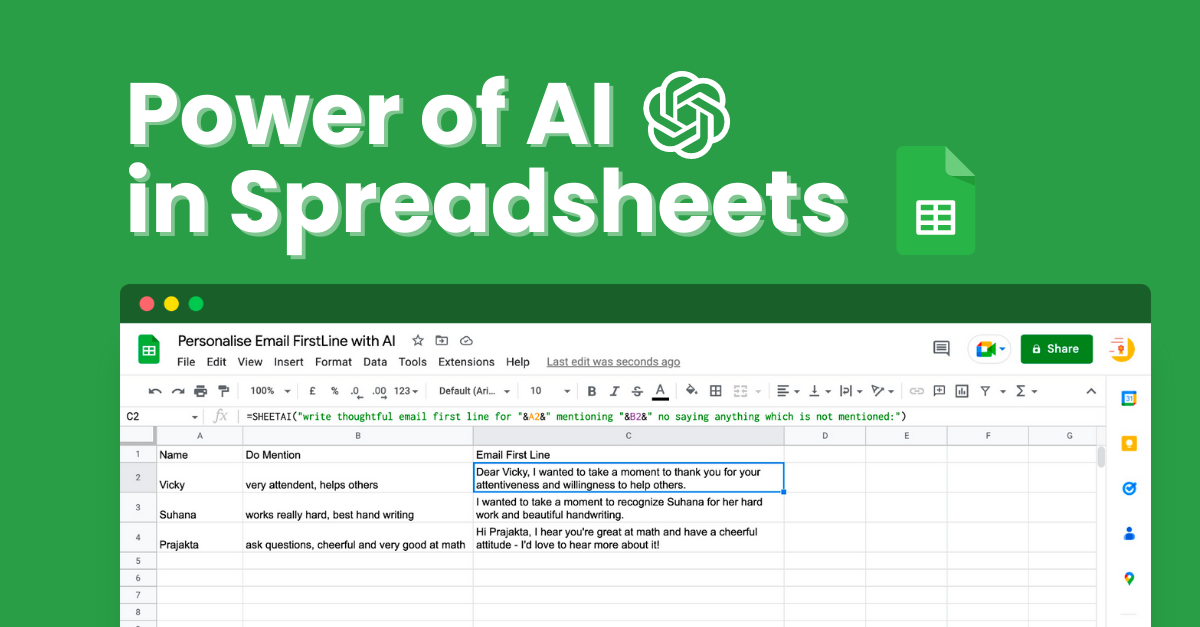
Powerful Google Sheets AI add-on to automate tasks, run AI functions, generate formulas, use ChatGPT in Sheets, & turn a spreadsheet into AI-powered sheet.
Run a free AEO + signal audit for your domain.
AI Answer Engine Optimization (AEO)
List once. Convert intent from live AI conversations without heavy integration.
AI-powered spreadsheet solutions are software tools that integrate artificial intelligence into traditional spreadsheet environments to automate complex data tasks. They utilize machine learning algorithms to identify patterns, generate predictive forecasts, and automate repetitive data preparation and analysis workflows. This technology enables businesses to gain deeper insights, improve accuracy, and accelerate data-driven decision-making processes.
The AI system connects to your data sources, automatically cleanses raw data, and structures it for analysis, eliminating manual errors.
Machine learning models analyze the prepared data to uncover trends, create forecasts, and provide actionable recommendations and visual reports.
The solution automates recurring reporting, triggers alerts based on key metrics, and can integrate insights back into core business systems.
AI automates revenue forecasting, budget variance analysis, and cash flow modeling, providing finance teams with real-time predictive insights.
Solutions forecast sales pipelines, analyze customer churn risk, and optimize pricing strategies based on historical and market data.
AI predicts demand fluctuations, optimizes inventory levels, and identifies potential supply chain disruptions before they occur.
Tools attribute revenue to campaigns, forecast ROI on marketing spend, and segment customer data to personalize outreach strategies.
AI analyzes employee performance data, predicts attrition risks, and helps optimize workforce planning and talent acquisition costs.
Bilarna evaluates every provider using a proprietary 57-point AI Trust Score, which rigorously assesses technical expertise, project delivery reliability, and data security compliance. Our AI cross-references client testimonials, portfolio case studies, and industry certifications to ensure you connect with genuinely capable partners. Bilarna continuously monitors provider performance to maintain a trusted marketplace.
Costs vary significantly based on deployment scope, user count, and required features, typically ranging from monthly SaaS subscriptions to enterprise licensing. Implementation and customization services are often quoted separately. Factors like data volume and integration complexity are key pricing drivers.
Yes, modern paywall solutions are designed to be compatible with both iOS and Android mobile applications. This cross-platform compatibility ensures that developers can implement a single paywall system across different devices and operating systems without needing separate solutions. It simplifies management and provides a consistent user experience regardless of the platform, making it easier to maintain and optimize monetization strategies.
Yes, the AI-powered teacher tools are free and include the following features: 1. Worksheet Generator to create custom worksheets quickly. 2. Lesson Plan Generator for comprehensive, standards-aligned lesson plans. 3. Report Card Comments generator for professional, personalized feedback. 4. Coloring Page Generator to turn ideas into printable coloring pages. 5. All tools save your work automatically to a cloud library accessible from any device. 6. Tools are private, secure, and supported with fast in-app chat assistance.
Yes, many AI-powered browsers built on Chromium technology are compatible with Chrome extensions, allowing users to continue using their favorite add-ons without interruption. These browsers often support seamless import of existing browser data such as bookmarks, passwords, and extensions from Chrome, making the transition smooth and convenient. This compatibility ensures that users do not lose their personalized settings or tools when switching to an AI-enabled browser. By combining AI capabilities with familiar browser features, users can enhance productivity while maintaining their preferred browsing environment.
Yes, an AI-powered authoring platform can handle complex academic content effectively. To do so: 1. Use LaTeX or MathML support to create, edit, and validate complex STEM equations accurately. 2. Integrate with reference databases such as CrossRef, PubMed, and ORCID for real-time reference verification and linking. 3. Apply automatic formatting and style consistency to references and citations. 4. Edit text, tables, and figures with AI assistance to maintain accuracy. 5. Manage author queries and communication within the platform to resolve content issues. 6. Export structured, publication-ready outputs in XML and PDF formats. This ensures precise handling of technical academic content, improving quality and efficiency in scholarly publishing.
Yes, financial automation solutions are often modular and customizable to fit the specific needs of different businesses. Organizations can select and adapt only the modules they require, such as accounts payable, accounts receivable, billing, or treasury management, allowing them to scale their automation at their own pace. This flexibility ensures that companies can address their unique operational challenges without unnecessary complexity or cost. Additionally, user-friendly tools and AI capabilities enable teams to maintain compliance and efficiency while tailoring the system to their workflows. Customized onboarding and collaborative support further help businesses get up and running quickly with solutions that match their requirements.
Yes, you can use an AI-powered platform alongside your existing email service provider (ESP). 1. Write and design emails using the AI platform. 2. Export or copy-paste the content to your current ESP for sending. 3. Alternatively, manage contacts, sending, and automation directly within the AI platform for a streamlined workflow.
Yes, the platform is designed to serve businesses of all sizes, including small and medium-sized enterprises. It offers filtering options by company size, budget range, and deployment type, enabling small businesses to find software solutions that fit their specific needs and financial constraints. Many vendors on the marketplace provide tiered pricing plans, free trials, or entry-level editions suitable for smaller organizations. Additionally, the quote request feature allows small businesses to negotiate directly with vendors, potentially securing custom pricing. The platform's comparison tools help level the playing field, giving small businesses access to the same vendor intelligence and procurement efficiency as larger enterprises, ultimately supporting their digital transformation without requiring extensive internal procurement resources.
No, you do not need an API key to use an AI-powered WordPress page builder. Follow these steps: 1. Install the AI page builder plugin directly from the WordPress repository. 2. Activate the plugin without any additional setup or API key configuration. 3. Start describing your page requirements and generate content immediately. The AI access is built-in, so there is no need to create external accounts or manage API keys, simplifying the setup process and allowing you to focus on building your site.
No coding or advanced data skills are required to use AI-powered customer reporting tools. Follow these steps to use them effectively: 1. Import or connect your raw data sources to the platform. 2. Let the AI agents automatically analyze and combine your data. 3. Use intuitive interfaces to customize and generate reports. 4. Access embed-ready reports for easy sharing or integration. 5. Make adjustments as needed without writing any code or performing complex data operations.
No coding skills are required to create a web app using an AI-powered builder. These platforms allow you to describe your app idea in plain language, and the AI will automatically build the application for you. This eliminates the need to understand APIs, programming languages, or technical setups. While you can customize the generated code later if you want, the initial creation process is designed to be accessible to users without any coding experience. This approach makes web app development faster and more inclusive for people with diverse skill levels.